KB 23 / KB 23-UL (E3.1) 02/2019 page 22/87
Too high or too low temperature after the program ends.
Damage to the charging material.
Deactivate the week program timer if you do not use it.
7. Week program editor
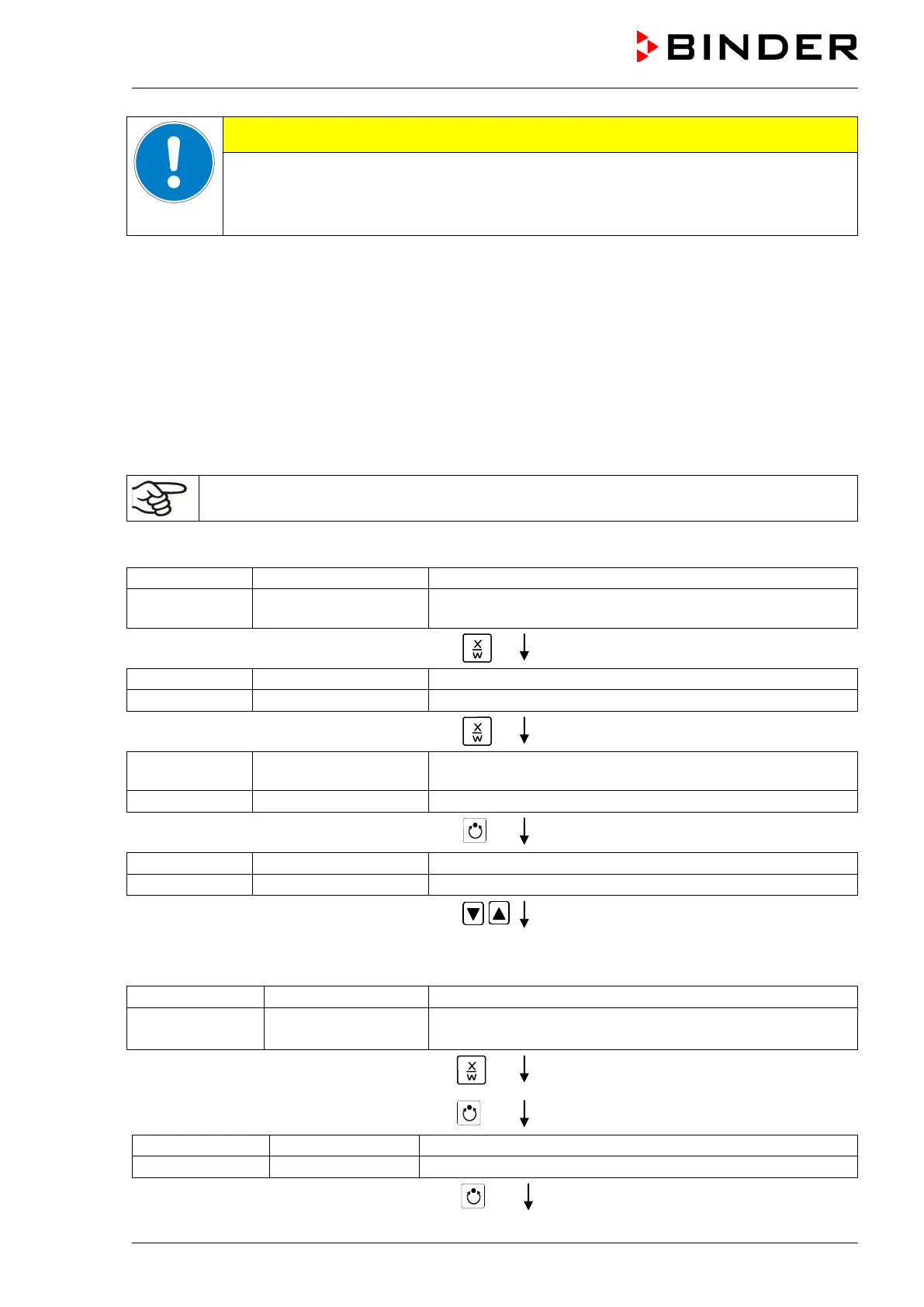
The Week program editor permits defining up to 4 shift point for each week day. A shift point defines a
moment and the switching state ON or OFF of the channels that become active in this instance.
Channel function:
• Channel 1 On = Set-point 2 is equilibrated.
• Channel 1 Off = Set-point 1 is equilibrated
• Channel 2 = reserve
The week program timer is initially set to inactive (factory setting). Therefore, you need to
activate the week program timer in the user level (chap. 10).
Normal Display
(actual temperature value)
Display 2 shows e.g. 15.05.06 13:52 - -
(actual date and time, actual state of week program timer
channel 1: Off, channel 2: Off)
Press down key
for 5 sec
(you are in the program editor)
Press down key
for 5 sec
Display 1 shows 0000
Menu visible only if week program timer is activated
in the user level (chap. 10)
(you are in the week program editor)
Press program key
(enter user code, display flashes)
Enter the user code using arrow keys
e.g. 0001 (basic setting, adjustable in the
user level, chap. 10).
Value is shown in both displays.
Automatically forward after 2 sec
Display 2 shows Monday
(selection of day of the week)
(actual selection: Monday)
Select the day of the week (Monday up to
Sunday) with key
Day of the week is shown in display 2.
Press program key
Press program key






 To Next Page