KB 23 / KB 23-UL (E3.1) 02/2019 page 45/87
11.3 Proceeding in detail
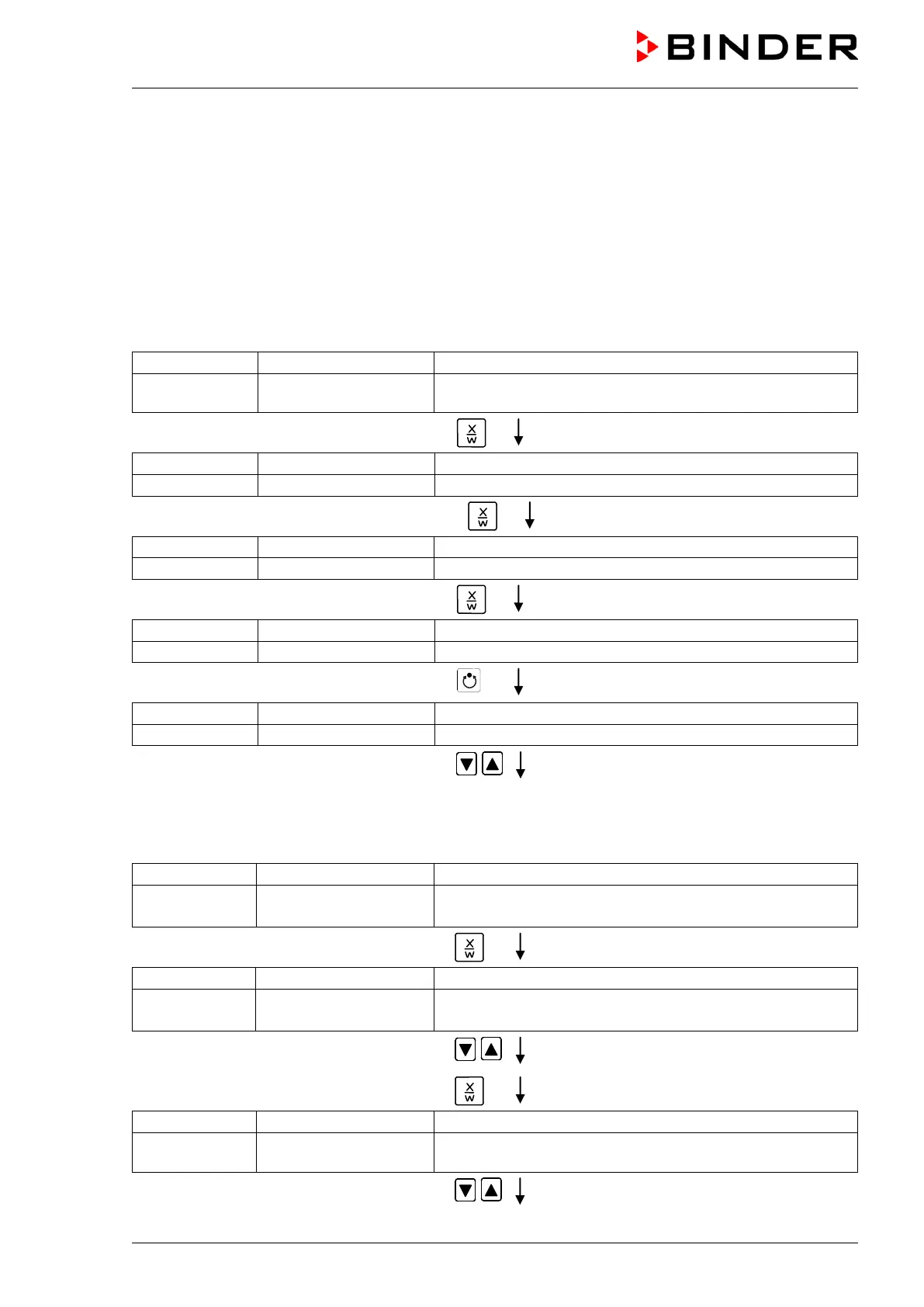
1. Settings in the user level:
• Setting the safety controller to “Limit” and 3 °C above the maximum temperature value of the
program
• Activating the week program timer
• Checking and, if necessary, setting the real time clock
Normal Display
(actual temperature value)
Display 2 shows e.g. 15.05.06 13:52 - -
(actual date and time, actual switching state of week
program timer channel 1: Off, channel 2: Off)
Press down key
for 5 sec
(you are in the program editor)
Press down key
for 5 sec
Menu visible only if week program timer is activated.
(you are in the week program editor)
Press down key
for 5 sec
(you are in the user level)
Press program key
(enter user code, display flashes)
Enter the user code using arrow keys
e.g. 0001 (basic setting,
or the valid code in case it has been
previously changed in this menu).
Value is shown in both displays.
Automatically forward after 2 sec
Display 2 shows Address 1
(entry of chamber address)
(actual address: 1)
Press several times key
until Saf.mode appears:
Display 2 shows Saf.mode: Limit.
(select set-point mode of safety controller)
(actual setting: „limit“)
Select “Limit” using arrow keys
Setting is shown in display 2.
Press key
(actually set temperature value)
Display 2 shows Saf.setp 23
(temperature value of over temperature safety device)
(actual value: 23 °C / 73.4°F)
Enter the temperature value of 23 in °C
using arrow keys
Value is shown in both displays.






 To Next Page