Repair work at the inner and outer chamber
10. Remove with a cutter the insulating foam at the unit rear in the area of the temperature sensor.
11. Detach all fixings (cable connector etc.) of the Pt100 temperature sensor cable in the machine room
and at the unit rear.
12. Loosen the screwed cable fitting (D) in the interior.
13. Pull the Pt100 temperature sensor cable into the interior.
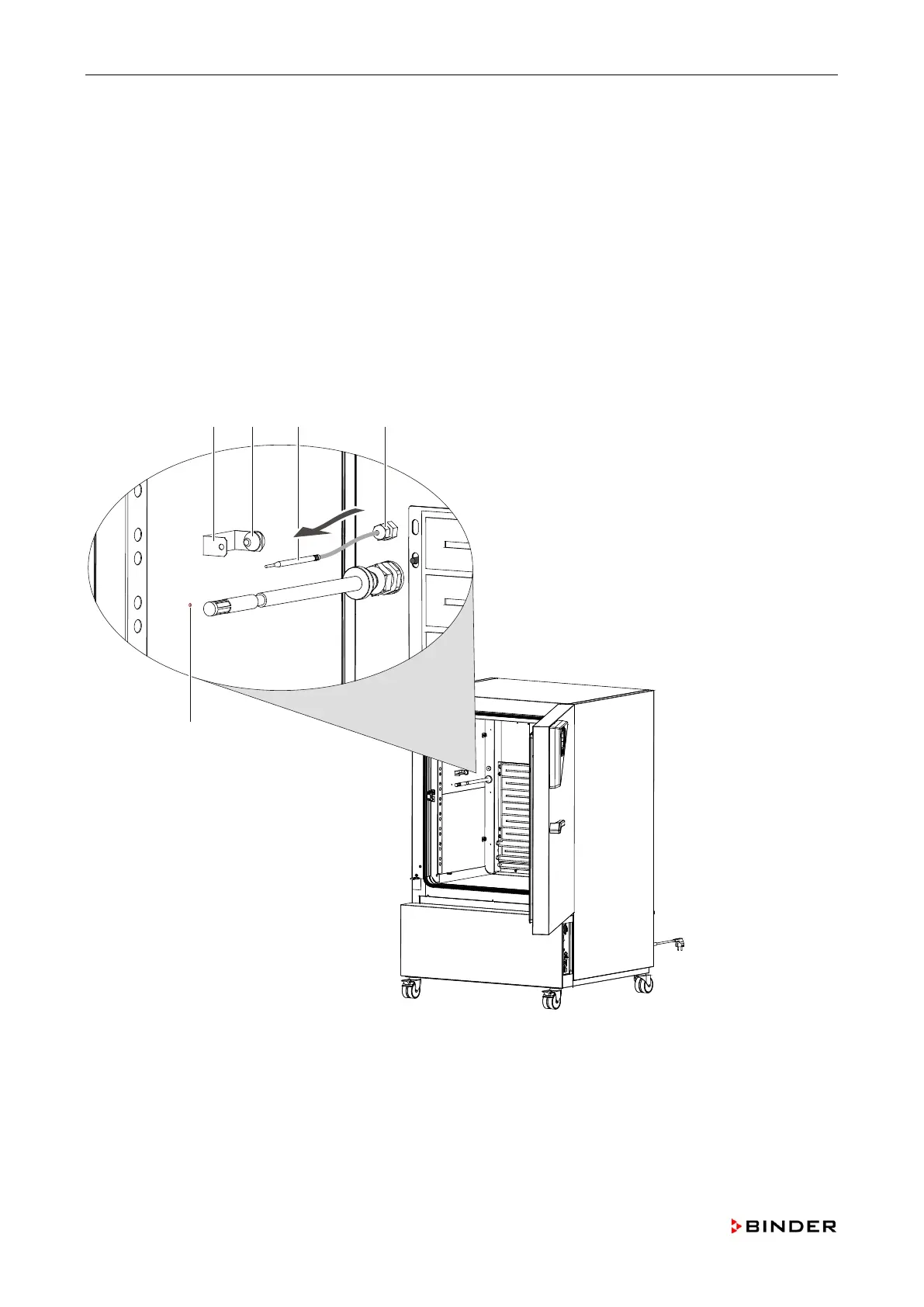
14. Pull the temperature sensor (C) out of the cable access port (B) at the sensor holder (A).
15. Install the new Pt100 temperature sensor in reverse order.
16. When installing the sensor mind that the end of the temperature sensor fits the marking (E) on the
outer chamber
17. After the installation fill the mounting opening on the rear with insulating foam.
18. Calibrate and adjust the temperature controller (chap. 11).
Figure 30: Replacing the inner chamber Pt 100 temperature sensor (-3B1)
B Cable access port
C Pt 100 temperature sensor
E Position marking
70 Service Manual KBF (E5.2) 04-2015









 To Next Page