KMF (E5.2) 06/2014 page 84/99
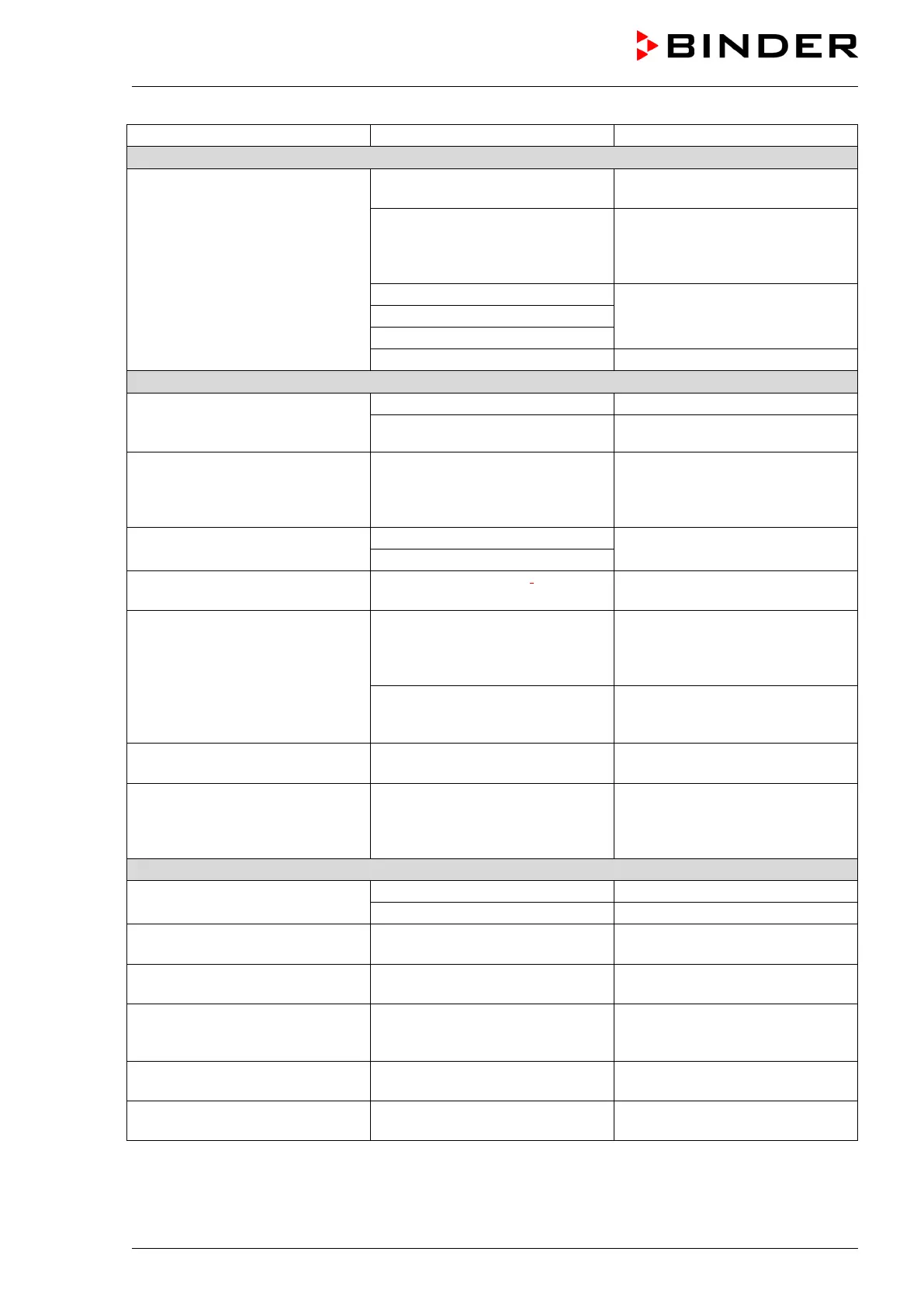
Refrigerating performance
Low or no refrigerating perfor-
mance.
Ambient temperature > 25 °C / 77
Select cooler place of installation.
ture/humidity values not in the
optimum range (see temperature
humidity diagram, Figure 19).
Select combination of tempera-
ture/humidity values in the opti-
mum range (chap. 12).
Compressor not turned on.
Contact BINDER service.
Electro-valves defective.
No or not enough refrigerant.
Too much external heat load.
Control accuracy of ± 3 % r.F. is
Door opened very frequently. Open doors less frequently.
Humidity fluctuation, together
with temperature fluctuation >
1 °C with a set-point ca. 3 °C
above ambient temperature.
Place of installation too hot.
Select cooler place of installation
or contact BINDER service.
Low or no dehumidification.
Contact BINDER service.
Icing at the evaporator plates.
Set-point was too long below
Defrost the unit (chap. 13).
Condensation at the walls of the
inner chamber.
ture/humidity values not in the
optimum range (see temperature
humidity diagram, Figure 19)
Select combination of tempera-
ture/humidity values in the opti-
mum range (chap. 12).
Set-point was too long below
ambient temperature, icing in the
Defrost the unit (chap. 13)
Low humidity and temperature
accuracy
Fan speed has been reduced. Set fan speed to 100%.
Buzzer at the lower part of the
unit sounds.
Water level in the steam module
is too low (filling time-out)
Turn off and on the humidity
switch (3). In case of alarm re-
peat after approx. 2 minutes,
No unit function
(dark display).
Display mode “Standby” active.
Press any controller key.
Main power switch turned off.
Turn on the main power switch.
No access to menu “User set-
tings”“.
User code incorrect. Contact BINDER service.
Wrong temperature alarms, dis-
turbance of temperature accuracy
Temperature unit changed to °F.
Set temperature unit to °C (chap.
6.4).
Chart recorder function: meas-
ured-value memory cleared; in-
New setting of storage rate.
Change the storage rate ONLY if
the previously registered data are
no longer required (chap. 7).
Controller does not attain set-
points entered in Manual Mode.
Button “EXIT” or “AUTOMATIC”
has been hit: Unit is in Idle Mode.
Change to Manual Mode (chap.
Controller does not attain pro-
gram set-points.
Button “EXIT” or “AUTOMATIC”
has been hit: Unit is in Idle Mode.
Start the program again (chap.
9.9).



 To Next Page