LifePro Thermal Cycler Instruction for operation
-10-
Press “Run” to access the interface for file running when Control Mode is Block; press “Run” to
bounce the dialog box below if Control Mode is Tube now:
It is the same with main interface, confirm the password, input the sample type and micro liter
amount of sample size.
Note:
1. “*” on upper right of user and file indicates this file is the default for system running.
2. File can be modified in the interface for system parameter setting.
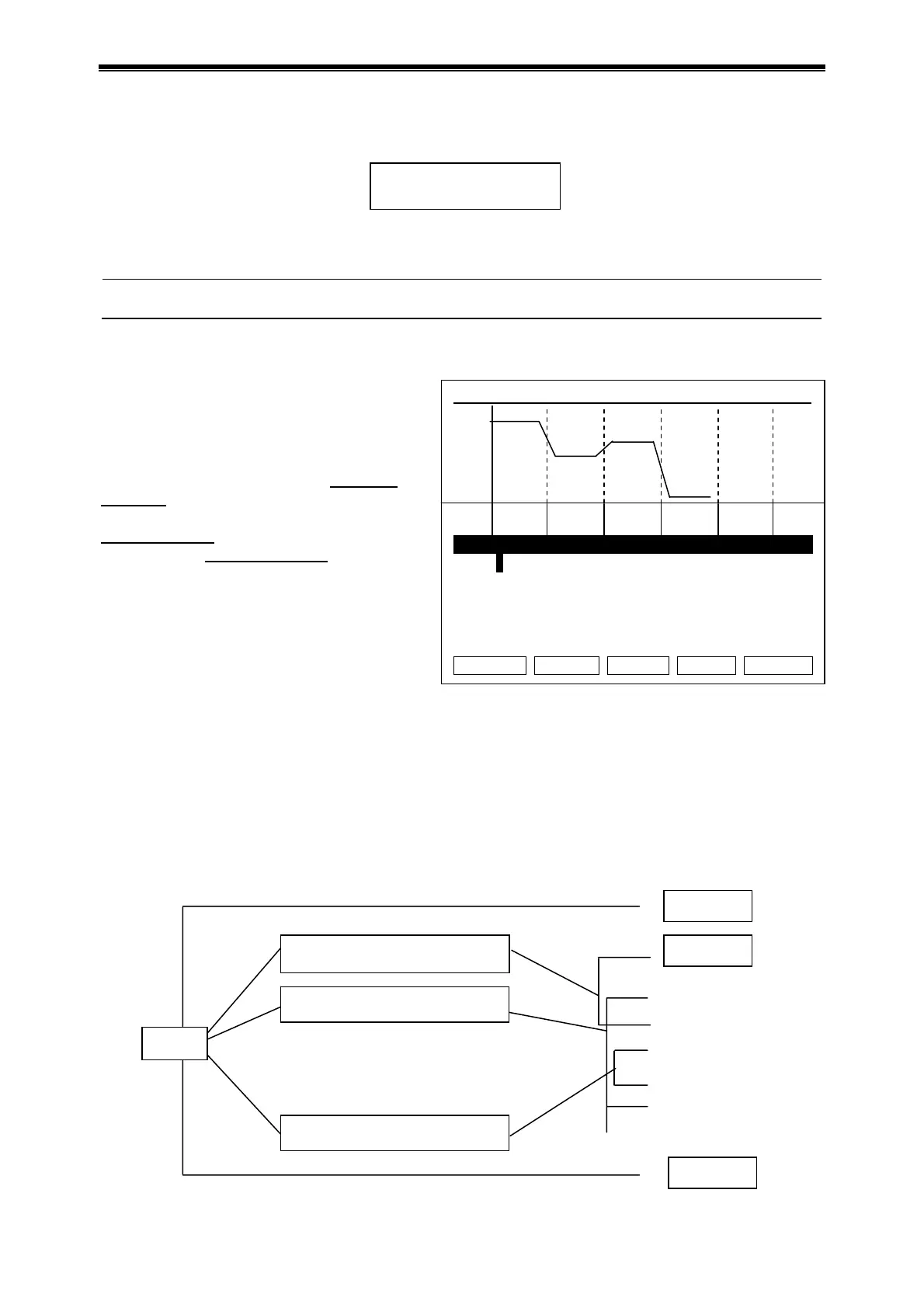
Interface for file editing
Segment and paragraph can be edited in this
interface. The file is comprised of segments
and paragraphs, while segments are
contained in paragraphs. Cycle times can be
set for segments in paragraphs (see figure
below for relation). Press up/down
or
left/right
key to move the cursor, the place
where cursor is are highlighted. Press
character key
to change the parameter
setting. Press plus/minus key
to change the
plus/minus symbol.
Press “+Seg.” key for segment editing,
where you can set temperature (Temp),
lasting time (Time), rate for temperature
rise/fall (Ramp), temperature increment
in each cycle (+Temp) and time
increment in each cycle (+Time). Press
“Delete” to delete the segment where cursor is.
Press “+Cycle” key for paragraph editing, where you can set cycle amount and cycle starting
segment. The figure shows that it cycles from segment 1 to segment 3, and cycles for 10 times.
Repeat to press “+Cycle” key to add paragraphs (maximum is 5). Press “Delete” to delete the
current paragraph immediately. Move the cursor up/down to enter previous or next paragraph.
Press “Save” key to access the interface for file saving.
Press “Back” key to return to the interface for file list.
Special caution: 1. Please save the new edited PCR program before running, or the file can’t run.
2. If “Time” is set as “--:--”, hot-lid is closed automatically when module
temperature control works.
Hotlid=off 2009-05-1 10:05:00
100
75
50
25
0
Temp
1c 95.0 2c 55.0 3c 72.0 4 04.0
Time
01:00 02:00 01:45 00:00
Seg. Temp(C) Time Ramp(C/s) +Temp +Time
1c 95.0 01:00 #.# +0.0 +0:00
2c 55.0 02:00 #.# +0.0 +0:00
3c 72.0 01:45 #.# +0.0 +0:00
4 04.0 00:00 #.# +0.0 +0:00
Cycle1:×10 From 01 to 03
+Seg. +Cycle Delete Back Save
Relation of segment and paragraph in the file
Select Sample Volume:
050
l
Cycle1 ×** From ** to **
Se
. 1
Se
. 2
Se
. 16
Cycle2 ×** From ** to **
·
·
·
·
·
·
Cycle5 ×** From ** to **
File



 To Next Page