User’s Manual of LifePro Thermal Cycler Connection to computer
-27-
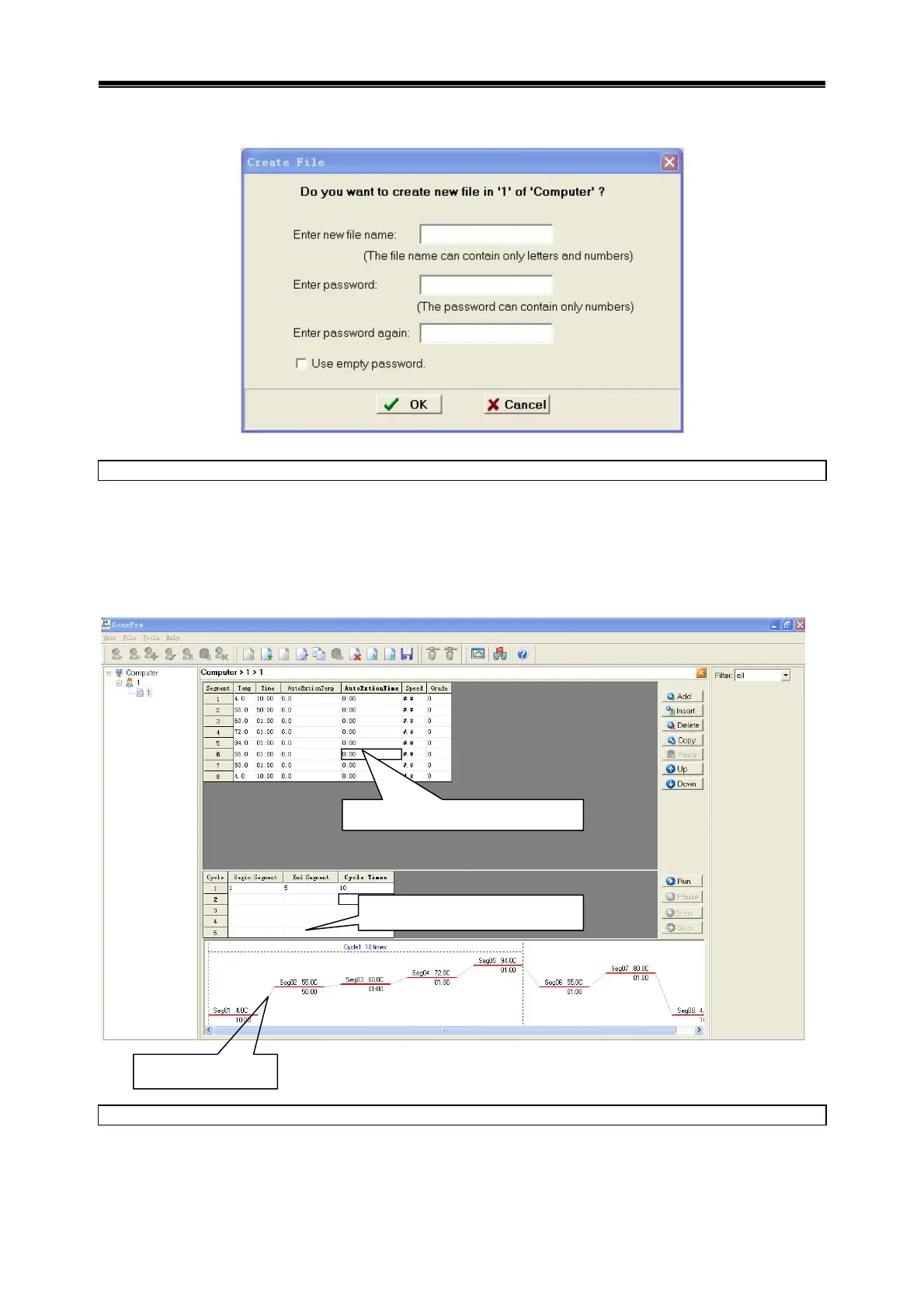
y Select Create New File menu under File menu to bounce dialog box.
y 3 Input file name and password, click OK.
Edit file
y Double click user sub-item in device list, open file list, double click edit file or create new file,
access the interface to edit file.
y Edit file contents, click Save to save file.
Prompt
y All steps can be viewed from graphs.
y User must input password to edit file if password is required by file.
Copy file
y Select the file to be copied.
y Select Copy File menu under File menu.
se
ment
arameters settin
setting details
cycle parameters setting



 To Next Page