LifePro Thermal Cycler Firmware upgrading
-36-
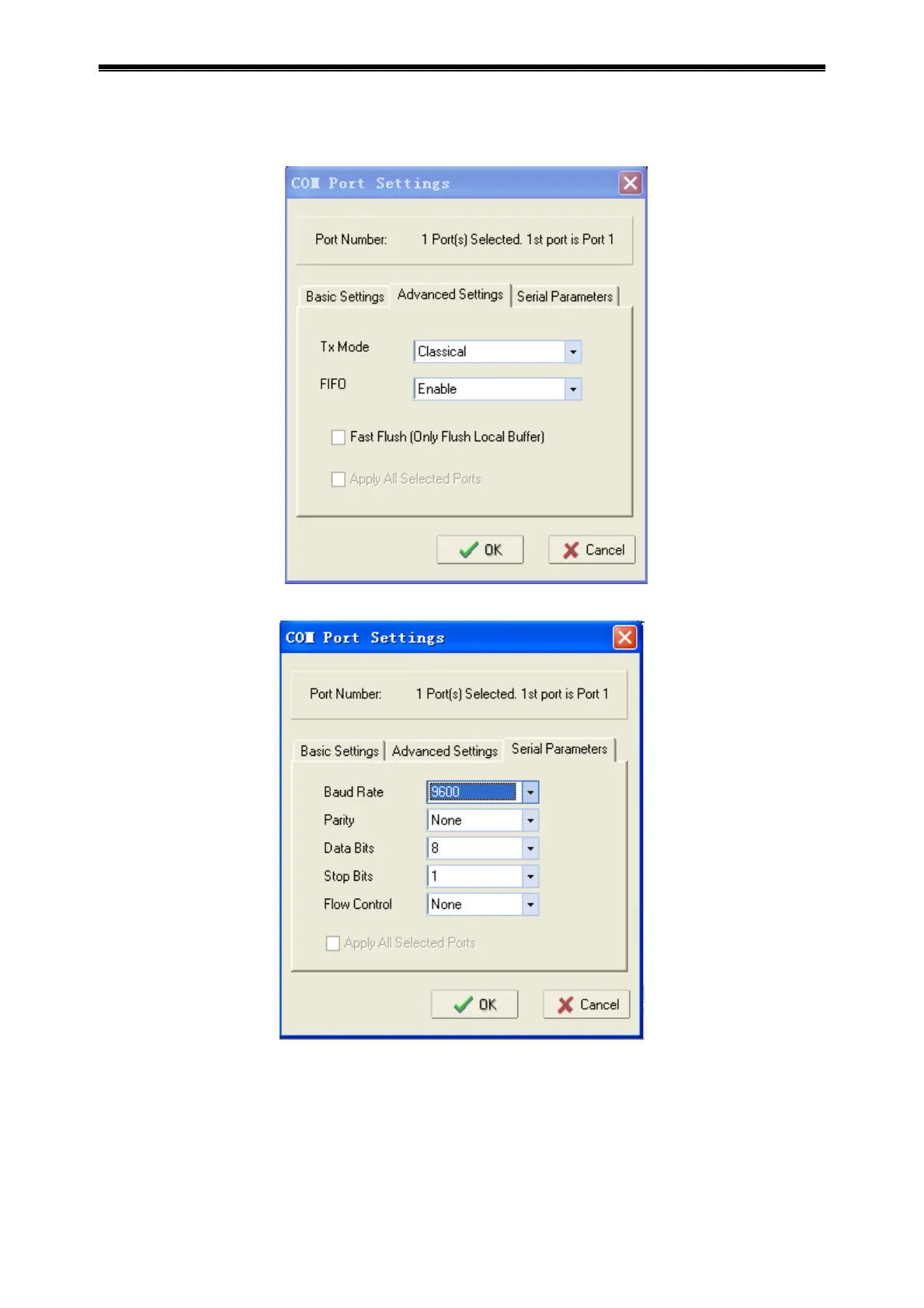
Double lick network number setting mapping property page searched in list column, and select
Advanced Settings, setting as shown below.
Select Serial Parameters, setting as shown below.
Click OK, click confirmation, and apply the setting.
4) Run Upgrade.exe;
5) Press “open”, select upgrading program (*.bin) in computer;
6) Press “start”, the computer begins to upgrade software in instrument and the instrument screen
prompts “Upgrade begin”;
7) The instrument prompts “Configuring Mode…” during software upgrading.
8) The instrument prompts “Upgrade finished…”when software upgrading is finished;



 To Next Page