E80/E70 Digital Electrocardiograph User’s Manual
4-21
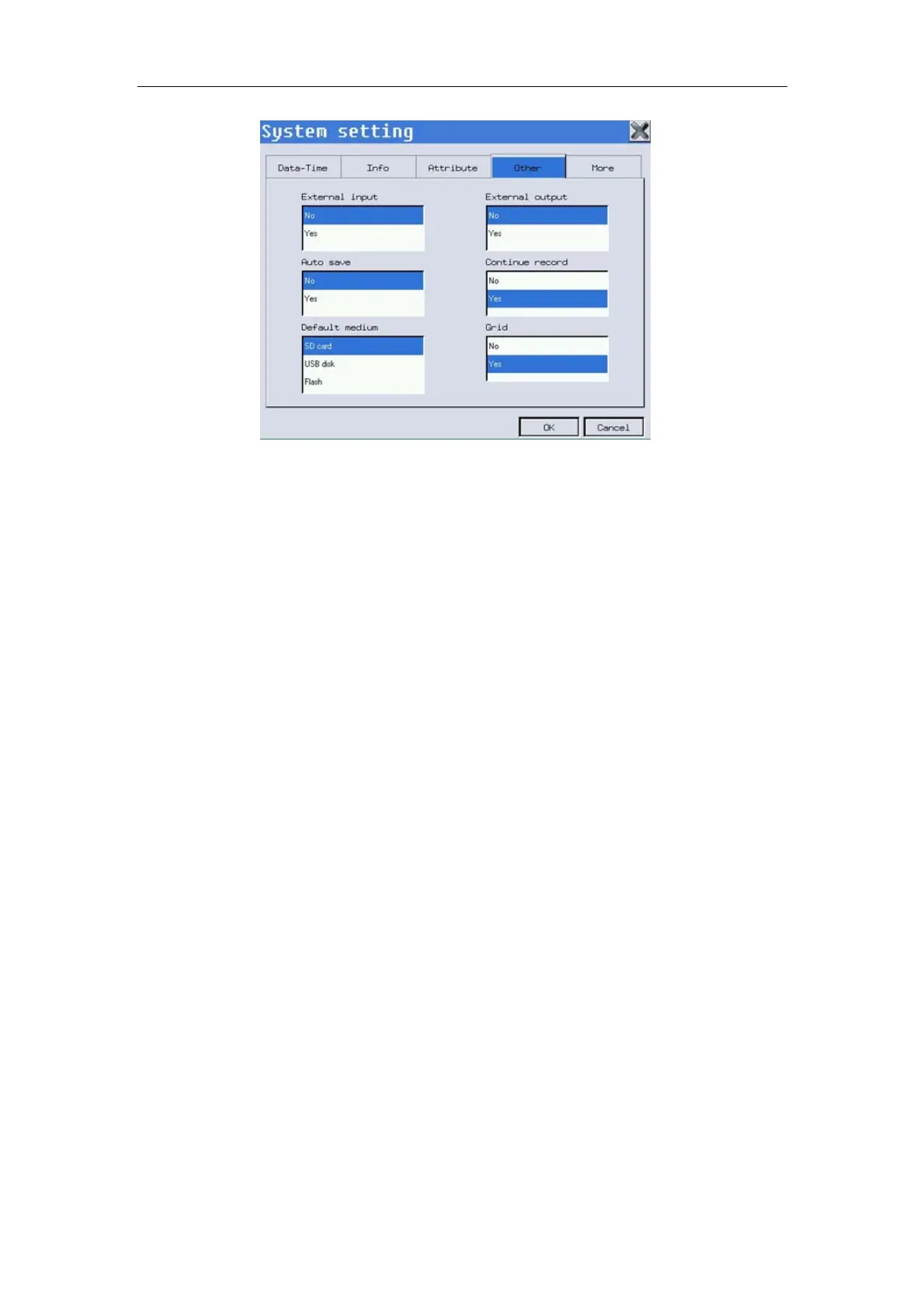
Fig. 4-20: System--Other
You may conduct the following operations in this interface:
——Select 【External input】/【External output】: Electrocardiograph has
external import/export port, which can be used to receive external signals or
export the signals detected. You may select “Yes” or “No” to open or close
this function.
——Select 【Auto save】: Select “Yes” or “No”. If “Yes”, the relevant data
may be automatically saved at designated location of system after recording
of a patient.
——Select 【Continue record】: Select “Yes” or “No”. If “Yes”, the machine
can continue to select recording and editing of current data after recording
and export of data of the current patient.
——Select【Default medium】: May select one medium according to actual
needs.
——Select 【Default setting】: May set current default setting to user or
factory.
——Select【Grid】:Can turn the background of the wave form from black to
grid.
4.9.5 More Setup
In the system setup interface, select 【More】 to enter the date/time setup
interface, as shown in Figure 4-20 below. In the interface, you may conduct
the following operations:
——Select【Calibrate】Calibrate the touch screen.
——Select【Version info】See version info of the device.



 To Next Page