Instruction Manual TProfessional Basic 06/2011 17
5 Operating
5.1 The TProfessional Basic User Interface
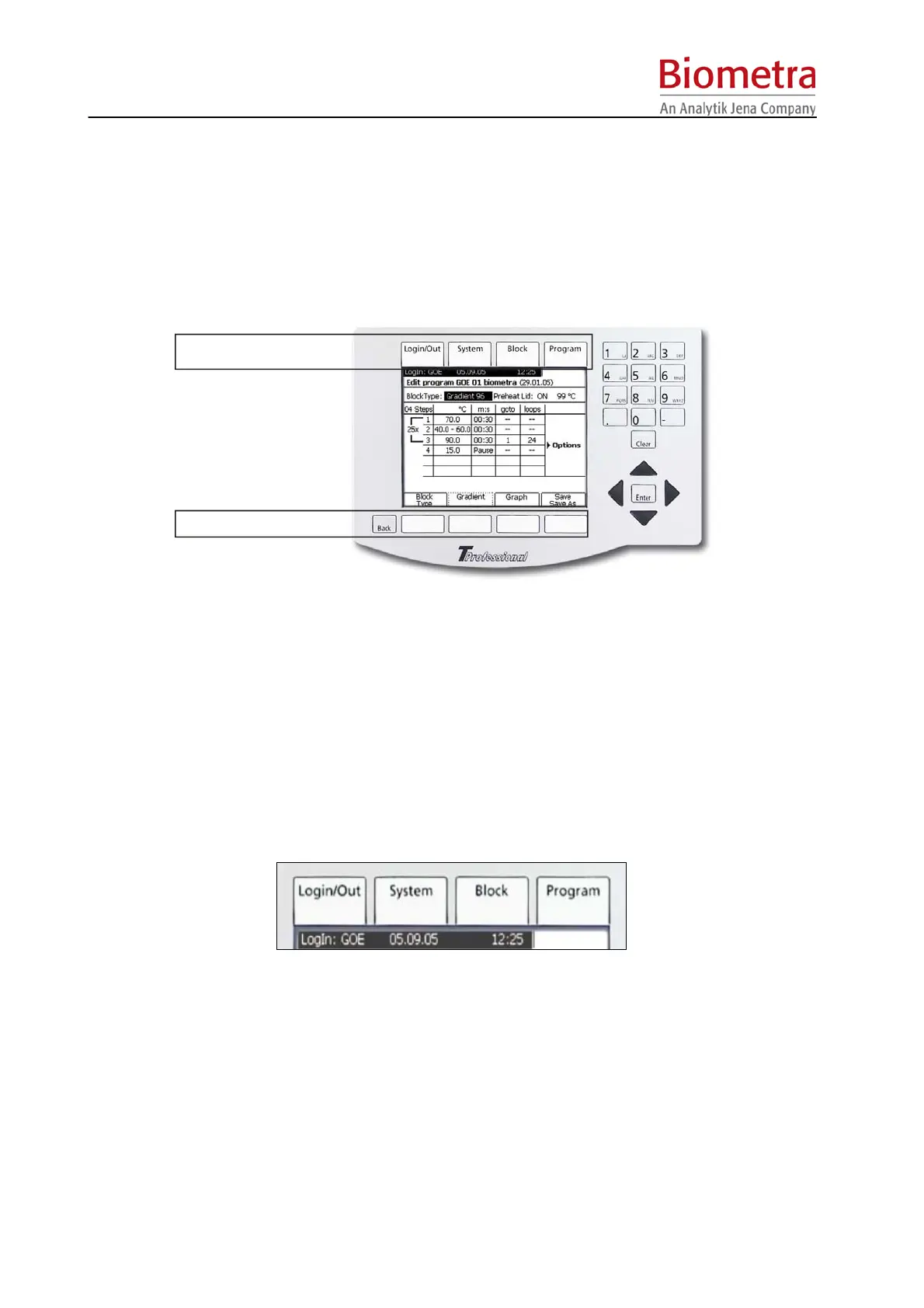
The TProfessional Basic User interface provides four Menu Buttons above the screen and four
Soft Keys below the Screen,
Menu buttons
Softkeys
5.1.1 TProfessional Basic Menu Buttons
The four MENU BUTTONS allow quick access to the TProfessional Basic Main Menus. These
are:
• Login /out Menu
• System Menu
• Block Menu
• Program Menu
The active menu is indicated by a graphical link to the respective menu button.
The example shows Program Menu is active.
The four Menu Buttons are permanent and always have the same function. This is in contrast
to the Soft Keys. The Soft Key functions change depending on the current software menu.
5.1.2 TProfessional Basic Soft Keys
Below the Display there are four SOFT KEYS.



 To Next Page