32 Instruction Manual TProfessional Basic 06/2011
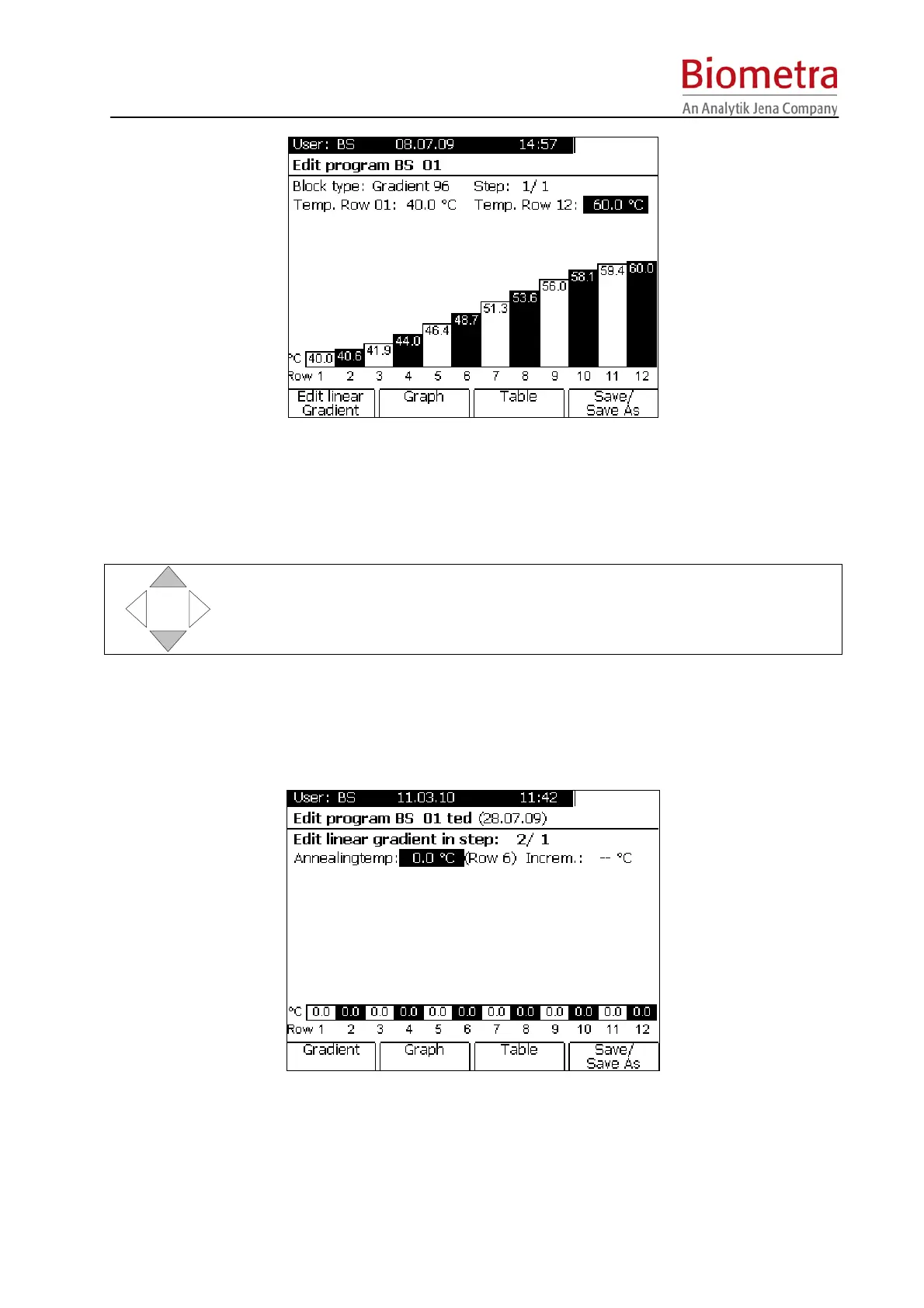
In the Gradient Screen you can enter a new, or edit an existing Gradient. Enter new settings for
Row01 (left side) and Row12 (right side) and confirm with Enter.
After both settings are confirmed with [Enter] the temperatures for the single rows are displayed
in the bar chart.
With the cursor keys UP and DOWN the gradient can be fine adjusted. Press
the cursor keys to increase or decrase the temperature in increments of 0.1 °C.
To go back to the spreadsheet, press Soft Key [Table].
5.3.11 Program linear gradient
Press softkey [Edit linear gradient].
Enter the desired annealing temperature and define a temperature increment (Incr.) between
the single rows of the heating block (E.g. the entered annealing temperature corresponds to the
temperature in row 6 of a 96 well block). The temperatures for all other rows are calculated
automatically. The temperature in row 01 (left side of the block) is the lowest and the
temperature in row 12 (right side of the block) is the highest.



 To Next Page