Instruction Manual TProfessional Basic 06/2011 23
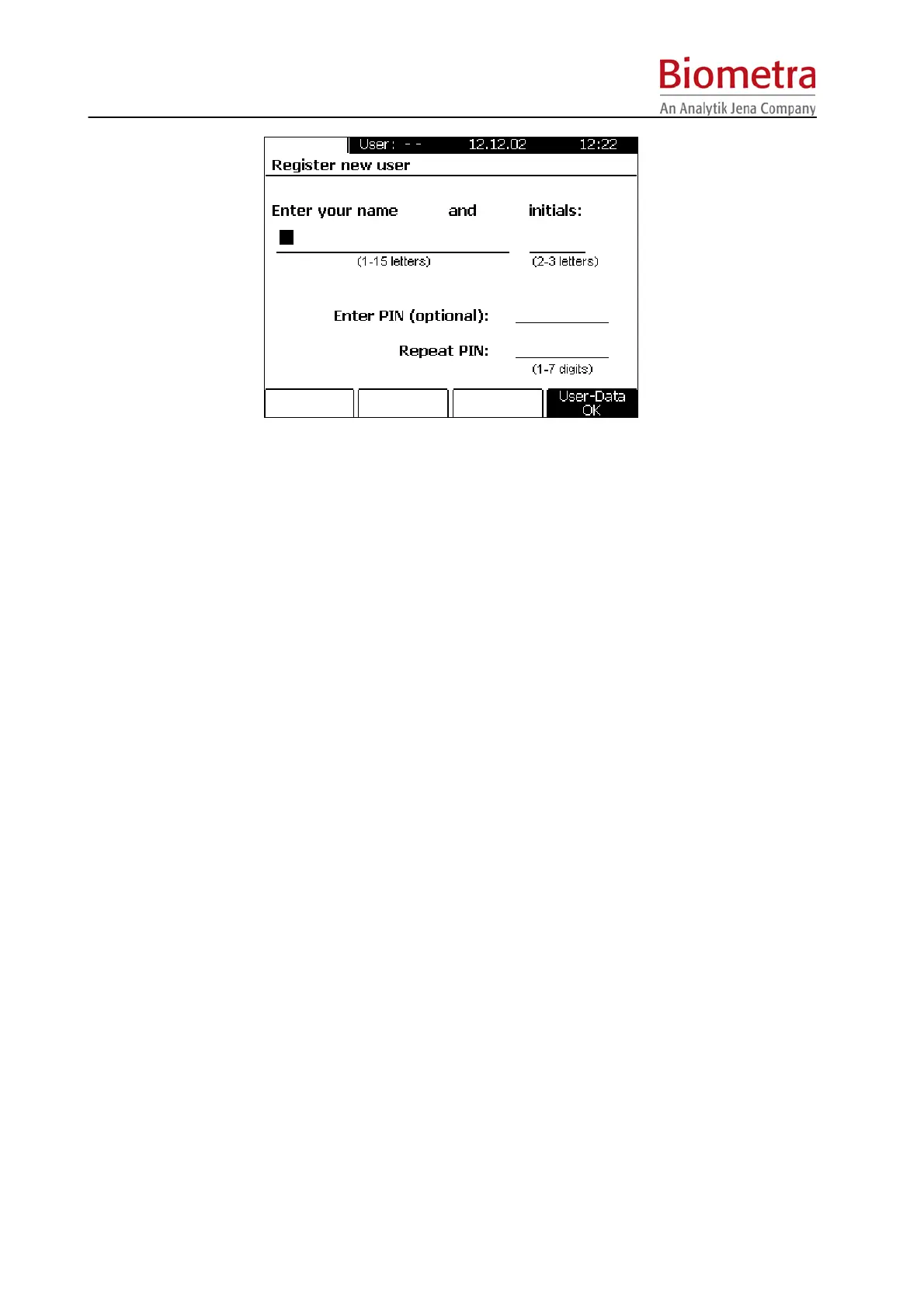
Enter your name and 2-3 initials. Enter a personal identification number (PIN) consisting of 1-7
digits. For security reasons, you are requested to repeat the entry of your PIN.
Note: PIN entry is optional. If no password protection is wanted, just confirm with [User data
OK]. However, if no PIN is entered, you account containing all of your programs can be
modified by unauthorized personal.
Note: Your PIN can be changed any time in the System menu (see section 6.1.2).
5.2.5 Supervisor Log in
Only the Supervisor is authorized to change global instrument settings. This includes update of
firmware and the deletion of user accounts.
To log in as Supervisor, press the Log in/out Menu Button above the Display. Press Soft Key
[Supervisor Log in] and enter Supervisor PIN.
The default Supervisor PIN is 000 000 0 (do not enter blanks).
5.2.6 Delete User
Once logged in, you can delete your own account in the System Menu (see section 13.1.3.).
In addition, any user can be deleted by the Supervisor. To delete a user, log in as Supervisor
(see section 6.3.) and select menu option “delete user”. Choose the user account you would like
to delete and confirm with [OK].
Note: By deleting a User Account all programs in the referring user directory will be deleted. It is
therefore recommended to safe the programs in a different directory prior to deleting a User
account.
5.3 Create program
At Thermocyclers of the TProfessional Basic series programs can be created in two ways. You
may use pre-installed program examples (see chapter 5.3.1) or create new programs without a
template (see chapter 5.3.2).



 To Next Page