4140
Set Up Your RIGHTEST CGMs
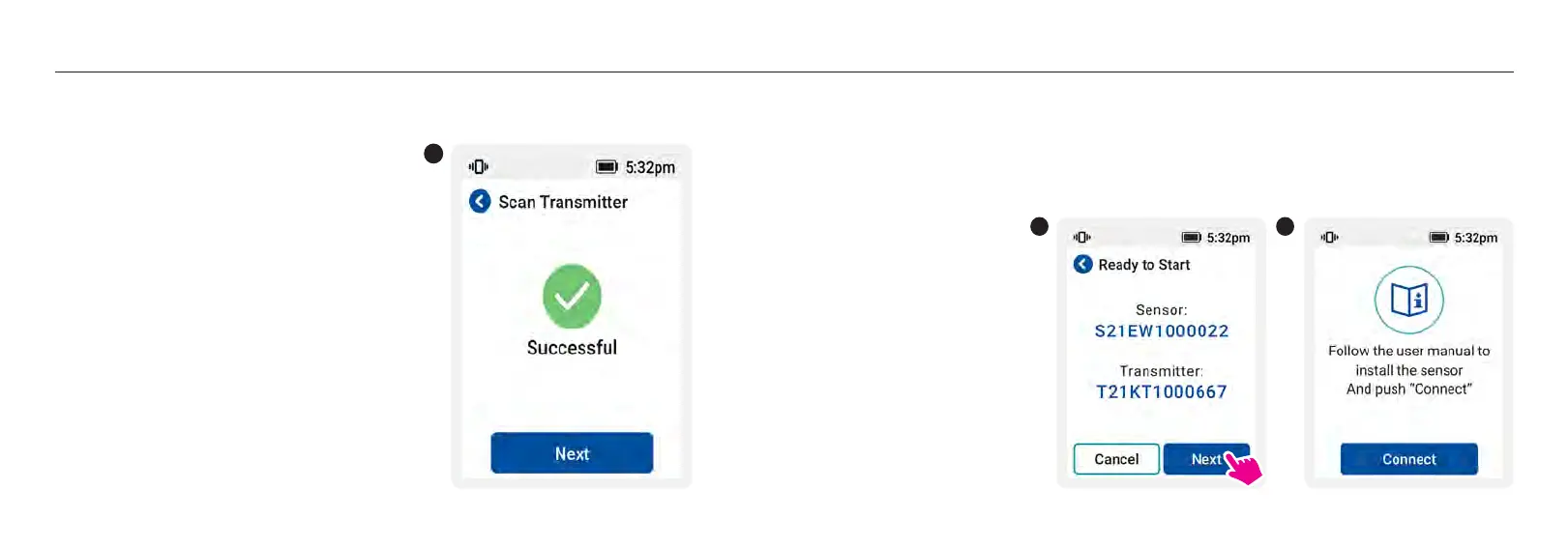
9. Once connected, pairing confirmation is displayed as by checkmark (
√
) the screen.
9
Set Up Your RIGHTEST CGMs
10. When the receiver displays “Ready to Start”, check whether the serial number of the sensor and
the transmitter is the same as which are labeled on the package. If yes, press [Next]; otherwise,
press [Cancel] and back to Step 3.
11. Make sure you follow the step-by-step instructions in the installation guide described in the next
2 sections (“Apply Your Sensor” and “Attach Your Transmitter”). After the sensor and transmitter
are installed, press [Connect].
10 11














 To Next Page