Page 7
nGEN™ Pump User Manual
9.5 Setting up the Pump
Immediately upon receipt, remove the pump and its accessories from the shipping container and
inspect for shipping damage or defects. Damage claims can only be filed if Biosense Webster or the
shipping agent is notified immediately.
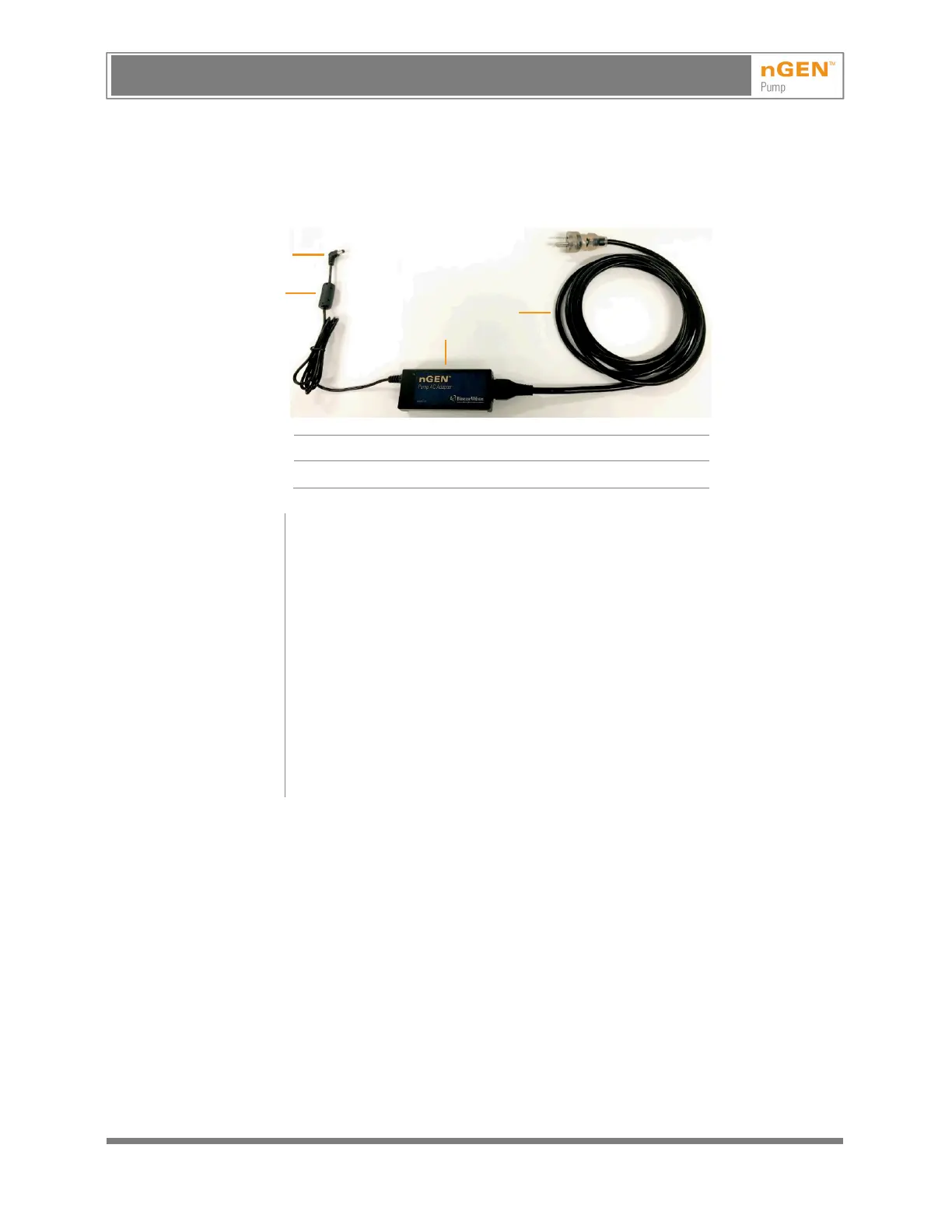
1 Mains cable 3 Plug
2 AC adapter 4 Ferrite
1. Connect the mains cable (1) to a grounded power outlet and to the
AC adapter (2).
2. Insert the AC adapter plug (3) into the 24VDC socket on the back of the pump.
Then put the AC adapter ferrite (4) behind the bracket on the back of the pump
so that the ferrite is seated and the cable extends down from the left side of the
back of the pump.
3. Optionally, connect the pump to a generator.
4. Secure the IV pole clamp to an IV pole or to a mounting railing near the patient.
5. Slide the IV pole mounting pin on the pump into the pole clamp.
6. Install the irrigation tubing set. (See 10.5, Installing the Irrigation Tubing Set.)
See 9.4, Controls on the Back of the Pump and 9.6, Connecting to a Generator.
To ensure stability, use an IV pole with 5 legs or an IV pole that is attached to a
cart.
9.6 Connecting to aGenerator
Connect one end of the generator connection cable to the COMM socket on the back of the pump.
Connect the other end of the cable to the appropriate socket on the generator. Align the arrow on
the connector at the end of the cable with the mark on the socket and push in without unnecessary
force until a click indicates that the connector is locked in the socket. To remove the connector,
gently pull back the sleeve on the connector and pull the connector out of the socket.
2
1
3
AVISO: Este es un documento controlado, confidencial, y con derechos reservados. Revisar si es la revision mas actualizada.
WARNING: This is a controlled proprietary and confidential document. Verify revision is current prior to use.
Release Date: 2/14/2024



 To Next Page