Page 10
nGEN™ Pump User Manual
10.2 Explanation of Buttons and Indicators
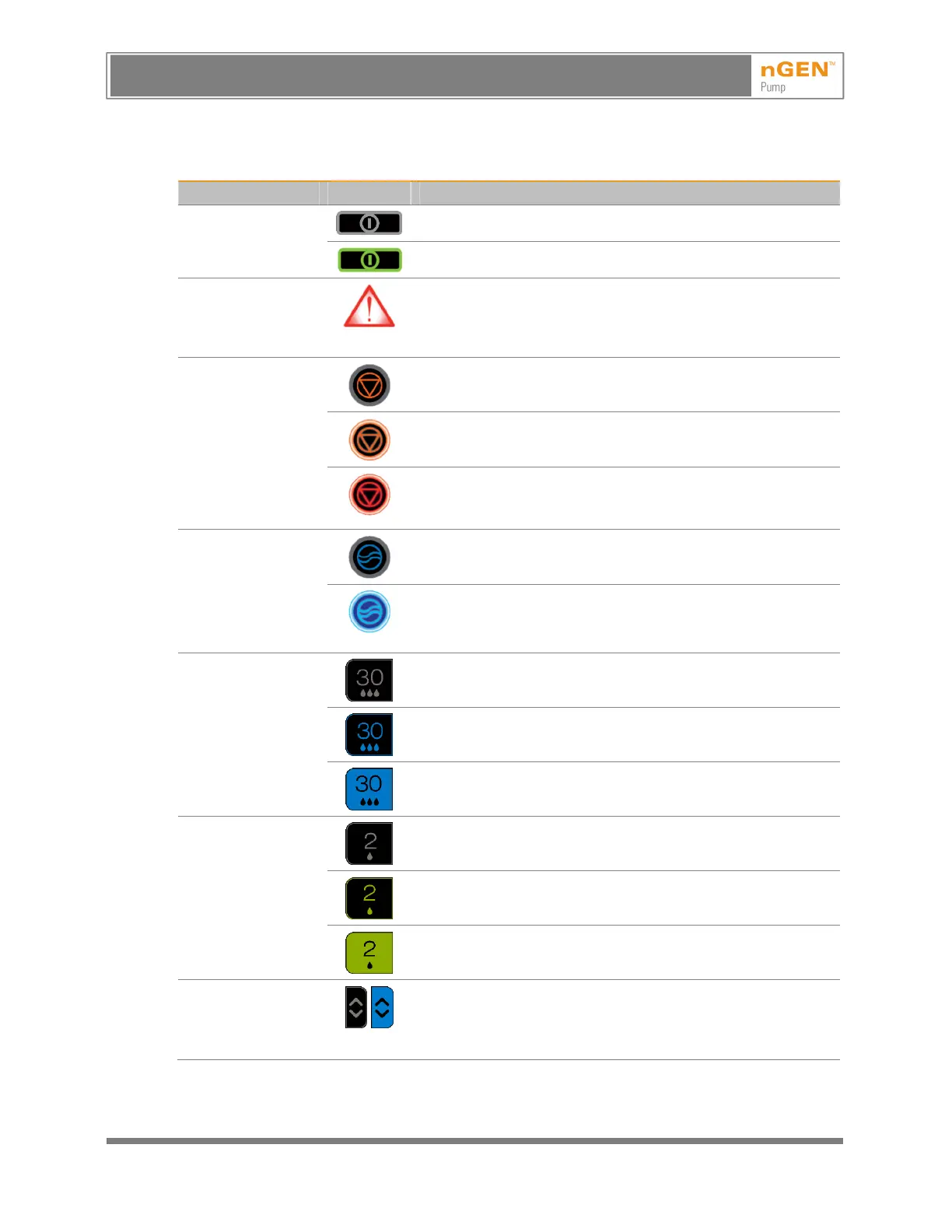
Table 5 – Explanation of Buttons and Indicators
Button or Indicator Image Explanation
On/Off button
The pump is off.
The pump is on.
Internal error
indicator
This indicator (located at the top right corner of the front of the
pump) illuminates when there is an internal error or
malfunction. (See 14, Errors and Troubleshooting.) This
indicator is not visible when the pump is functioning properly.
Stop button
When there is no active flow, this button is not lit.
When high flow or low flow is active, this button is lit and
orange. Pressing the button stops the flow.
When the pump issues an alarm, this button flashes red. (See
10.10, Alarms.) Pressing the button stops the repeating alarm
tone.
Flush button
When flushing is disabled, this button is not lit.
When flushing is required, this button flashes.
When flushing is enabled but not required, this button is lit but
does not flash.
Activate High
Flow button
This button displays the set high flow rate. When high flow is
inactive, this button has gray text on a black background.
When the high flow rate is being changed, this button has blue
text. (See 10.7, Setting the Low and High Flow Rates.)
When high flow is active, this button has a blue background.
(See 10.8, Starting the Irrigation Flow.)
Activate Low
Flow button
This button displays the set low flow rate. When low flow is
inactive, this button has gray text on a black background.
When the low flow rate is being changed, this button has green
text. (See 10.7, Setting the Low and High Flow Rates.)
When low flow is active, this button has a green background.
(See 10.8, Starting the Irrigation Flow.)
Change High
Flow Setting
button
When high flow is inactive, this button has gray arrows on a
black background. The background changes to blue when the
button is pressed to change the high flow setting, (See 10.7,
Setting the Low and High Flow Rates.)
AVISO: Este es un documento controlado, confidencial, y con derechos reservados. Revisar si es la revision mas actualizada.
WARNING: This is a controlled proprietary and confidential document. Verify revision is current prior to use.
Release Date: 2/14/2024



 To Next Page