Introduction
10
Setting the Measurement Data Points
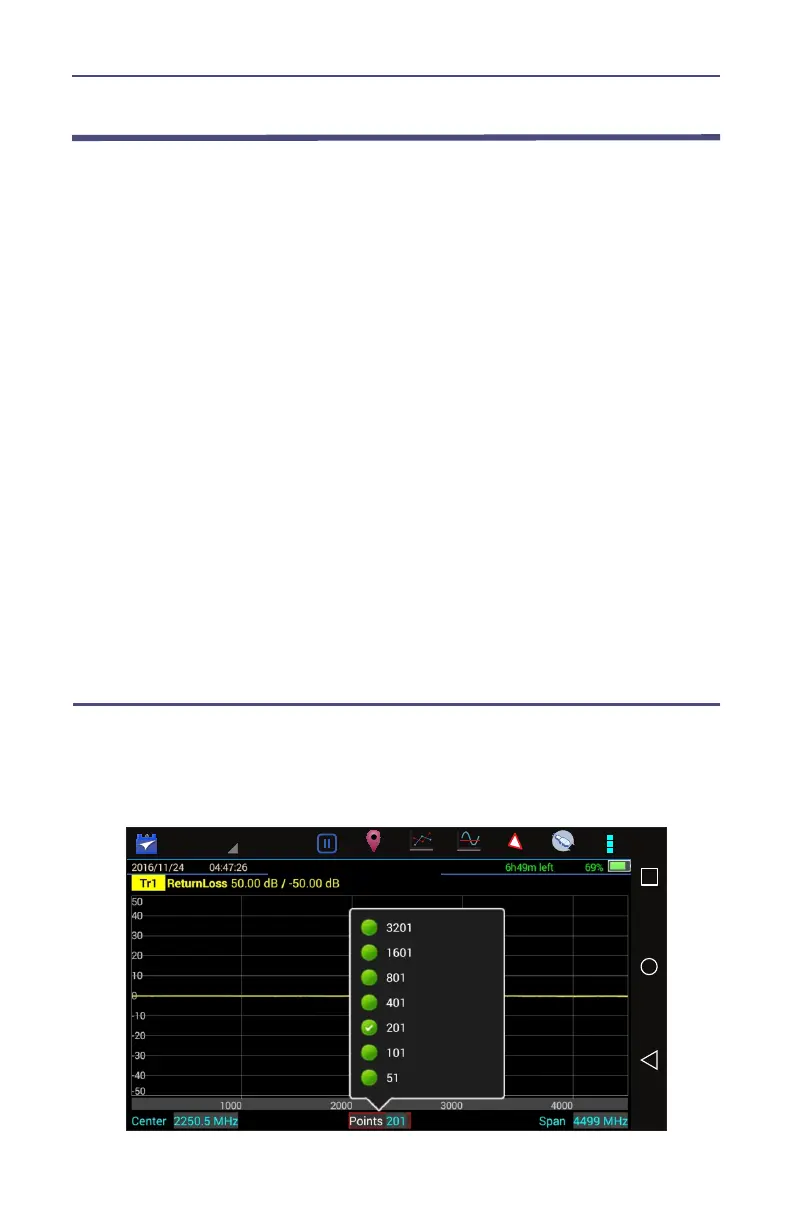
Select the number of data points to take during a measurement. There are
seven data point options:
51 points
101 points
201 points
401 points
801 points
1601 points
3201 points
Increasing the number of data points increases the measurable distance in
Distance-to-Fault measurements and increases the detail in Measure Match
mode measurements. When saving a trace, the number of data points collected
are saved.
A progress bar, just below the x-axis, will indicate the progress of the sweep.
When the number of measurement data points are changed, the current trace
is erased and the Save softkey is disabled until the sweep finishes and the
screen displays the first new trace.
Changing the Number of Measurement Data Points
1. Press the Points data field on status bar
2. Select desired data point option.
Figure 4 Changing the Number of Measurement Data Points



 To Next Page