Bird SiteHawk Operation Manual
49
SiteHawk Communications Settings
The SiteHawk utilizes WiFi, Bluetooth, and GPS to perform the various functions
described in the previous sections.
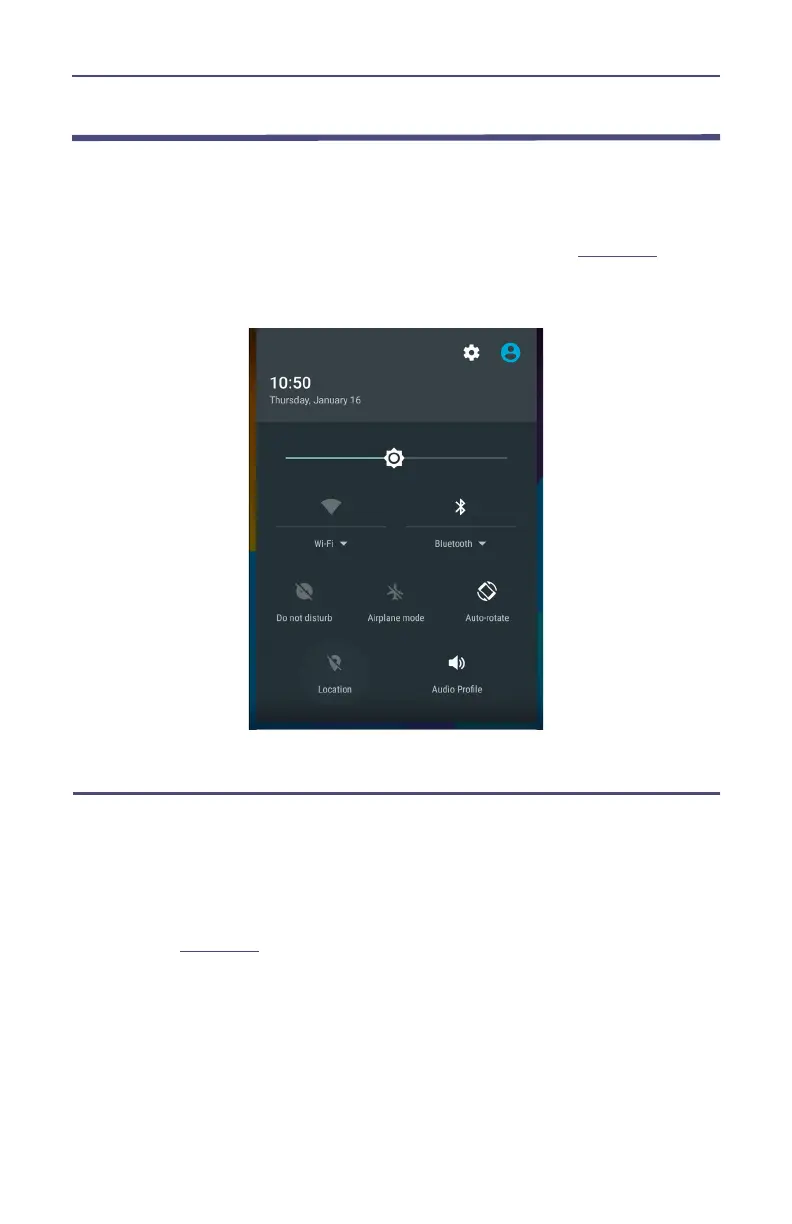
These communications functions may be turned on and off using the pull-down
notification area at the top of the SiteHawk’s display area, See
Figure 45
.
Figure 45 SiteHawk Pull-Down Notification Menu
Accessing Communication Services
1. Swipe your finger down from the top of the display screen to access the
notification area.
2. Tap the service Icon to start (or stop) the service
a. Location: tapping location icon turns location services off or on. A
slash through the icon indicates the service is OFF as shown in
Figure 45
.
b. WiFi: tapping WiFi icon turns WiFi off or on.
Tap the dropdown below the icon to select a WiFi network and
enter the password.
c. Bluetooth: tapping Bluetooth icon turns Bluetooth off or on.
Tap the dropdown below the icon to select a Bluetooth device for
pairing.



 To Next Page