Bird SiteHawk Operation Manual
29
Using Delta Markers
The delta marker feature displays the difference (delta) in both frequency (or
distance) and value between the active marker and all other markers. All
markers follow the current trace only.
Note: The Delta marker compares points on one trace and at least two
markers must be displayed for the Delta Option to work.
1. Select the marker on the screen to be the active marker.
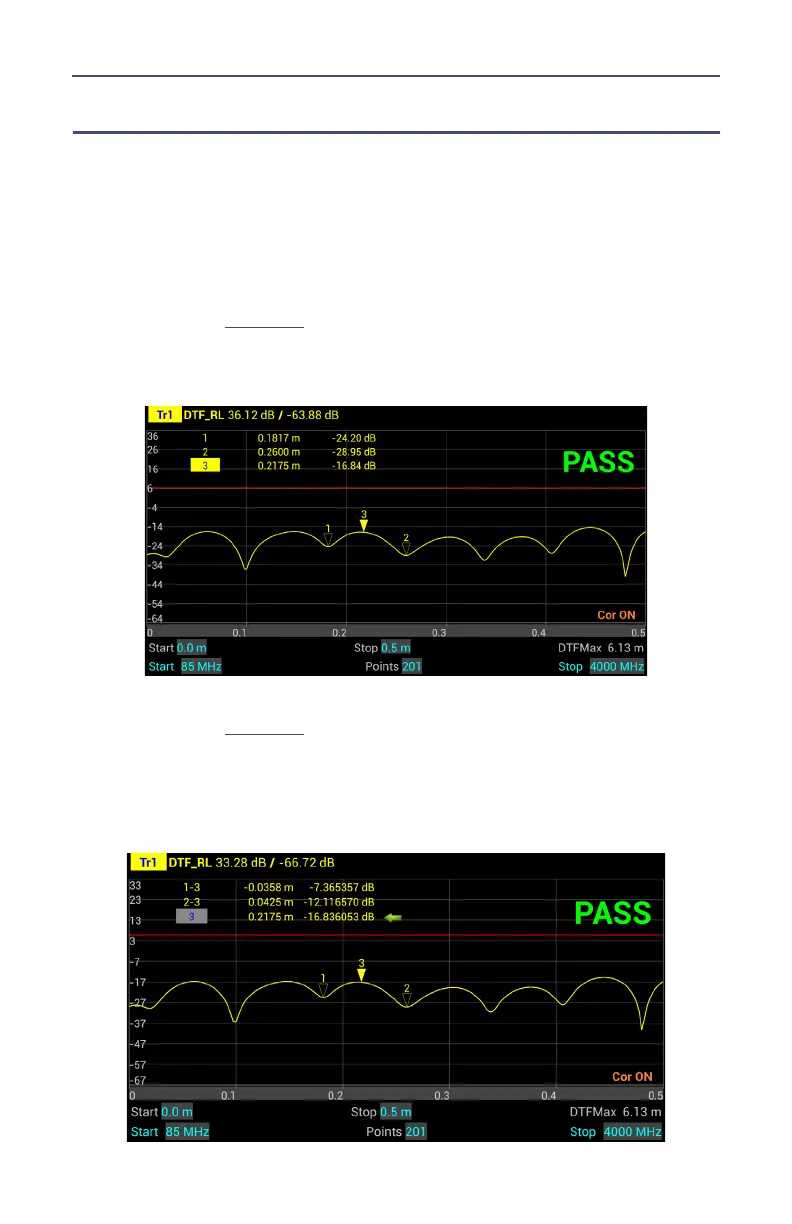
Note: In
Figure 18
, marker 3 is the active marker, marker 1 and 2 are
turned on.
Figure 18 Active Marker
2. Press MKR icon, and select DeltaMarker.
Note: In
Figure 19
, marker 3 is highlighted, markers 1 and 2 are now
delta markers 1-3 and 2-3. Delta markers 1-3 and 2-3 display values
that are the difference between their positions and the position of
marker 3.
Figure 19 Highlighted Markers



 To Next Page