Bird SiteHawk Operation Manual
53
Delete Cable from Cable List
Note: Only cables added by the user may be deleted using this
method.
1. Press DTF icon.
2. Press CableList option to display the Cable List. See
Figure 48
.
3. Scroll to the bottom of the Cable List to see the cable to be deleted.
4. Select the cable to be deleted.
5. Press Delete button to delete cable.
Save Cable List
1. Press DTF icon.
2. Press CableList option to display the Cable List. See
Figure 48
.
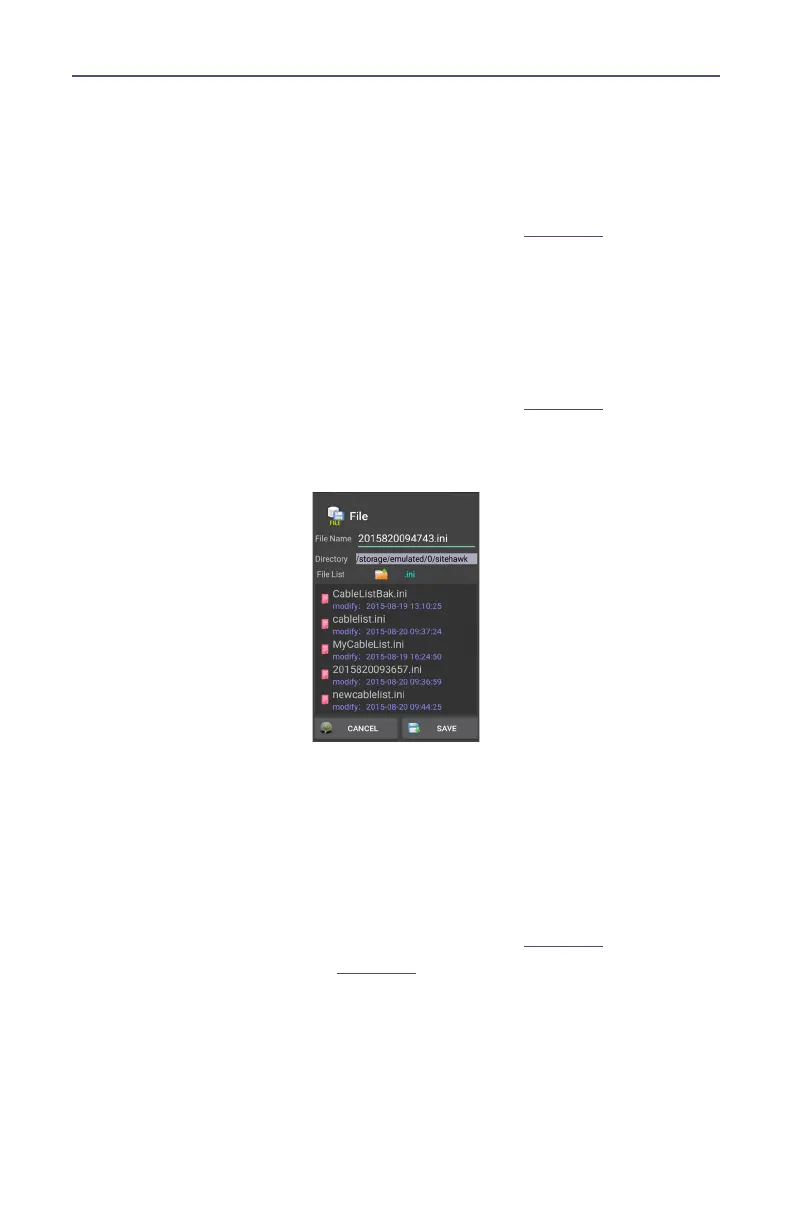
3. Press Save
Figure 50 Save Cable List Dialog Box
4. Press File Name to give the Cable List a unique filename.
5. Press SAVE to save the Cable List.
Recall Cable List
Note: This procedure is used to load a Cable List different from the
Cable List currently displayed.
1. Press DTF icon.
2. Press CableList option to display the Cable List. See
Figure 48
.
3. Press the Recall button. See
Figure 51
.



 To Next Page