EasyManua.ls Logo

BK Precision 9115/B - Front Panel Overview; Front Panel Description

BK Precision 9115/B
79 pages
Print Icon
To Next Page IconTo Next Page
To Previous Page IconTo Previous Page
Loading...
4
1.4 Front Panel Overview
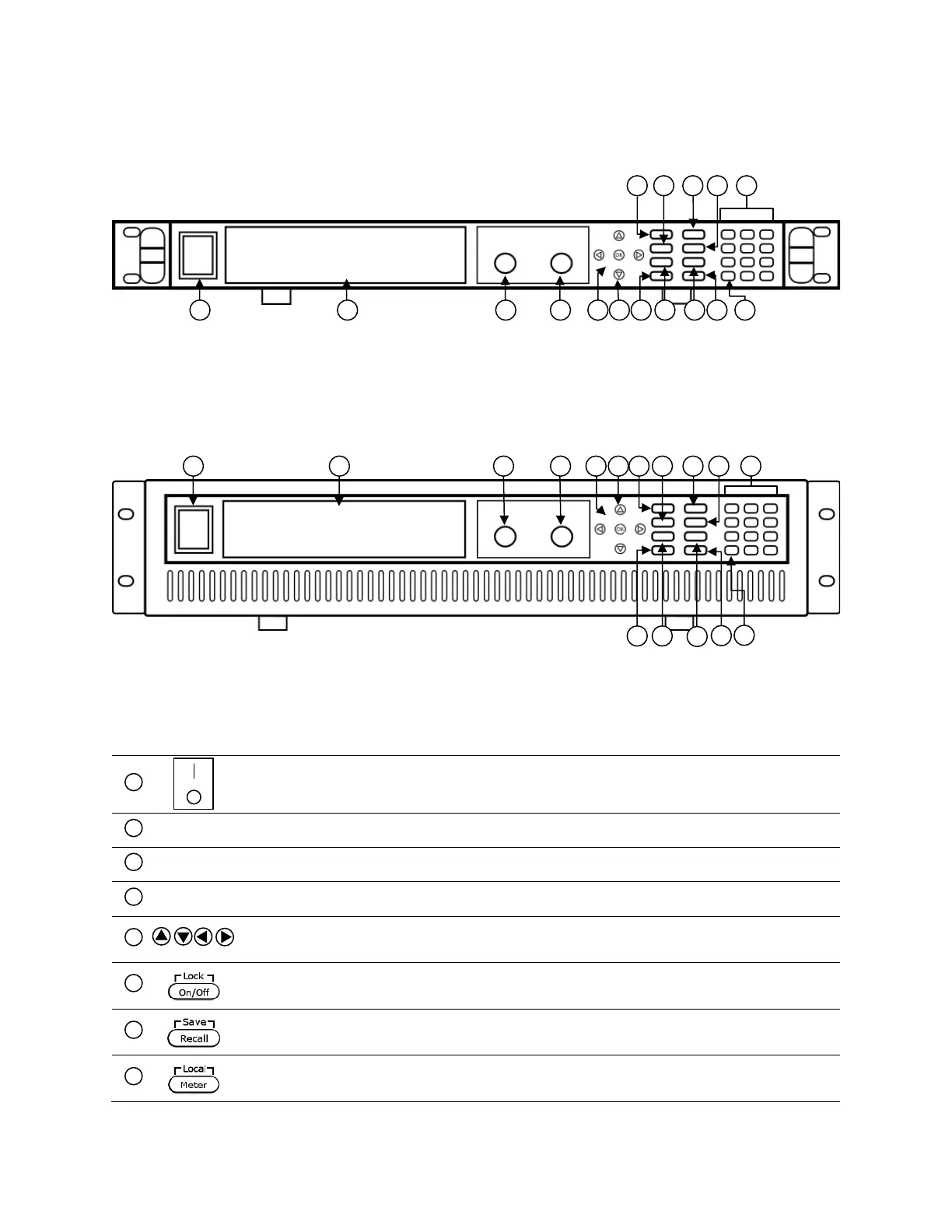
Figure 1.6 – Front Panel for 9117
Front Panel Description
Power On/Off switch
VFD display
Voltage adjust knob
Current adjust knob
Up/Down/Left/Right arrow keys
Used to adjust cursor location and selecting menu items.
On/Off / Lock button
Control the output state or locks the front panel button.
Save/Recall button
Used to save and recall instrument settings.
Meter display toggle / Local button
Used to toggle display between setting and measured voltage and current or
5
1
13
7
11
3
7
1
2
3
4
5
6
7
8
Figure 1.5 - Front Panel for 9115/9115-AT/9116

Table of Contents

Related product manuals