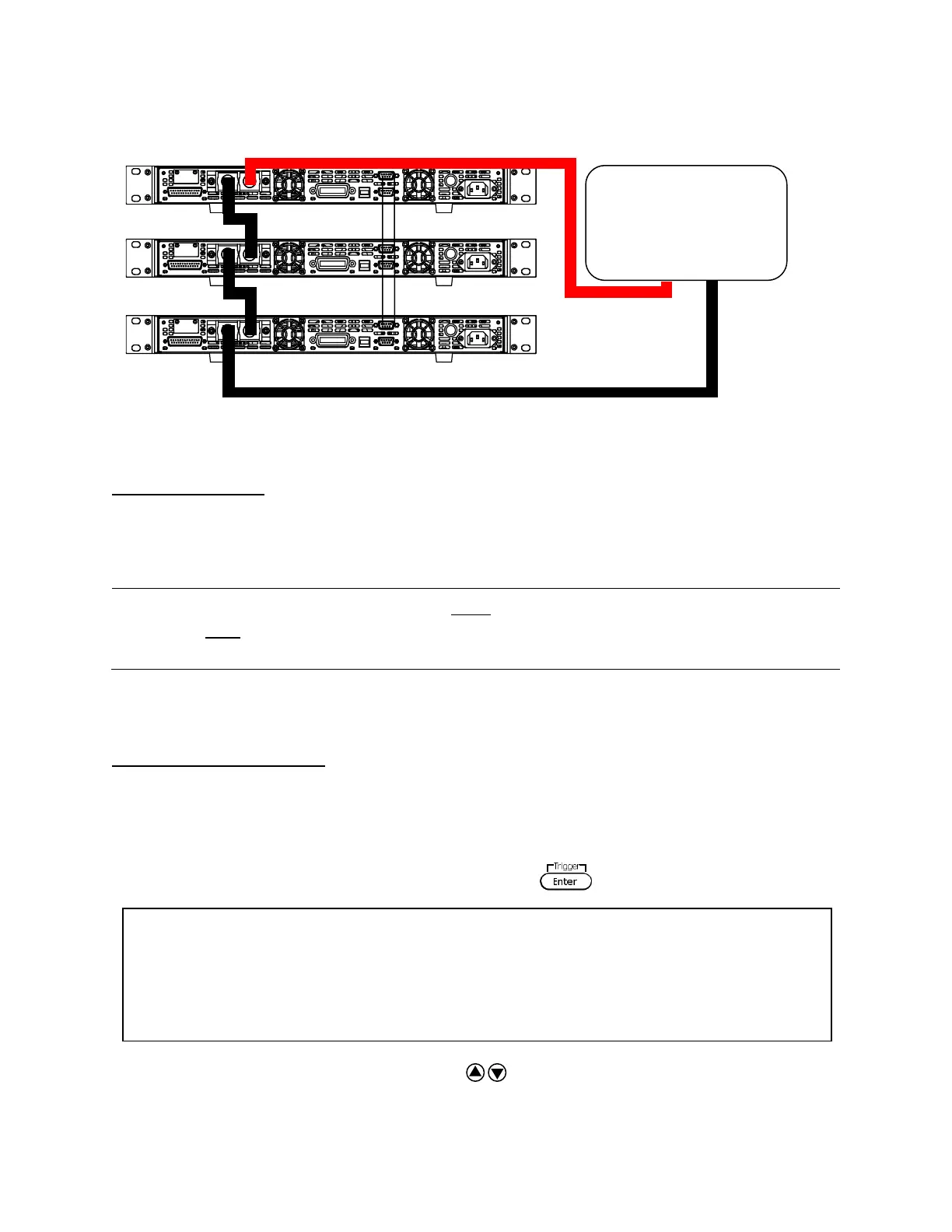
38
Master/Slave Setup
Only one power supply has to be configured as a Master. The rest must be configured as Slave.
Up to 3 units can be configured in total.
Note: Configure Slave power supplies FIRST, and configure the Master power supply
LAST. For remote or front panel operation, only control the Master power
supply.
Master/Slave Configuration
After physically connecting the power supplies for parallel or series operation, power ON the
power supplies and follow the steps below to configure a power supply as a master or slave.
1. From the CONFIG menu, select Online and press . The following will display:
2. While Parallel or Series is flashing, use keys to toggle between the two options.
Set to Parallel for parallel connection and Series for series connection.











 To Next Page