36
Operation
SmartTouch Touchscreen Control
EDITING A CATEGORY
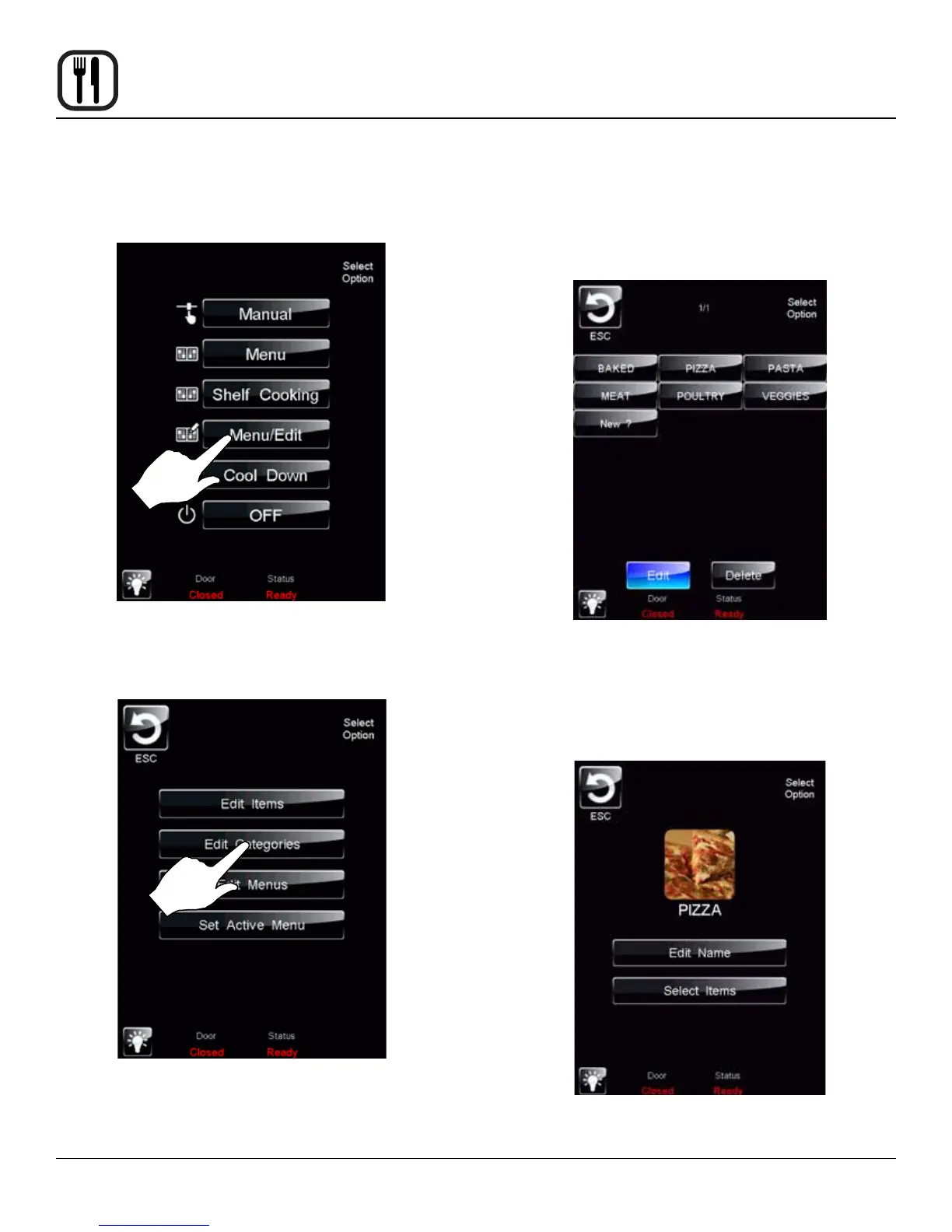
1. Select the MENU/EDIT icon to edit the recipes in the
menu mode.
Figure 29
2. Select the EDIT CATEGORIES icon to select which
items are in each category.
Figure 30
3. To edit an existing category, select the category while
the EDIT key is highlighted.
To delete a category, select the category while the
DELETE key is highlighted.
To create a new category, select the NEW ? icon
while the EDIT key is highlighted.
Figure 31
4. Select what you would like to edit.
To edit the name, press the EDIT NAME key. A key-
board will appear, enter the desired name and press
ENTER to return to this menu.
Figure 32










 To Next Page