37
Operation
SmartTouch Touchscreen Control
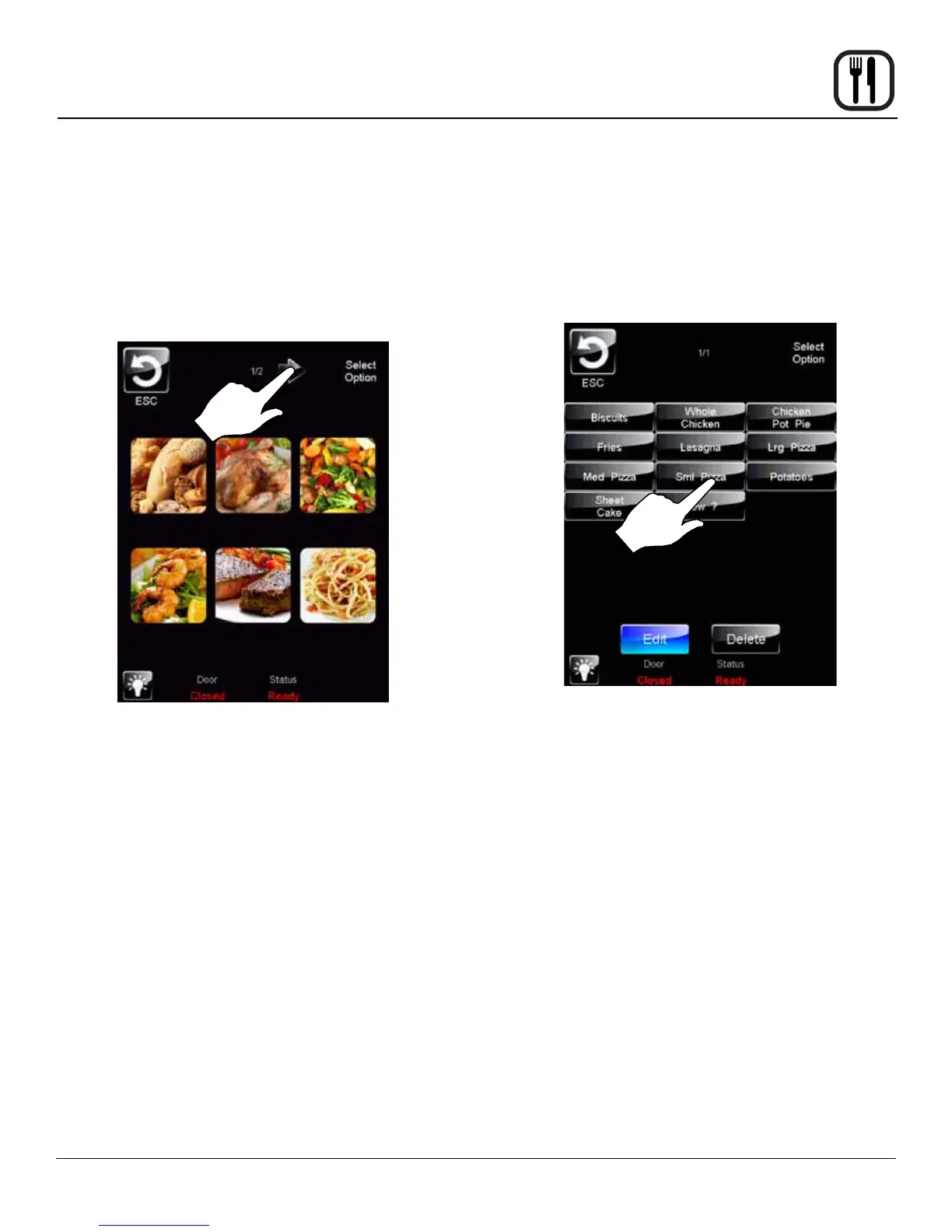
5. To edit the category icon, press the category icon dis-
played in the category edit screen. The Select Icon
screen is displayed. Select the desired icon. To view
more icon options, press the arrow key.
Once the category icon is selected, the category edit
screen is displayed. Press the DISK icon to save your
changes.
Figure 33
6. To edit items within a category, press the SELECT
ITEMS key on the edit category screen.
Select the items you would like to appear within the
category. When complete, press ESC key to return
to the previous menu. Press the DISK icon to save
your changes.
Figure 34










 To Next Page