40
Operation
SmartTouch Touchscreen Control
TRANSFERRING RECIPES USING THE USB
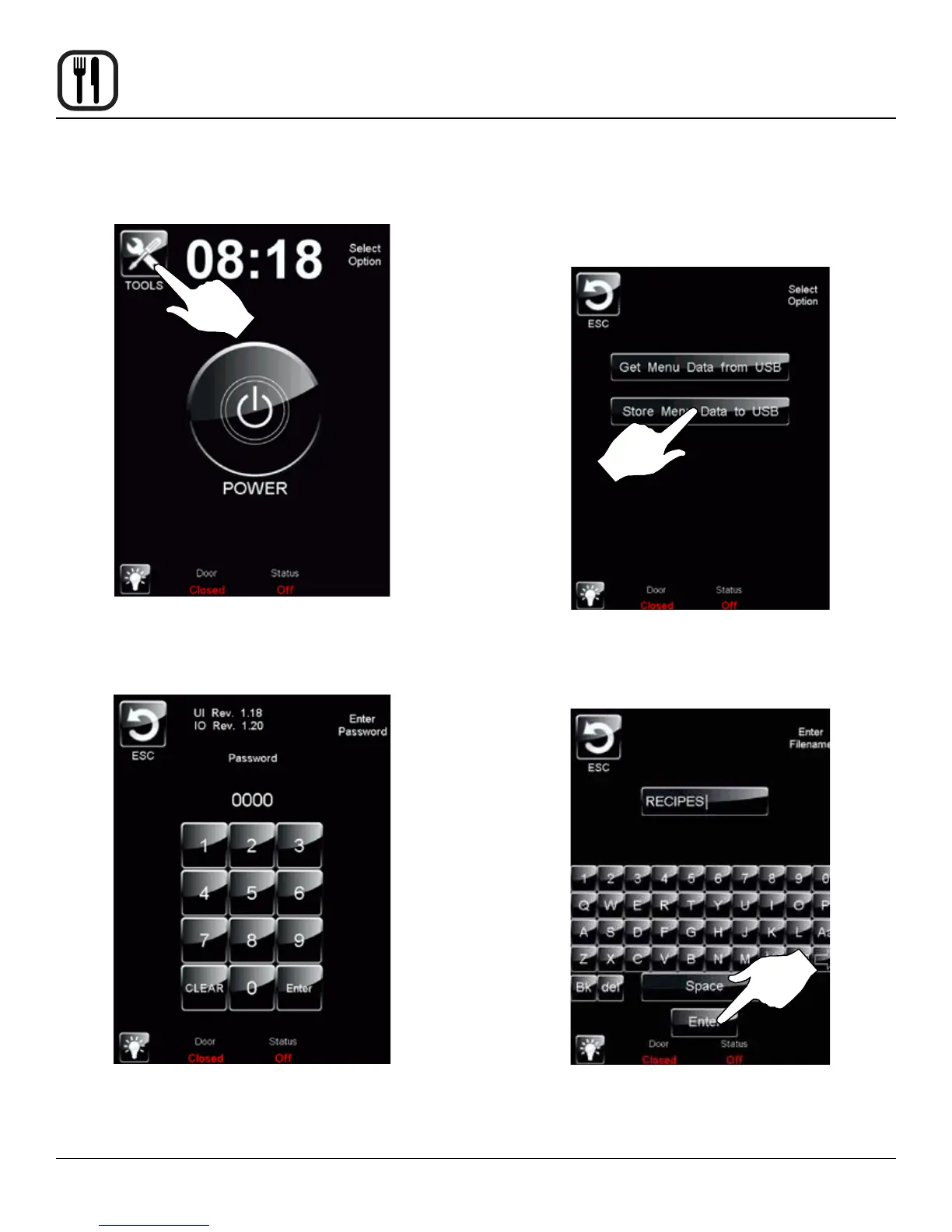
1. Return to the power screen.
Figure 37
2. Press the TOOLS key. Enter the code 6647 on the
keypad.
Figure 38
3. Press the MANAGE MENU DATA key. Insert the USB
drive into the Intelliport.
To Store Menu Data to a USB
1. Press the STORE MENU DATA to USB key to trans-
fer recipes to the USB.
Figure 39
2. The keyboard screen is displayed. Use to enter de-
sired le name. Press the ENTER key when nished.
Figure 40







 To Next Page