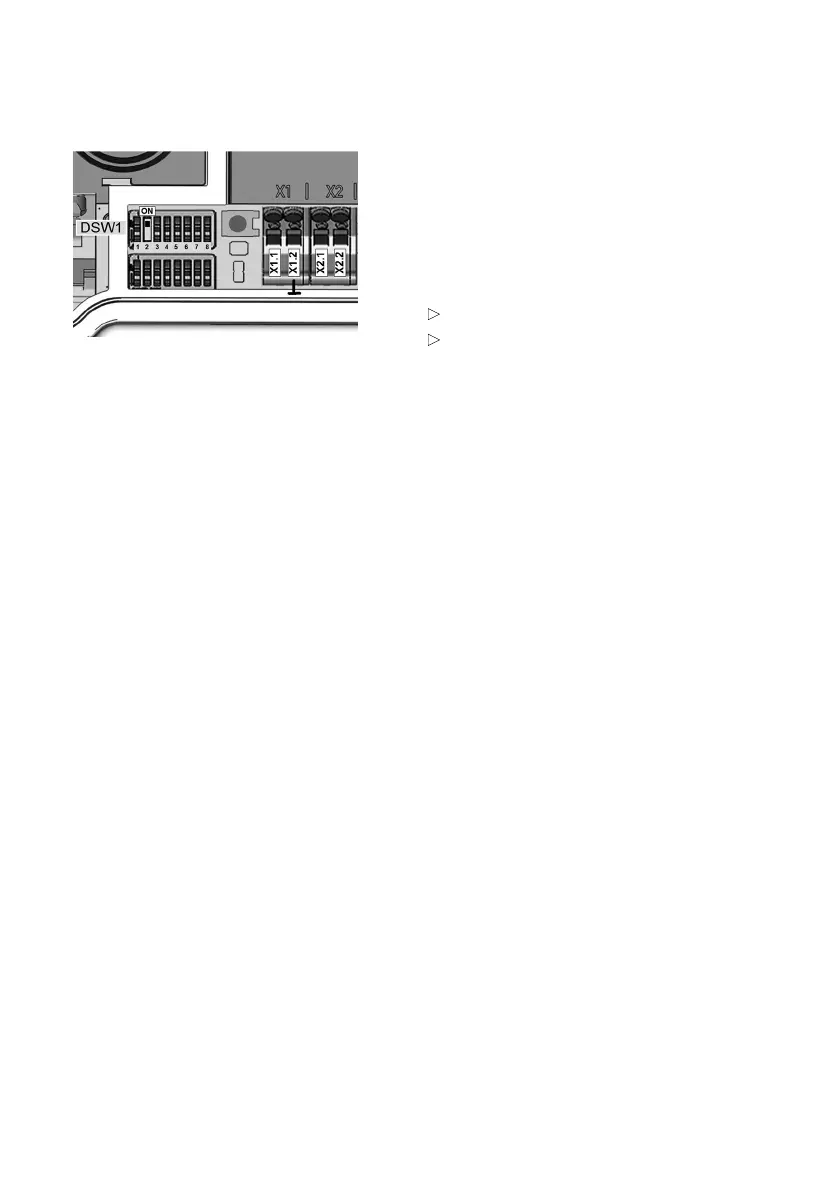
DIP switch settings
The use of the domestic connection monitoring
function with RS485 meters must be selected
using a DIP switch setting and does not come
into effect until the Wallbox has been restarted.
If no meter 5 is found when the ModBus function
has been enabled, the charging current is
reduced to 10 A.
No monitoring: DSW1.2 = OFF (default)
Monitoring function: DSW1.2 = ON
This reduction is also visualised on the Wallbox
status LED. Further information is provided in the
Wallbox operating manual.
18











 To Next Page