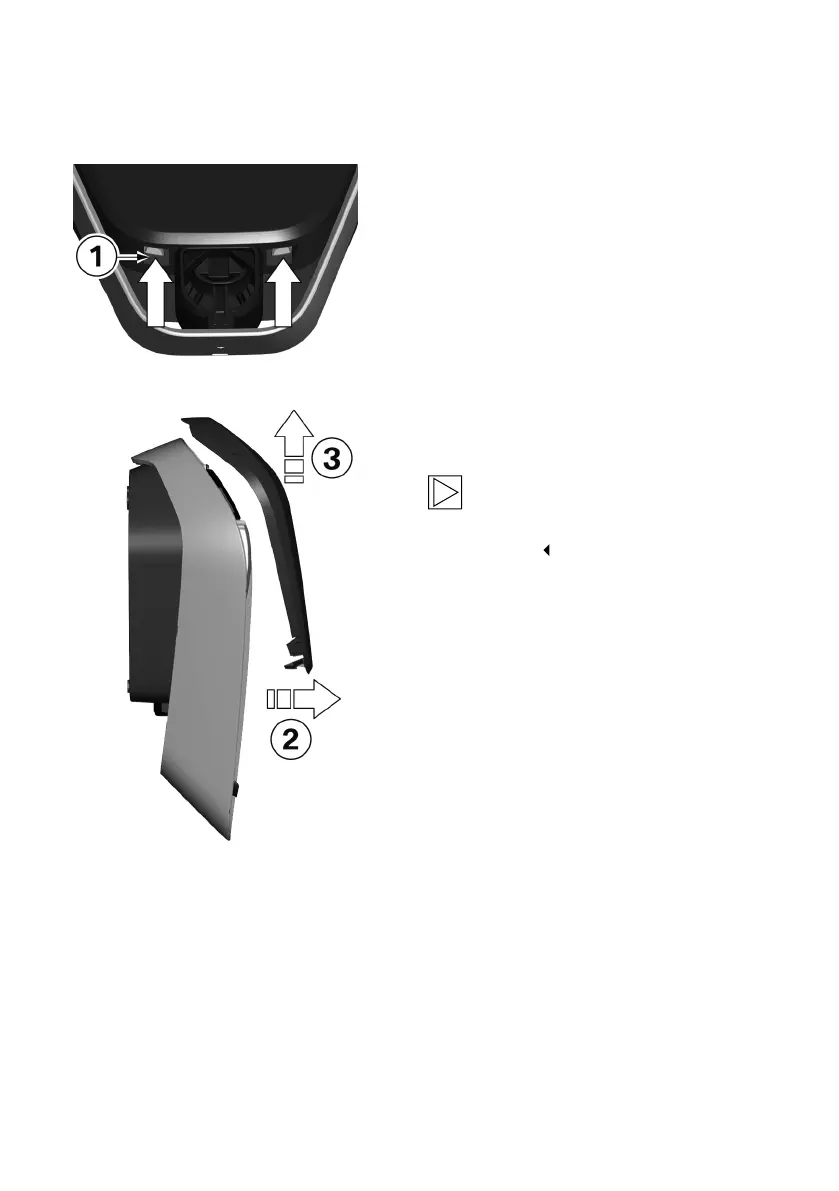
Remove the housing cover
1. Press the two locks 1 for the housing cover on
the underside of the Wallbox upwards.
The housing cover should then jump out
slightly at the bottom.
2. Swing the housing cover forwards a little on
the underside 2.
3. Then release the housing cover by raising it 3.
Note
Keep the housing cover in the packaging to
prevent it being scratched or suffering other
damage.
22











 To Next Page