SETTINGS
DIP switch settings
Note
Changes to the DIP switch settings do not take effect until the Wallbox has been restarted! To
do so, press service button until the 1st signal tone sounds (around 2 seconds). Alternatively,
you can also switch the supply voltage off and on again.
IMPORTANT
If the Service button is pressed for too long (around 5 seconds), the RFID cards may be
deleted.
Note
Switches which are not described here must be left in the OFF position.
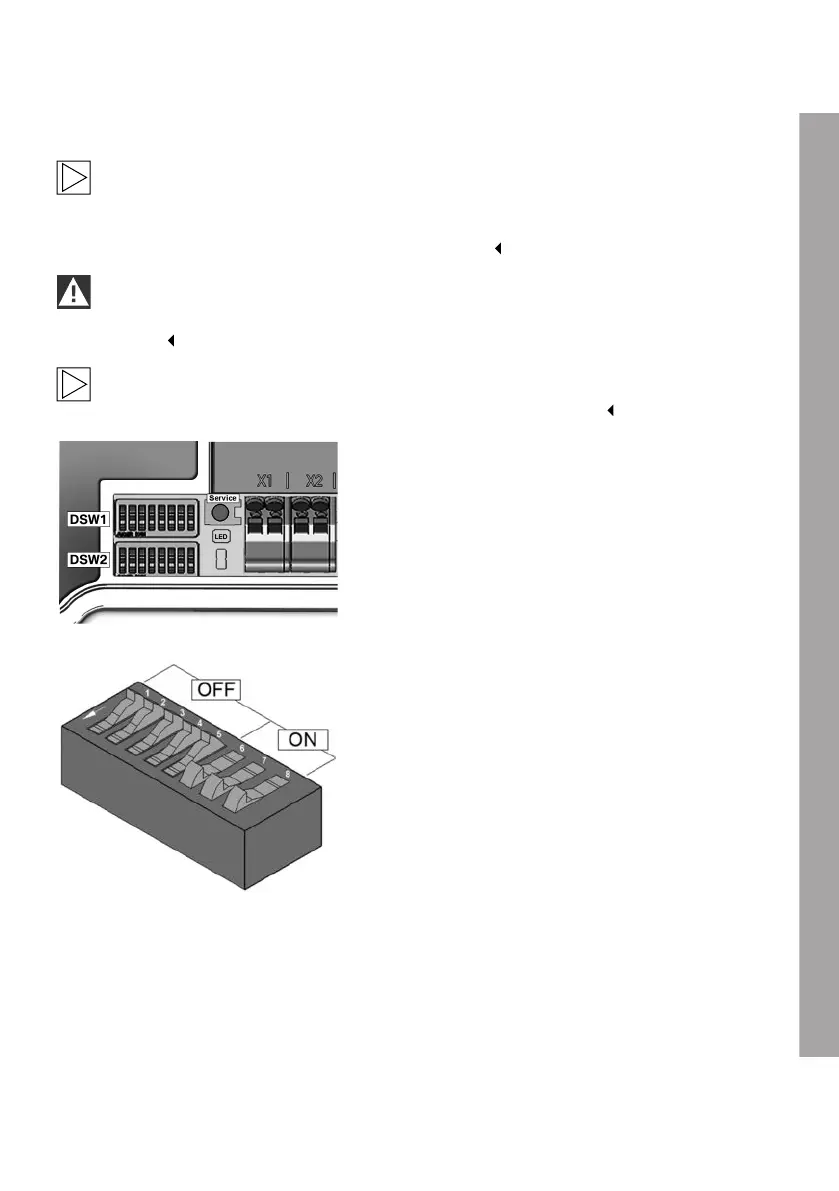
DIP switches
The DIP switches are used to address and
configure the Wallbox and are located under the
terminal panel cover.
DSW1: Configuration, DIP switch up
DIP switch specimen illustration
For a better explanation, the figure shows the
position of the DIP switches for the ON and OFF
states.
EN
39











 To Next Page