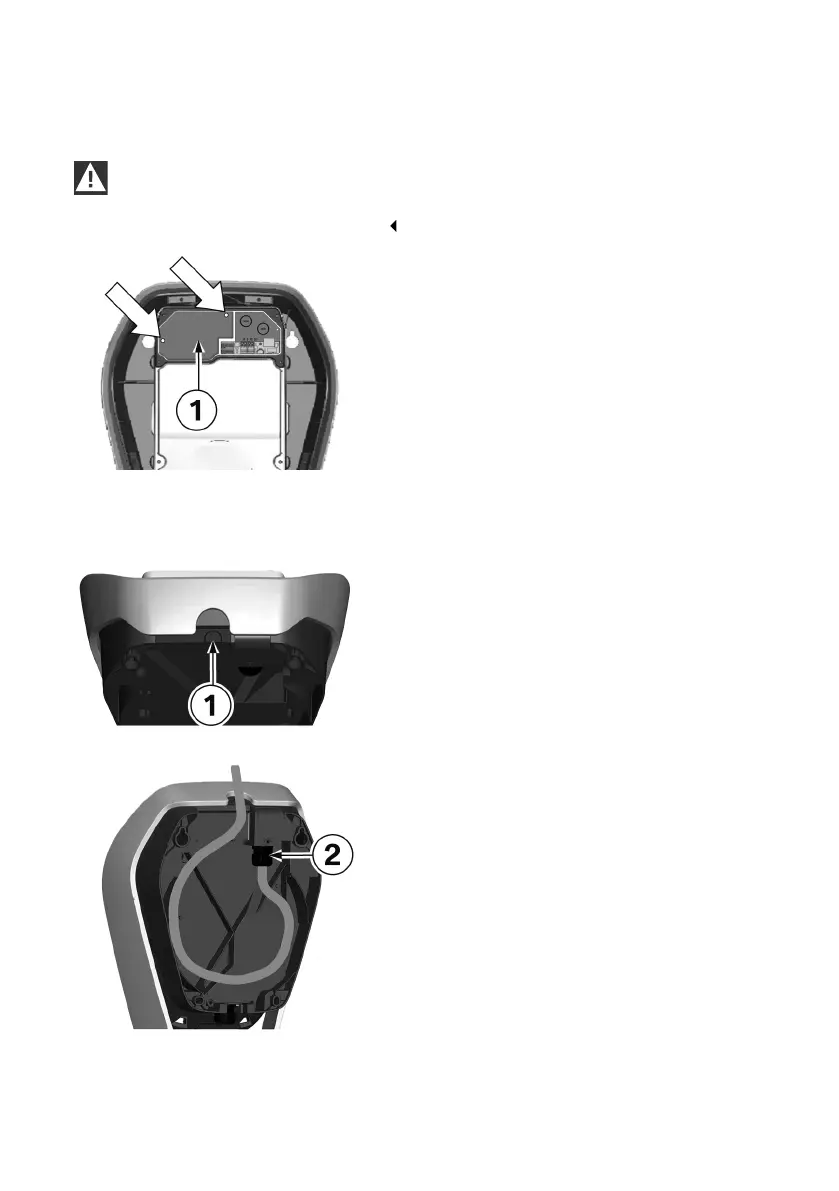
Removing the terminal cover
WARNING
Electrical danger. The terminal cover may be opened only by authorised electricians with the
appropriate training and qualifications.
1. Undo the to fastening screws on the terminal
cover 1.
2. Remove the terminal cover over the supply
terminals.
Surface-mounted cable routing - Cable inlet from above
The connection cables can be inserted from
above through the housing opening in the outer
frame.
1. To do this, break out the marked position 1 on
the inner housing section.
2. Lay the supply line in a loop to the cable gland
2.
Observe the permissible bending radii of the
cable.
24











 To Next Page