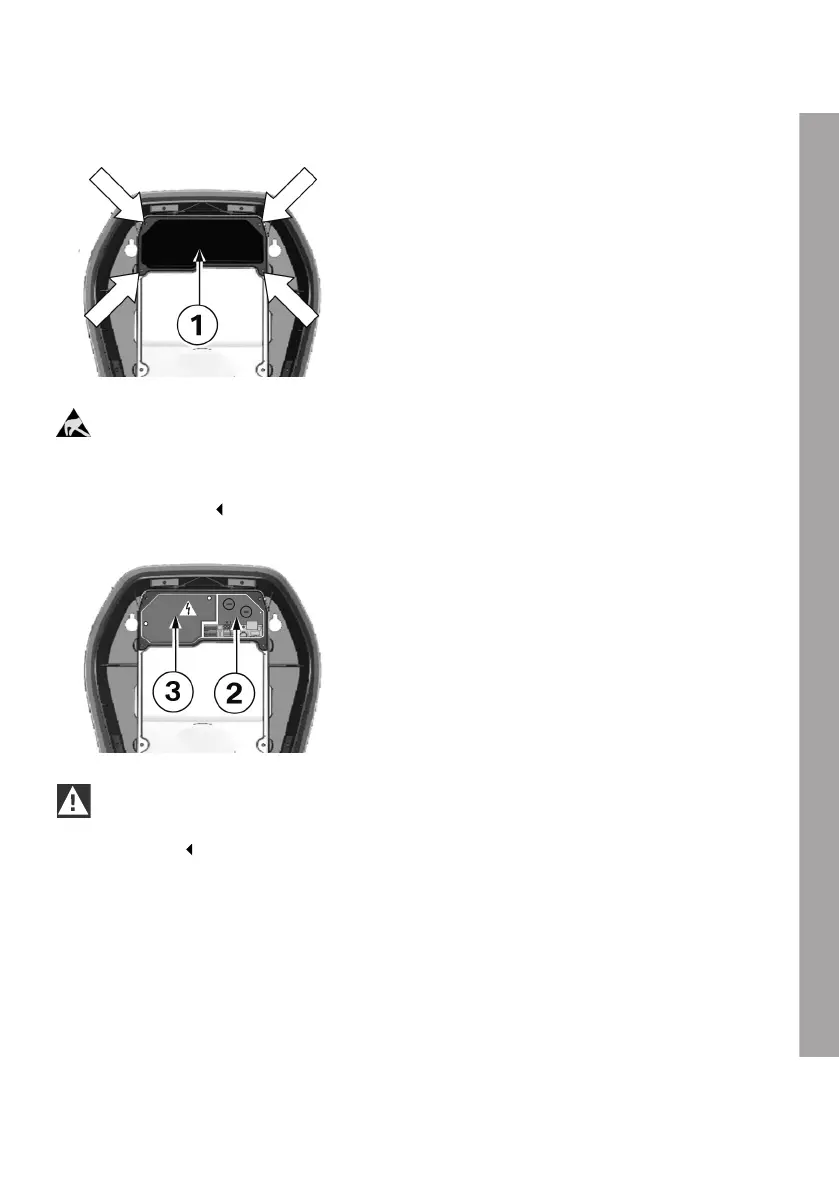
Removing the termination panel cover
1. Undo the four screws used to secure the
termination panel cover 1.
ESD
Danger of damage. Electronic components may be destroyed if touched.
Before handling modules, perform an electrical discharge process by touching a metallic
earthed object.
2. Remove the termination panel cover. The
termination panel 2 is now accessible.
3. Remove the silica bag from the terminal panel
and dispose of it properly.
WARNING
The cover over the connection area 3 for the mains voltage may only be removed by a qualified
electrician.
EN
23











 To Next Page