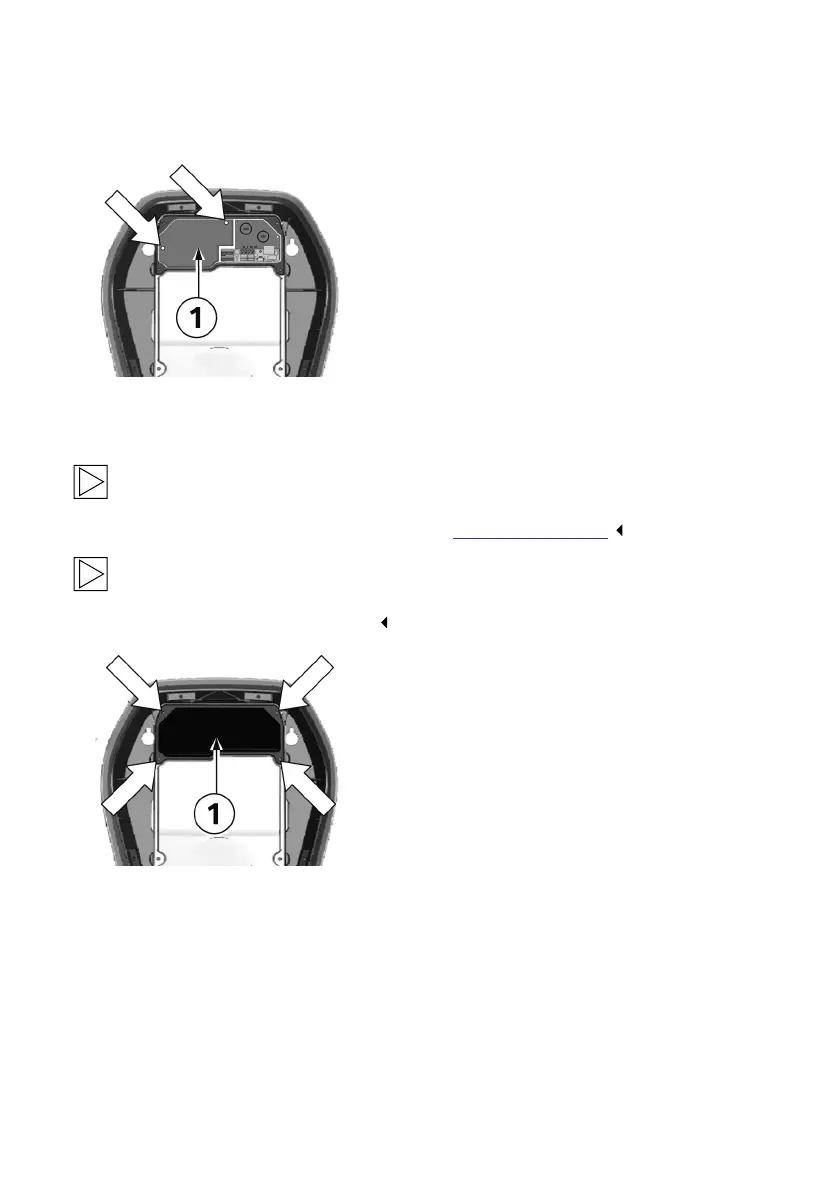
Installing the terminal cover
Fastening screws
1. Install the terminal cover 1 again using the two
fastening screws if they have been removed.
Installing the termination panel cover
Note
Confirm that an up-to-date version of the software is available before you install the terminal
panel cover. For further information see section SOFTWARE UPDATE.
Note
The Wallbox must not be permanently commissioned if this cover is missing or damaged.
Alternative covers must not be used.
Fastening screws
1. Insert the termination panel cover 1 again.
2. Install the termination panel cover again using
the four screws.
46











 To Next Page