37n
OverviewNavigationEntertainmentComputerIndex
Voice messages
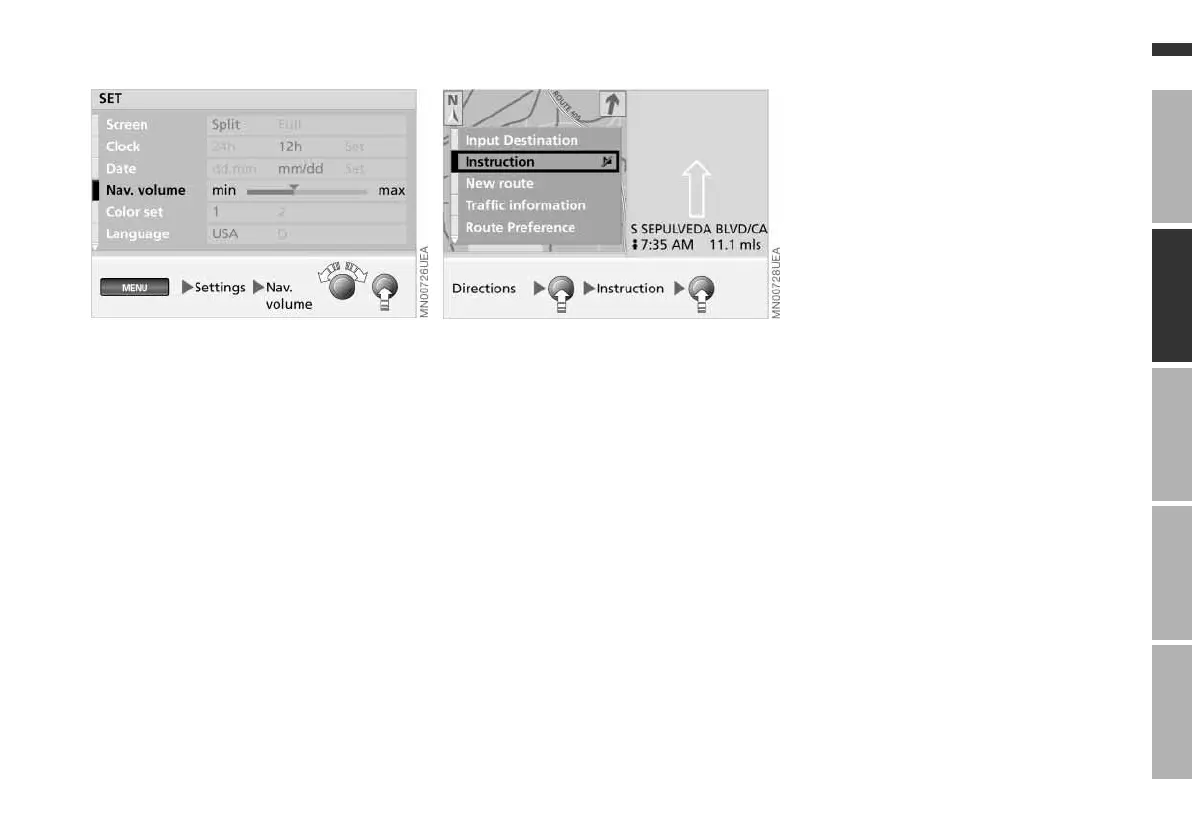
Varying volume
You can raise or lower the volume of
the navigation system's voice mes-
sages relative to that of other sound
sources.
Should you have also reduced the vol-
ume of all sound sources to zero with
the left knob, then the navigation
instructions are output at a minimum
volume.
For instructions on how to adjust the
minimum volume, refer to page 46.
Repeating or interrupting voice
messages
To repeat the last audio voice message:
1. Press the right-hand rotary button.
A selection menu appears in which
"Instruction" is already highlighted
2. Press the right-hand rotary button
briefly.
The last audio voice message is
repeated.
To interrupt the audio voice message,
press and hold the right-hand rotary
button for a longer time in the second
step.
Select "Instruction" again to reactivate
the voice output.
Online Edition for Part No. 01 41 0 157 006 - © 07/02 BMW AG



 To Next Page