19
Using Contact Heart Rate
This machine has a built-in Contact Heart Rate System that allows you to verify your heart rate without the need of a chest strap. By holding
the contact bars, you will see your current pulse on screen. (In order for the Contact Heart Rate to work properly, the palms must not be
too moist.)
Heart Rate Access Feature (Requires wireless chest strap)
The Heart Rate Access feature allows you to selectively enter into a Heart Rate Control program without quitting your exercise. It will allow
you to choose, when you are ready, to change your current workout to a Heart Rate Control. You will need to be wearing the optional wire-
less chest strap when choosing to use this feature.
The Heart Rate Access feature allows the user to change any program at any time during the selected workout to Heart Rate Control. On
screen, you will see the program remaining change to a flat-line as it would look like in a normal Heart Rate Control program. The part of the
program that you just did though would remain unchanged.
How to Use Heart Rate Access™
While in a program you would press the JustGo
TM
/ENTER key. On screen you would see the message “Heart Rate Control Activated”
followed by a screen showing your target Heart Rate. Once your Heart Rate has been confirmed, the remainder of the selected workout
time would be in the form of a normal Heart Rate Control. If you pressed the button and were not wearing a chest strap, the unit would
disregard the button push and continue in the normal selected program.
1. JustGo
TM
, Manual, Walk and Cardiovascular programs
• These programs would change SPEED only or ELEVATION only, depending on your selected SETTINGS in Heart Rate Access options.
2. Speed Run and Track programs • These programs will make SPEED changes only.
3. Hill Climb program
• This program will make ELEVATION changes only.
4. Memory programs
• These programs will make changes according to the type of changes that were done in the program that has been
recalled from memory. For example, if you did a Speed Run program and you pressed the JustGo
TM
/ENTER key, you would get SPEED
changes only.
5. Override
• In all programs, you can make SPEED and ELEVATION changes manually.
6. Saving
• You will also be able to save any program at the end except the TRACK program.
7. Profile
• You will also be able to see the profile and where the unit made a change to Heart Rate Access.
Changing Your Target Heart Rate in a Program
The normal Heart Rate Control program allows you to make Target Heart Rate changes at anytime while in a program by pressing the
JustGo
TM
/ENTER key. The difference is now that by pressing the JustGo
TM
/ENTER key, it will bring you into Heart Rate Access; by
pressing the JustGo
TM
/ENTER key again, you will be asked to make a new Target Heart Rate change.
4. Using a Heart Rate Receiver
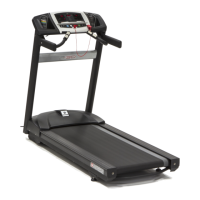
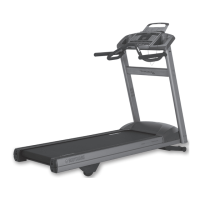
The Bodyguard
®
Heart Rate receiver inside each T280P–T280C–T300 treadmill is specifically designed to work in conjunction with the
optional Heart Rate chest strap. The Heart Rate chest strap allows the computer to monitor your heart rate, or pulses per minute. This
value is shown on the computer screen and should only be used as a guide in helping you achieve your personal fitness goals.
If no Heart Rate chest strap is used, no heart rate value (0) will be displayed on the computer screen. Before using any Heart Rate chest
strap on any exercise equipment, it is important to consult with a physician prior to commencing any exercise program.
WARNING – Before attempting to use any of this equipment, you should read the instruction manual carefully. Use of this equipment by
people with heart or other medical problems may result in serious injury. You should consult with a physician prior to using this equipment.
It is recommended to periodically consult your physician as you continue to use this equipment. Immediately cease exercise if you feel dizzy,
faint or short of breath. Use of this equipment in a manner other than as prescribed by these instructions herewith may result in serious
injury.
As a guide to effective exercising, to determine your recommended heart rate training zone, find your age on the heart rate chart (refer to
page 5) and read the heart rate target zone based on various intensity levels. These levels include fat burning zone, cardiovascular zone and
aerobic zone.
Tip – Sometimes you will need to moisten the back of the heart rate chest strap to obtain a signal. Use a few drops of water to moisten the
chest strap, then place directly over the skin. The chest strap does not work properly when placed over clothing.


 To Next Page