20
Possible Chest Strap Heart Rate Problems
All Bodyguard
®
machines are compatible with the Polar wireless heart rate system. This includes a chest strap and a receiver. The receiver is an
integral part of the machine and it is hidden inside. The chest strap is an option on all machines and can be purchased from Bodyguard
®
Fitness.
If you are having some problems with the reception, please use the following troubleshooting check list.
The above table should help properly diagnose the problem. There is also misconceptions that the signal is immediate.
The chest strap electrodes need to be moistened in order to send a strong signal. Radio and neon light interferences can also reduce the
strength of the signal.
Possible Contact Heart Rate Problems
In order to properly diagnose any problem with the contact heart rate system, please refer to the following procedures.
This machine uses a hand ECG (Electrocardiogram) printed circuit board along with wires and a set of metal plates. The hand ECG board is an
integral part of the machine and is hidden inside.
Troubleshooting Check List – Table 1
PROBLEM POSSIBLE CAUSE SOLUTION
• No signal.
• Dead battery in strap.
• Electrodes are not wet.
• Using wrong strap.
• Change battery.
• Put water on electrodes.
• Use Polar compatible strap.
• Weak signal.
• Weak battery.
• Electrodes are not wet enough.
• Strap is not tight enough.
• Too much body fat.
• Chest size too small or too big.
• Receiver has a problem.
• Change battery.
• Put water on electrodes.
• Put on tighter.
• No solution.
• Position strap accordingly.
• Verify signal in Diagnostics,
see Heart Rate Test section.
• Erratic signal.
• Using wrong strap.
• Interference with other signals.
• Electrodes are not wet enough.
• Use Polar compatible strap.
• Move the machine away frompotential interference
sources.
• Put water on electrodes.
Troubleshooting Check List – Table 2
PROBLEM POSSIBLE CAUSE SOLUTION
• No reading
• Hands have not been in contact
with the metal plates long enough
• Defective hand contact board
• Wires are not connected properly
• Wait for 5-10 seconds before a reading
• Change ECG board
• Verify Wiring
• Erratic reading
• Hands may move too much on the plates
• Defective board hand contact board
• Strong neon lights too close to console
• Interference with other signals
• Do not move your hands
• Change board
• Move the climber
• Use only this machine to verify
5. Computer Diagnostics
Access to “Diagnostics” menu
To determine the condition of the various electrical and mechanical components, you will need to enter
into the DIAGNOSTICS menu as follows:
1. Turn power OFF.
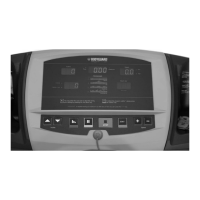
2. Simultaneously hold down the speed INCREASE and DECREASE keys and turn power ON.
3. Release the speed INCREASE and DECREASE keys once entered into the Diagnostics menu.
4. Press JustGo
TM
/ENTER to access Diagnostic items.
When you access the Diagnostics menu, you will notice the following message: “TXXX VERSION”
The message above indicates the version of the computer software installed in your computer display monitor. This information is helpful in
diagnosing certain computer related conditions. Keep in mind that the version number may change depending on the model number of your
T280P–T280C–T300 treadmill.


 To Next Page