27
Error Codes Table 4
PROBLEME CAUSE / SOLUTION
• Error 1
• Acceleration is too quick in the acceleration or reached speed phase.
• Possible causes: Motor drive defective or user pushing on the running belt for too long.
• Error 2
• Running belt not following the speed required in the reached speed phase.
• Possible causes: Deck too much friction. Walk on deck for 15 minutes at 4 mph.
• Motor drive board can be defective.
• Check speed sensor or optical disk.
• To much friction between the belt and deck.
• Lubrificate the deck.
• Error 11
• Acceleration is too fast during acceleration phase.
• Possible cause: Defective drive board.
• Error 12
• Acceleration is too slow during acceleration phase.
• Possible causes: Deck too much friction.
• Walk on deck for 15 minutes at 4 mph.
• Speed sensor problem.
• Error 21
• In a deceleration phase, the speed slows too fast.
• Possible cause: Drive board defective.
• Error 22
• In a deceleration mode, the speed slow down too slowly.
• Possible cause: Drive board defective, speed sensor problem.
• Error 23
• There is an abnormal acceleration during the deceleration phase.
• Motor drive board is defective.
• Acceleration is too quick under 2 mph.
• Error 31
• Possible causes: Motor drive defective or user pushing on the running belt for too long.
• Elevation motor values from potentiometer are out of range.
• Possible causes: Elevation motor is defective or uncalibrated.
• Perform an elevation calibration in the diagnostics menu.
• Motor drive board can be defective.
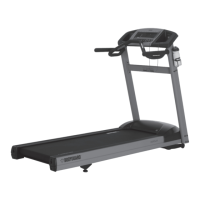
Thank You for Purchasing a Bodyguard
®
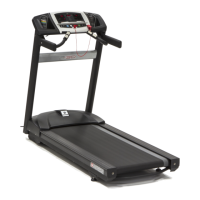
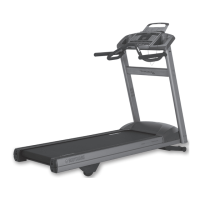
T280P–T280C–T300
Bodyguard
®
Fitness is dedicated to designing and manufacturing the finest fitness equipment available today.
This manual outlines information on warranty, assembly, operation of the unit, safety and basic maintenance checks for the Bodyguard
®
T280P–T280C–T300 treadmills.
When you require service for your T280P–T280C–T300, always present the unit product model, serial number and date of purchase to
the Bodyguard
®
Dealer. The product model and serial numbers are located at the front of the machine. Now is a good time to write the
product model and serial numbers and related information in the space provided.
Product Name
Model Number
Serial Number
Date Purchased
Dealer Store Name
Dealer Phone Number
Please fill out the warranty registration card and return it to Bodyguard
®
Fitness within 30 days of date of purchase for registration of your
T280P–T280C–T300 warranty. Your returned warranty registration card is important in helping us keep you up-to-date with all the latest
T280P–T280C–T300 product additions. Also, the warranty card is used to establish the actual sale date.
NOTE – The warranty card is use to establish the beginning of the warranty of your treadmill. If you omit to send your warranty card to
Bodyguard
®
Fitness, we will use the dealer purchase date to honor the warranty time.
You can also register on-line at www.bodyguardfitness.com


 To Next Page