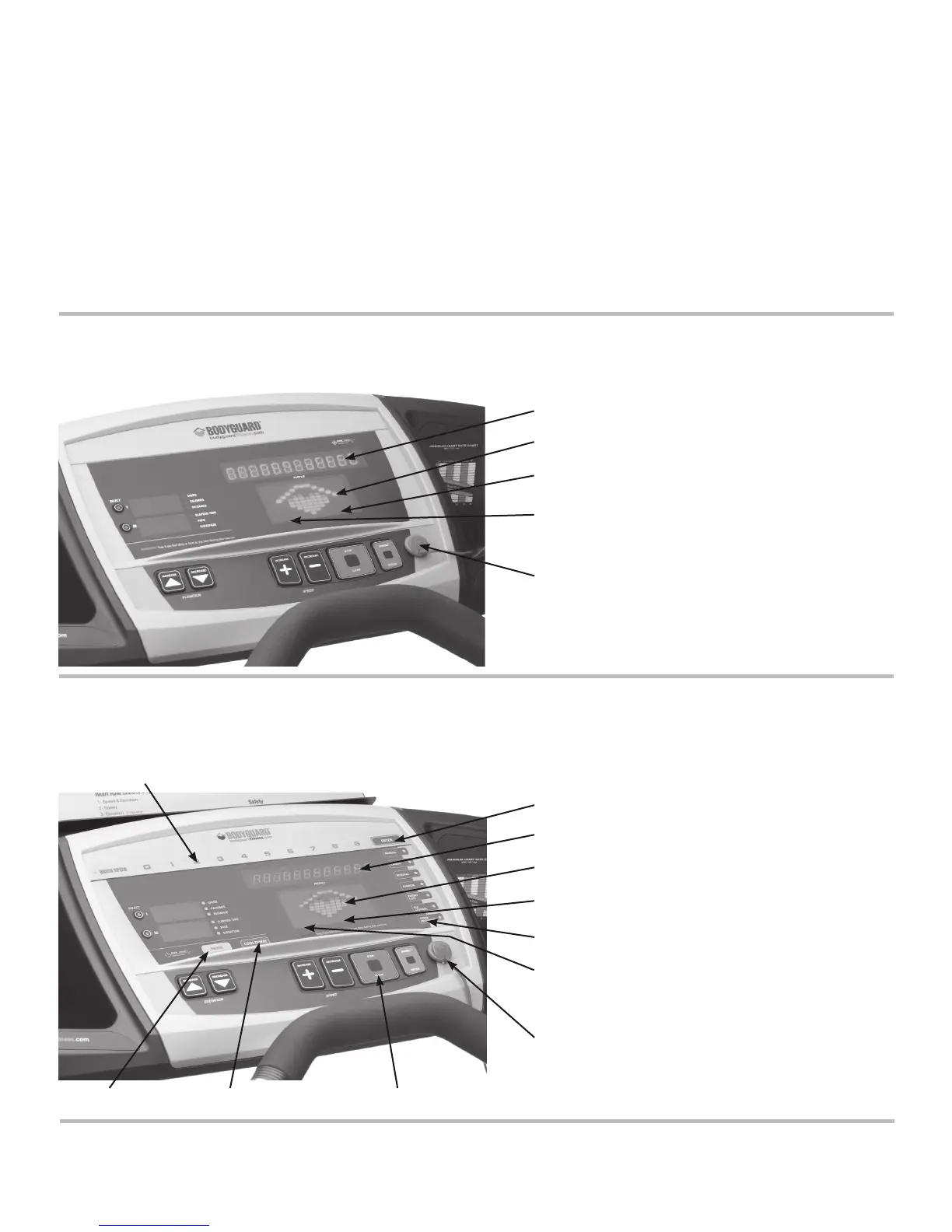
Enter key
Central information window
Speed profile (bright green)
Elevation profile (light green)
Other programs key
Flashing dot under profiles indicates
your progress in a program. The program starts from the
left and ends at the extreme right side
Safety key
6
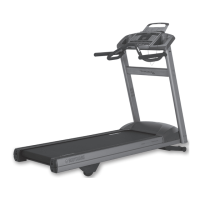
1. Operating your T280P–T280C–T300
Each T280P–T280C–T300 treadmill contains a L.E.D. (light emitting diode) computer display monitor. The control functions, unique
programs and features have been designed with you in mind, to offer the best possible exercise by displaying important and clear
information regarding your excercise progress.
Please familiarize yourself with the functions of the computer display monitor and each program to allow you to have the best possible
exercise.
The T280P–T280C–T300 come with a magnetic security key. The key’s magnet must be inserted in the appropriate slot in the console for
the treadmill to be functional. For security purposes, make sure to attach the key’s clip to your clothes prior to starting an exercise.
1.1 Getting to know the T280P – T280C – T300 Computer Display Monitor
The computer display monitor consists of a main viewing screen, a central informational window and two additional informational windows.
T300 COMPUTER DISPLAY MONITOR
Horizontal rectangles represent speed and elevation values.
Each tick represents either 1.2 mph (1.9 km/h) or 1.5% elevation change.
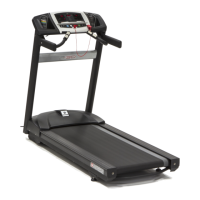
T280P–T280C COMPUTER DISPLAY MONITOR
Horizontal rectangles (dot) represent speed and elevation values.
Each tick represents either 1.2 mph (1.9 km/h) or 1.5% elevation change.
Numeric Keypad
Pause Cool Down Clear/Stop
Central information window
Speed profile (bright green)
Elevation profile (light green)
Flashing dot under indicates your progress in a program.
The program starts from the left and ends at the extreme
right side
Safety key


 To Next Page