14
RS422 Connection
You can use the RS422 interface to connect optional controllers, such as joystick keyboard or PC control
station, to operate and control the connected media devices.
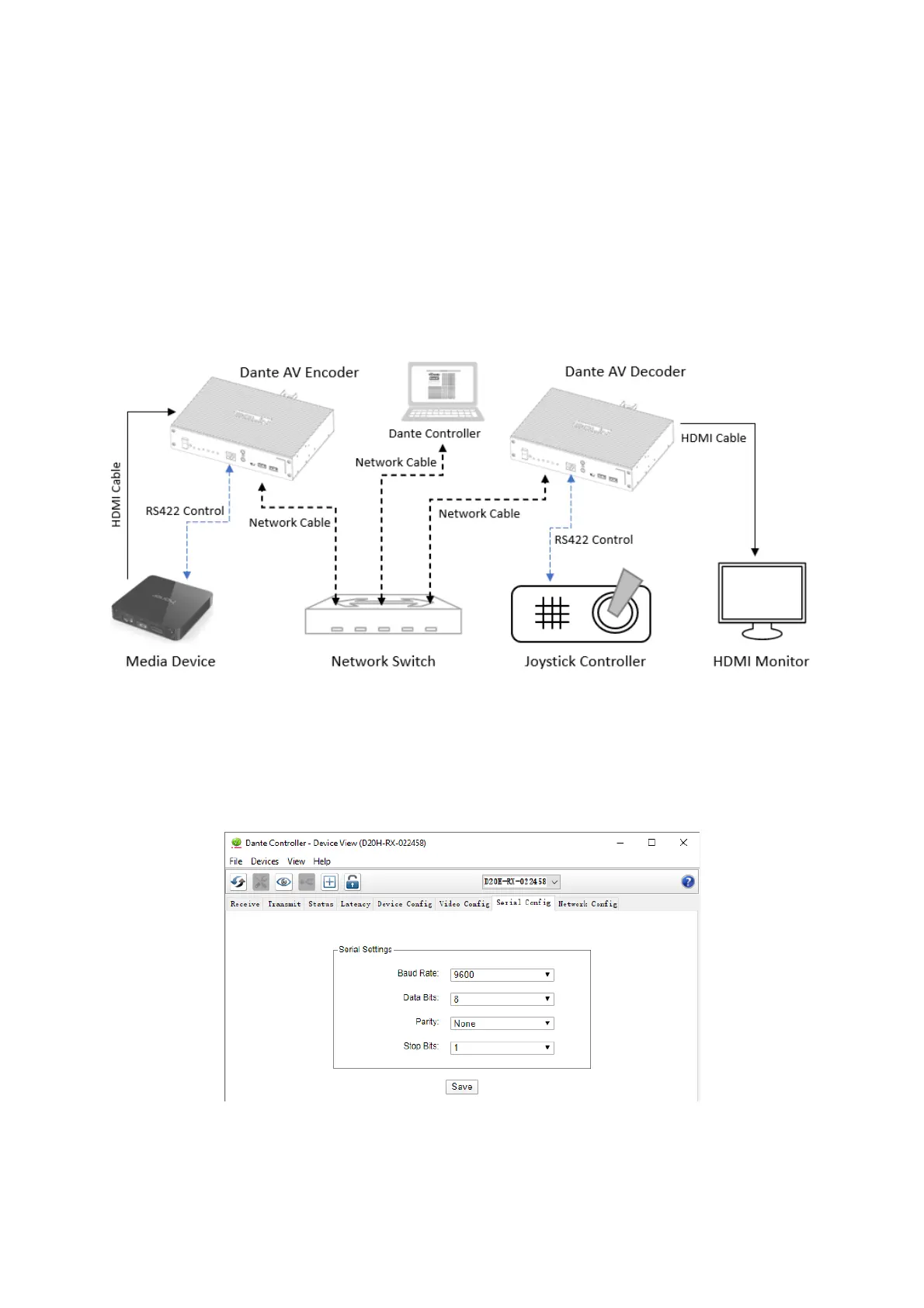
The following describes an example Joystick controller and Media device RS422 connection:
• Connect the RS422 port on the Joystick controller to the RS422 interface on the decoder;
• Connect the RS422 port on the Media device to the RS422 interface on the encoder;
• Create a bi-directional subscription in Dante Controller: subscribe the serial channel on the RX to the
serial channel on the TX, and vice versa.
As you do control on the Joystick controller, you should observe the Media device operation accordingly, the
system should behave as though you had directly connected the Joystick controller to the Media device.
Use serial control over Dante AV network, you need to setup Serial Config and run routing check within Dante
Controller.
Set up Serial Config Tab within Dante Controller (Do not need to set on Dante AV encoder and decoder
usually, unless the baud rate of the Media device and Joystick controller is changed to non-9600)
Dante Controller serial (RS422) routing check – example:
• The 'Serial' ancillary channel on the D20H-TX-022454 receiver is subscribed to the equivalent channels
on the D20H-RX-022458 transmitter.
These subscriptions would enable serial control RS-422 on the transmitter (decoder) via the Serial control
ports RS-422 on the receiver (encoder).


 To Next Page