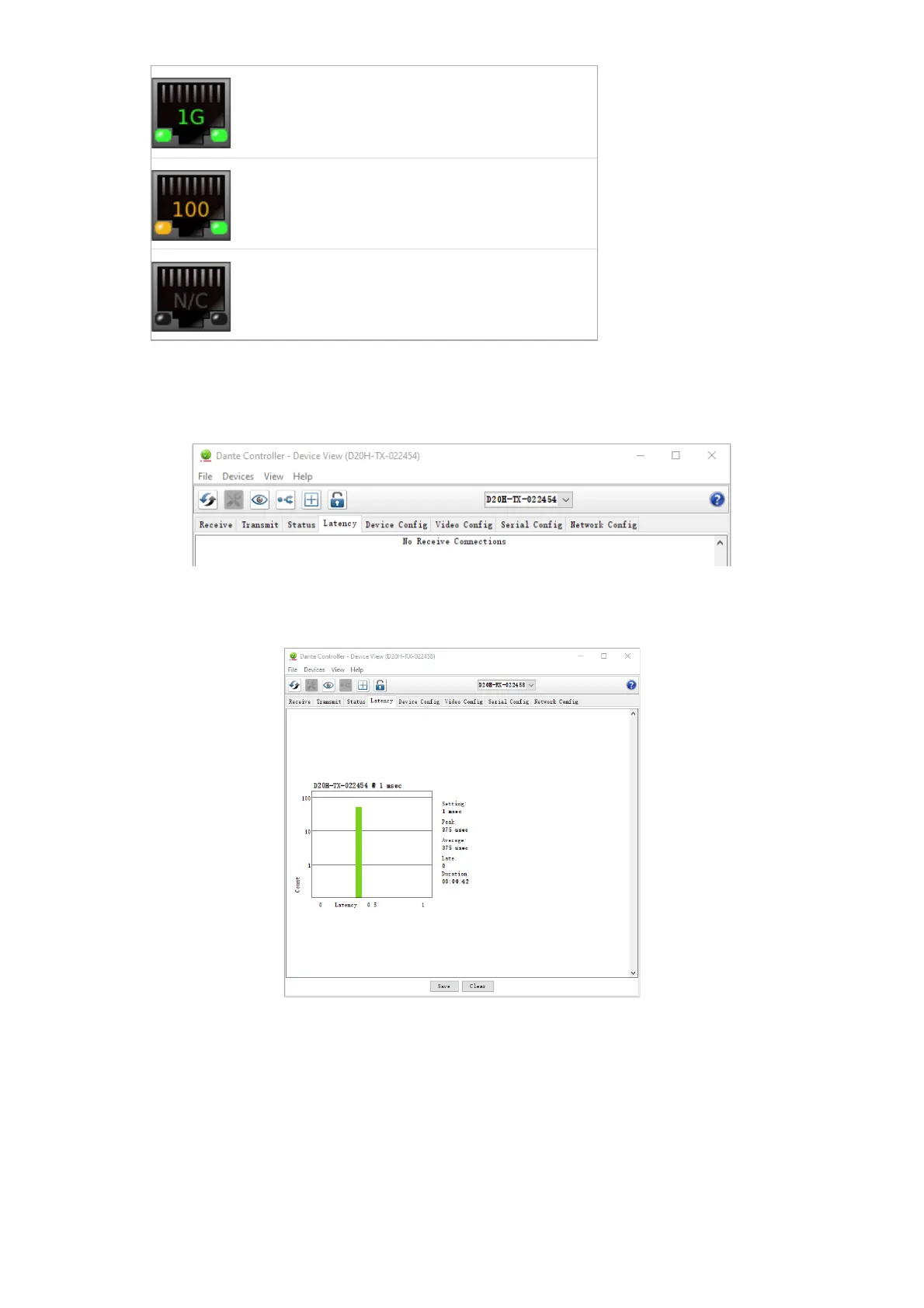
Indicates that the link is not connected, or that
there is an error. The IP address will read N/A, and
Tx and Rx utilization will be 0 kbps.
Clear Counters: Click this button to reset the packet errors history for the device.
Latency Tab
Latency Tab with Bolin Dante AV camera
Note: For video (Dante AV) devices, latency settings made in Dante Controller apply only to audio channels.
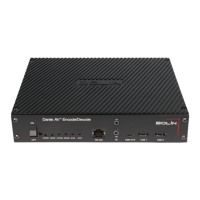
Latency Tab with Bolin Dante AV decoder
Provides Latency information from the TX to the RX. It is measuring for the delay value due to network travel. The
purpose of this tab is to help optimize resources and finding the best setting for your application in terms of latency. Data
is transmitted throughout the network via packets, when not all packets arrive on time or at all, it can cause undesired
results to the audio service. Common consequences involve distortion and temp loss of audio.
How to read the chart:
Bottom of the chart labels the latency range. Top of the chart labels the TX name. Left side of the table shows number of
measurements.
Green bar: latency number falls within range and should not cause packet loss (usually no action needs to be done)
Yellow bar: packet loss may incur because it is arriving right at the limit range (suggestion: increase receiver latency to


 To Next Page