44
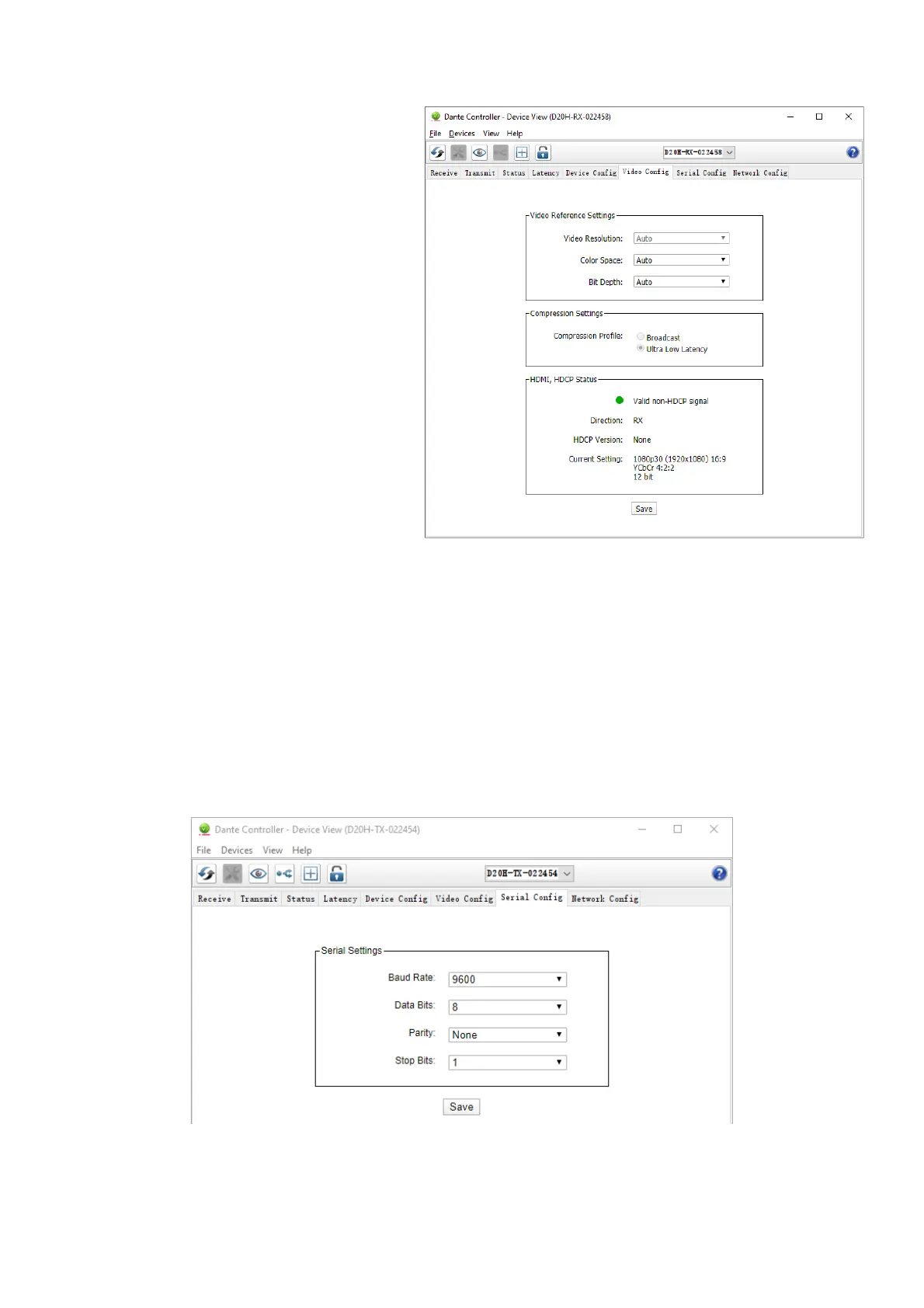
Video Config Tab with Bolin Dante AV decoder
On the RX end (the decoder) the user can adjust the
following:
• Color Space (Selection options: Auto, RGB
4:4:4, YCbCr 4:2:2, and YCbCr 4:4:4)
• Bit Depth (Selection options: 8bit,10bit, 12
bit)
On Both TX and RX end the user can view the
following information:
• Indicator light showing status, usually
green or yellow.
o Green indicating good established
signal, yellow indicates concern.
o If yellow, please check the
information box in detail for why
it is not green
• Status of the HDMI signal such as “valid
non-HDCP signal”, if HDCP signal is
important to the application please pay
close attention to this information
• Direction: the way data flows to this
device, the encoder should be TX and the
decoder should say RX
• Current settings: this section will show the current resolution, aspect ratio, color space and bit depth information
that is actively being transmitted.
The information section will actively update itself with the most recent information. For example, if the color space is
changed on the decoder end, the information area will refresh itself to reflect the change without needing to refresh the
Dante Controller software.
Serial Config
Serial Config Tab is an additional 'plugin' tabs defined by Bolin, for the camera, encoder and decoder, with additional
device settings.
Serial Config Tab with Bolin Dante AV encoder
Serial Config are used to set various transmission detail to establish serial control. This is for the RS-422 port on the
decoder (RX) to be able to send Visca RS-422 control from the keyboard controller to the encoder (TX).


 To Next Page