13
LED Indicators
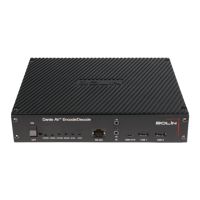
The Dante AV encoder features 2 green LEDs and 4
bi-color LEDs.
Green LEDs
• POWER LED: Indicates power is supplied to
the Dante AV encoder
• CODEC LED: Indicates the encoder codec is
active
Bi-color LEDs
• SYSTEM LED: Tri-color LED indicating the
status of the Dante system
1. Solid green – all ok, sync achieved
2. Amber – booting up, awaiting sync
3. Red – system failed to boot correctly
4. Off – no power
• ERROR LED: Tri-color LED indicating the
status of the Dante software
1. Solid green – software running
2. Blinking green – identifying function
activated
3. Solid or blinking red – software fault or exception
4. Off – no power
• SYNC LED: Tri-color LED indicating the clock synchronization status
1. Solid green – Dante network clock follower sync with leader achieved
2. Blinking green – Dante network clock leader
3. Amber – syncing in progress
4. Red – sync error
5. Off – no power
• HDCP LED: Tri-color LED indicating the status of HDCP on the HDMI input or output
1. Solid green – non-HDCP unprotected video sink or source detected
2. Blinking green – HDCP protected content detected
3. Solid red – invalid non-HDCP video sink or source
4. Blinking red – HDCP negotiation failed
5. Blinking Amber – HDCP negotiation in progress
6. Off – no power
Connectors and Interfaces
RS422 Interface (Serial)
Serial control over IP allows you to use a serial controller to control a
remote device via the Dante network. The Dante AV decoder and
encoder equipped with RS422 interface, supports RS422 serial
control.
The RS422 interface pin definition are as follows:
• #1 RX-
• #2 RX+
• #3 GND
• #7 TX-
• #8 TX+


 To Next Page
