42
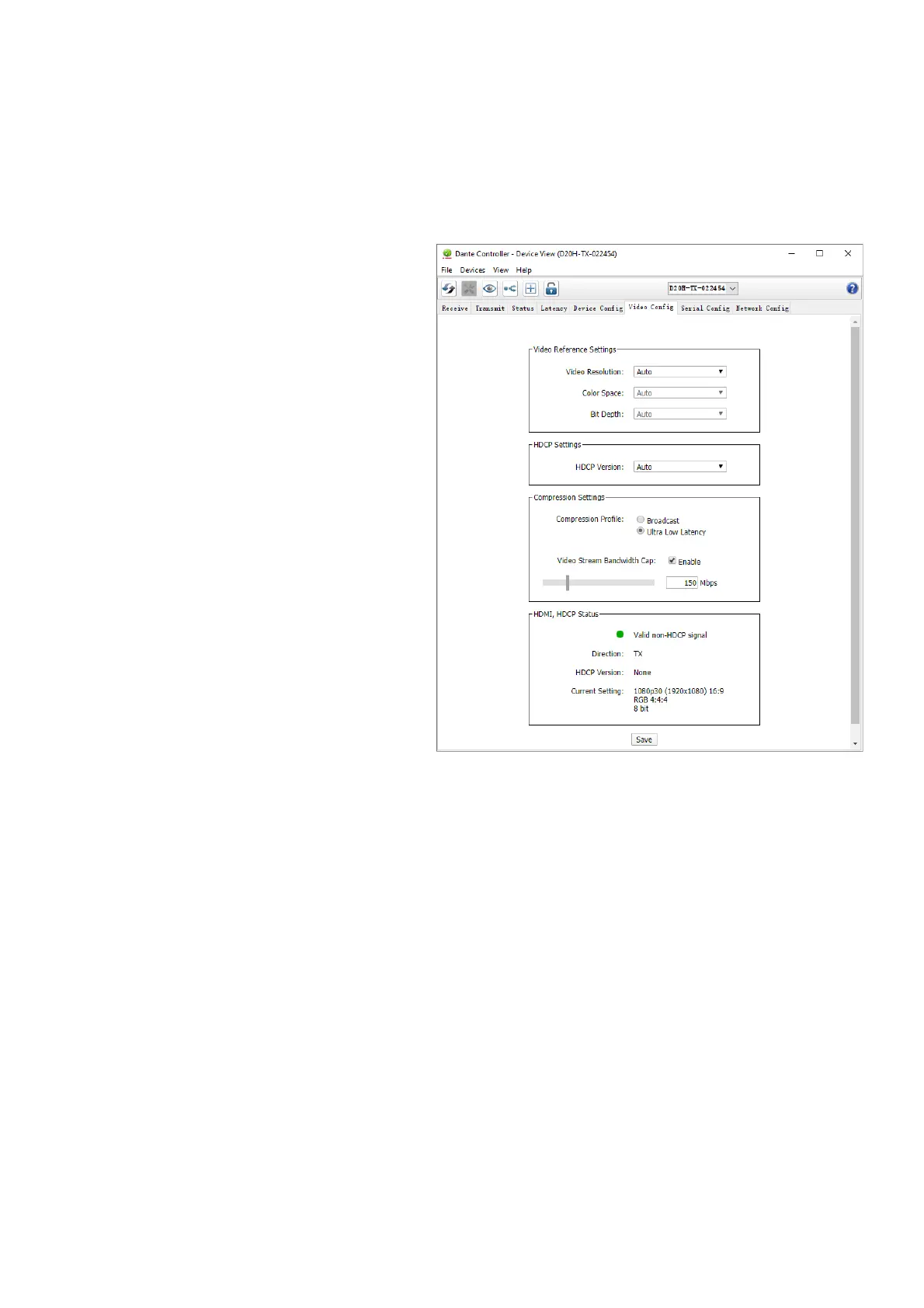
Video Config Tab
Video Config Tab is an additional 'plugin' tabs defined by Bolin, for the camera, encoder and decoder, with additional
video device settings.
Following Video Config information is based on the Dante Control software version 4.4.2.96 or above
Video Config Tab with Bolin Dante AV encoder
Video Reference Settings
1. Video Resolution: Set the video resolution of
your Dante AV camera
• This setting menu is not applicable to
Dante AV encoder, the Dante AV stream
resolution depends on the HDMI signal
format input to the encoder.
2. Color Space: Set the color space of your
Dante AV device
• Auto by default, can’t be changed
3. Bit Depth: Set the bit depth of your Dante
AV device
• Auto by default, can’t be changed
HDCP Settings
1. HDCP Version:
• Auto: Automatically identify the HDCP
version of the video source
• HDCP 1.x: Enables HDCP on the HDMI
output of your Dante AV device
• No HDCP: Disables HDCP on the
HDMI output of your Dante AV device
Compression Settings:
1. Compression Profile:
• Broadcast mode: Favors quality of image
over latency
• Ultra-Low Latency mode: Favors
keeping latency at the minimum over quality of image
2. Video Stream Bandwidth Cap:
• This function will allow you to set a maximum bandwidth cap of your Dante AV device.
• Please consult with the bandwidth table for further details.
The purpose of this tab is for the user to make certain convenient changes and obtain information from the Dante
Controller regarding Bolin Dante AV devices.
WARNING:
Changing settings using the Video Config tab will cause the screen to be disconnected and fade to black while the change
takes place. The video should restore itself after the change has been applied without needing user intervention.


 To Next Page