15
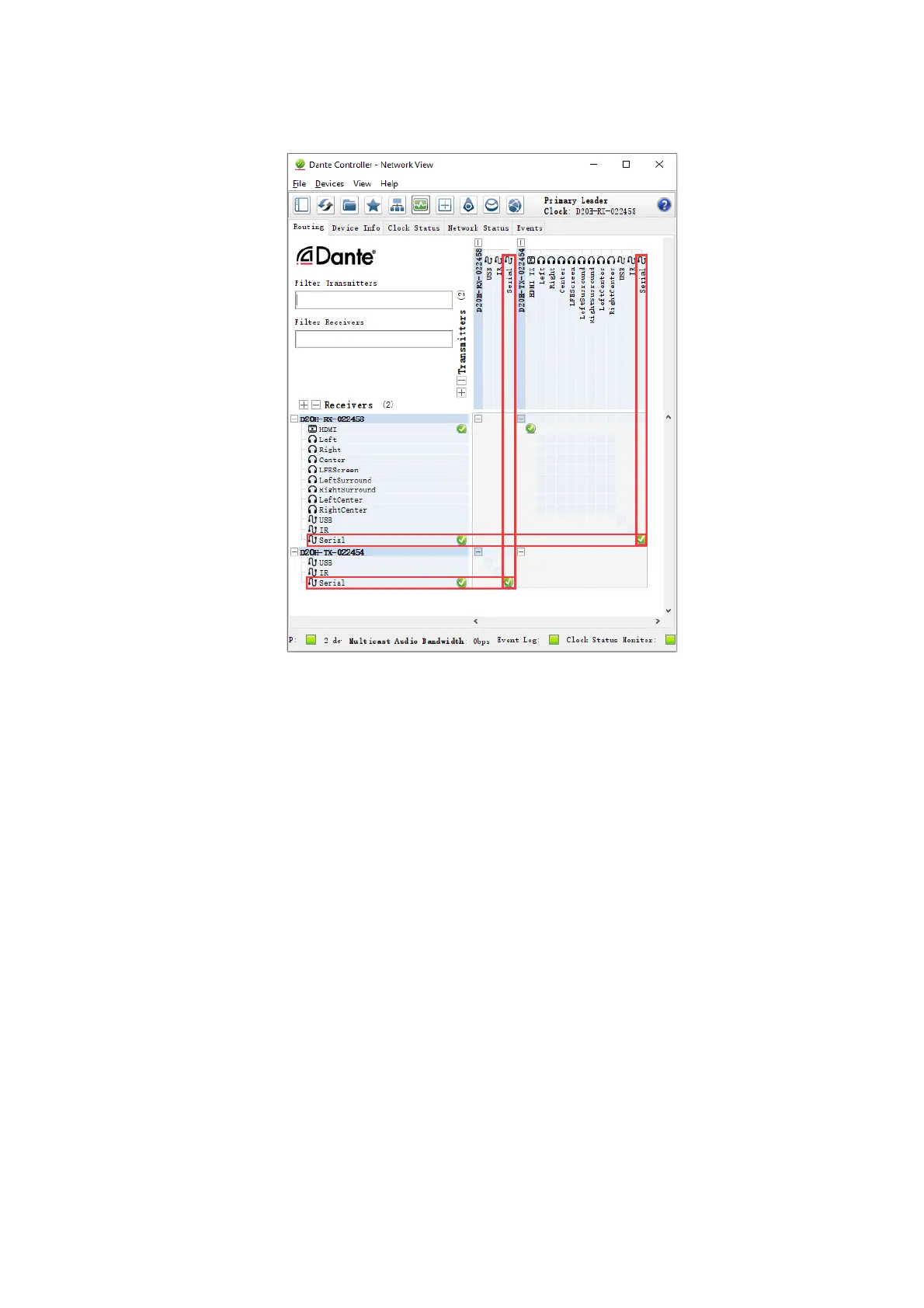
• The 'Serial' ancillary channel on the D20-RX-022458 receiver is subscribed to the equivalent channels on
the D20H-TX-022454 transmitter.
These subscriptions would enable serial control RS-422 on the transmitter (encoder) via the Serial control
ports RS-422 on the receiver (decoder).
You can also use the RS422 serial control methods to control other devices, such as projectors, HDMI PTZ
cameras or others, which can support serial control.
• Most of the media devices are controlled by the RS232 serial port, you can use the RS422 to
RS232 converter to realize the control in this application.
• If the media device can support RS422 serial port directly, you can follow the above RS422
interface pin definition to setup the RS422 connection for control.
USB Interface
USB control over IP allows you to use a USB mouse and/or keyboard to control a remote computer via the
Dante network, this function needs to work together with Dante AV decoder.
How to setup
• On the Dante AV decoder, connect a keyboard to USB 1 and a mouse to USB 2.
• Connect a USB cable (male type A USB to male mini-USB) from a USB port on the PC host to the USB
OTG port on the Dante AV encoder.
• Open the Windows Device Manager and verify that you see the keyboard and mouse.
• Using Dante Controller, make the following subscriptions (two subscriptions are required, as the USB
channel is bidirectional):
1. Subscribe the USB channel on the encoder to USB channel on the decoder
2. Subscribe the USB channel on the decoder to USB channel on the encoder
After the above setup, the keyboard and/or mouse connected to the decoder can control the PC connected to
the encoder.
NOTE: The USB interface on the decoder can only be used for keyboard and mouse connections. USB flash
drives / hard drives are not supported.


 To Next Page