8
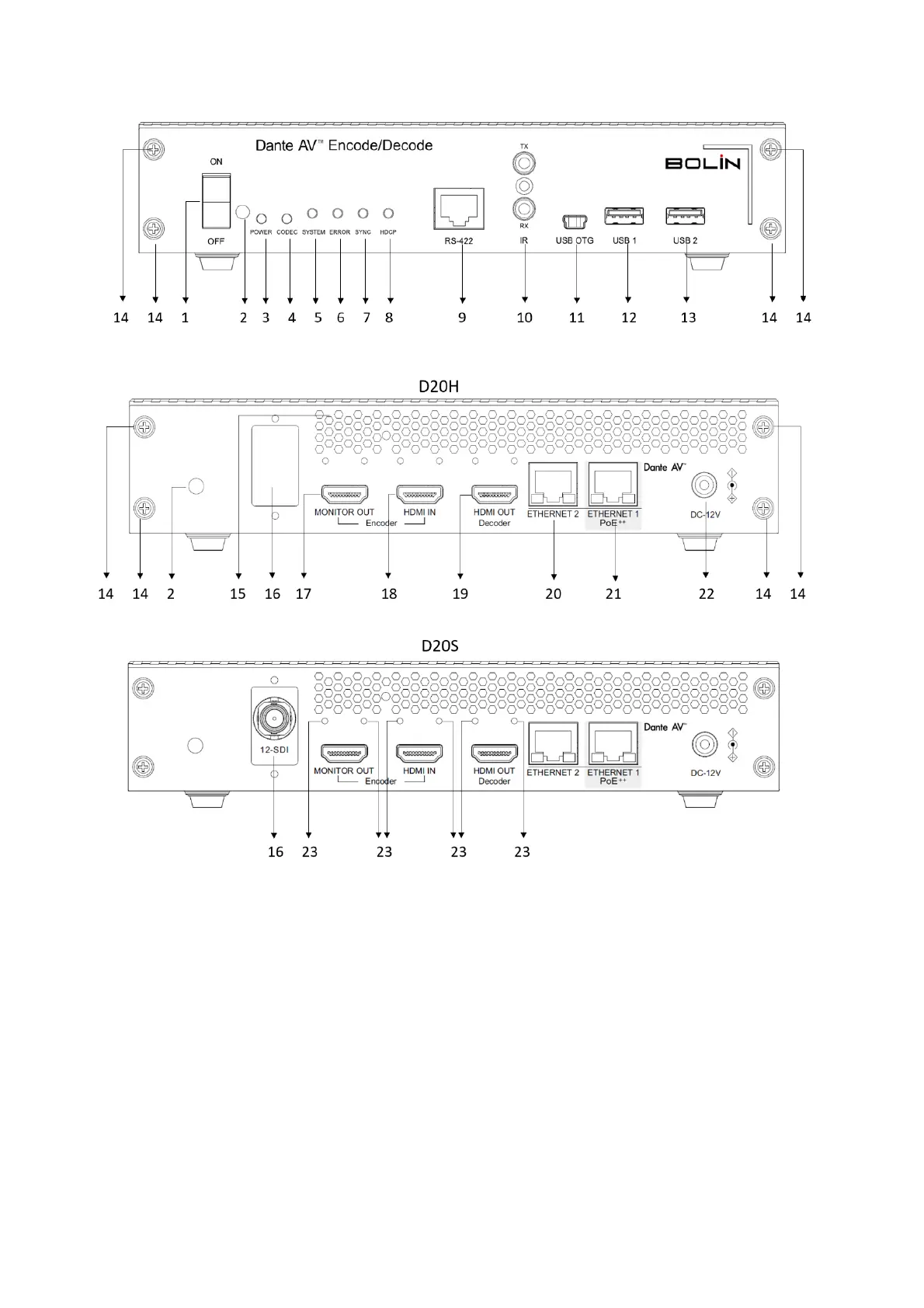
Encoder/Decoder Diagrams
1. Power Switch
To power on / off the decoder
2. 3.5mm IR IN
3. Power LED Indicator
Turns green when the decoder is connected to power and switched on
4. Codec LED Indicator
Green – Normal
Not lit - Abnormal/Error
5. System LED Indicator
Solid green - All ok, sync achieved
Amber – Booting up, waiting sync
Red - System failed to boot correctly
Off – No power
6. Error LED Indicator
Solid green - Software running
Blinking green - Identifying function activated
Solid or blinking red - Software fault or exception
Off - No power


 To Next Page