39
compensate)
Red bar: packet loss is occurring regularly (suggestion: increase latency setting on the receiver end or have the network
administrator reconfigure the network)
• Settings: current latency setting of the respective device
• Peak: top number of latency data
• Average: average number of latency data
• Late: number of times packets that got dropped for arriving late (best if this number stays low or 0)
• Duration: data gathering time duration, leave on longer duration for best accuracy of overall numbers
• Save: Will save the information in a PNG image
• Clear: Will clear previous latency information.
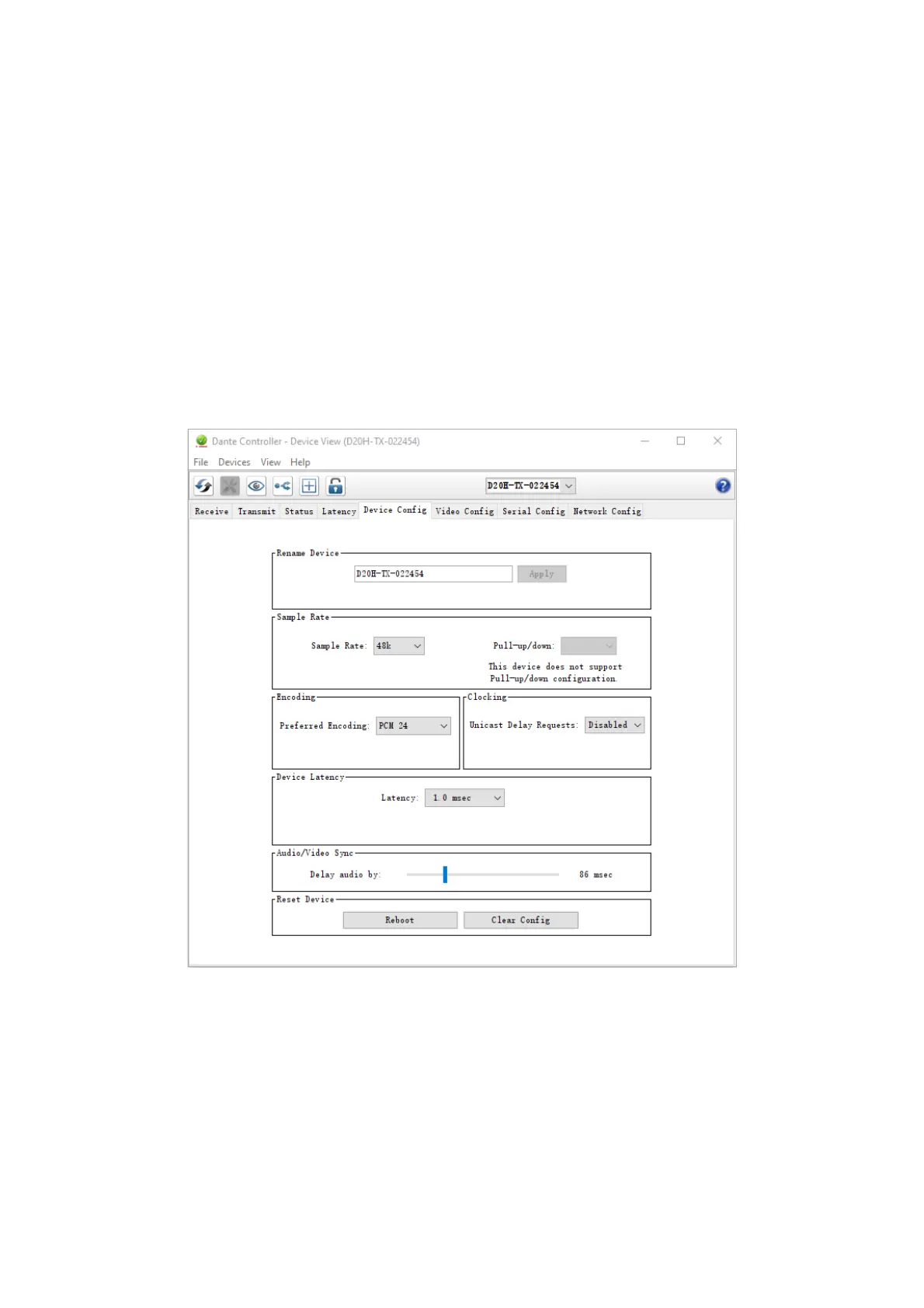
Device Config Tab
This tab on the device view window allows you to configure device specific parameters.
Device Config Tab with Bolin Dante AV encoder


 To Next Page