40
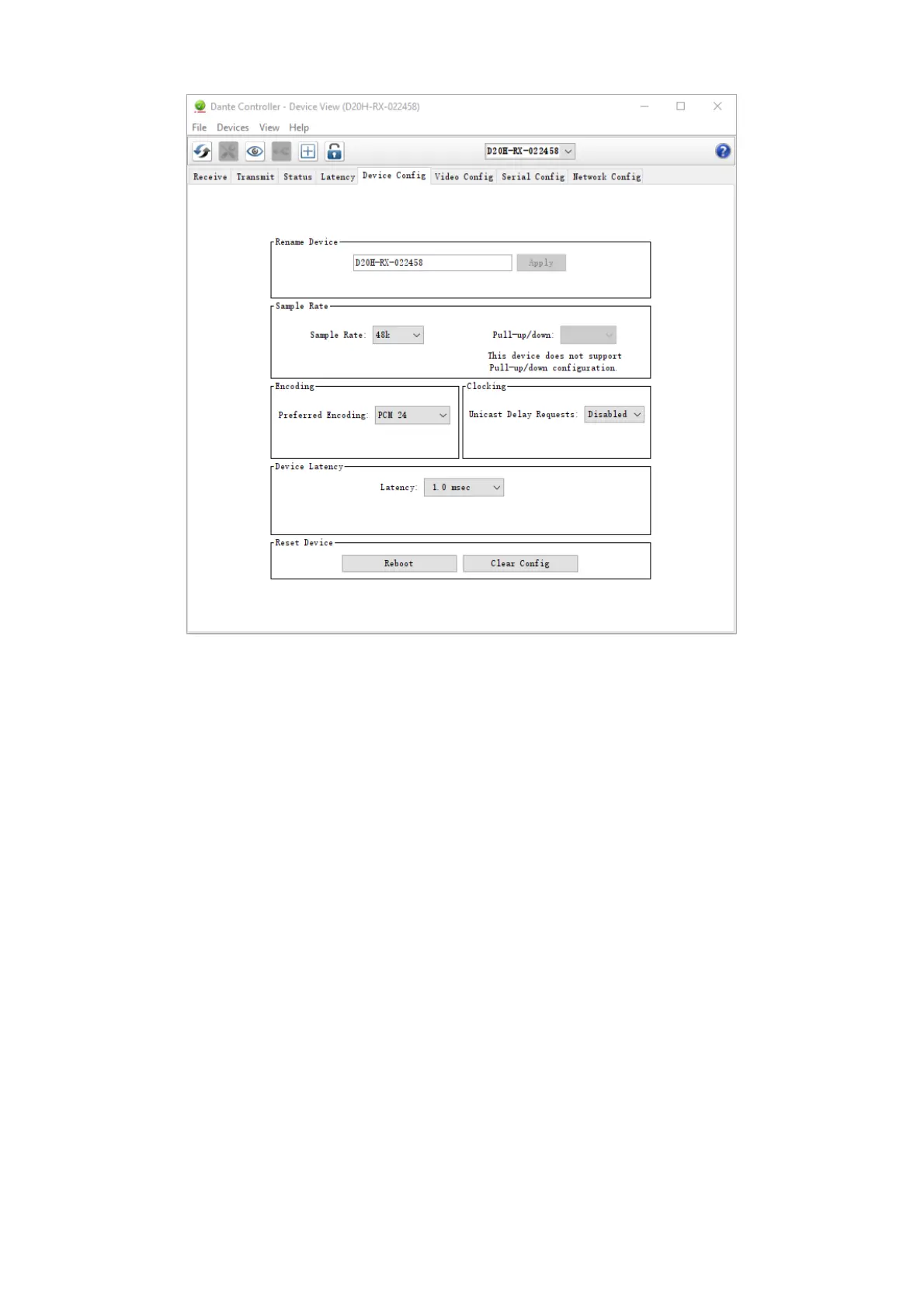
Device Config Tab with Bolin Dante AV decoder
Configurable Parameters
Rename Device
Allows you to enter a new Dante 'friendly name' for the device. The text field displays the current name. To change
the device name, enter a new name in the text field and press Enter.
Sample Rate
■
Shows the current sample rate of the device, and allows you to change the operating sample rate
of the Dante device. This may require the device to be rebooted to take effect. All sample rates sup-
ported by the device are shown in the drop-down menu.
■
Shows the current pull-up/down setting for the device and allows you to change the pull-up/down
setting. The pull-up/down setting can be used to adjust the sample rate of the device to synchronize
audio with video that has undergone frame rate conversion. For example, to synchronize Dante audio
with video that has been converted from 24 fps to 25 fps, set the sample rate pull-up/- down for any
relevant Dante audio devices to +4.1667%.
■
Applies to audio channels only.
Note:
Changing the sample rate pull-up/down for a device place that device in a dedicated clock domain. Dante devices can
only transmit audio to, or receive audio from, other devices on the same clock domain. See Clock Status View for
more information.
Encoding - Preferred Encoding
Shows current preferred encoding setting, allows you to change preferred encoding for the device.
Applies to audio channels only.
Note:
This setting does not guarantee that the device will always use the selected encoding: Both devices must support the
selected encoding for it to be used.


 To Next Page