43
On the TX end (the encoder end) the user can adjust the following:
• Video Resolution: For the Bolin Dante AV encoder, this option is
set to Auto by default
o The video resolution will be determined automatically by
EDID system on the decoder side. It takes the highest
resolution that the display supports.
o Or it will automatically take the video format that is
connected to the Dante AV encoder from the camera side.
• To change the resolution for the Dante AV IP streaming, you can
use the drop-down resolution menu to select one you need, then
click Save. The encoder will take the video resolution that you
have selected and the video resolution will be shown on decoder
display.
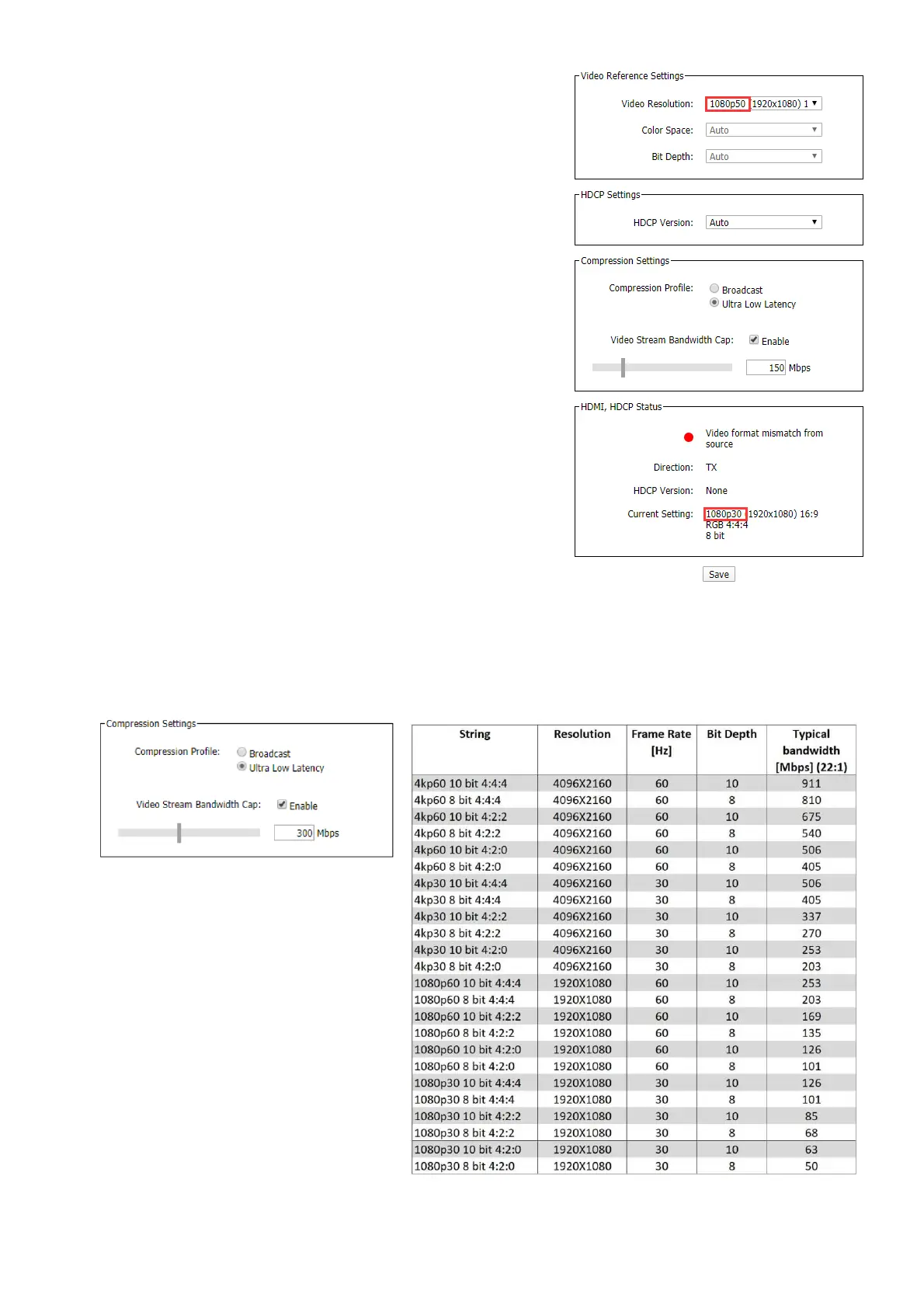
• Resolution match:
o If a different resolution is selected on the Dante
Controller than the HDMI source input to the encoder,
“Video format mismatch from source” will be shown
o “Video format mismatch from source”, means that the
video signal format input to the encoder is not the same
as the format selected on Dante Controller
o The Dante AV video stream format will to be the same as
the HDMI source input to the encoder
o The video format output from the Dante AV decoder will
also be the same as the HDMI source format input to the
encoder.
o Change the video resolution to Auto on Dante Controller,
or change it to the same format as the HDMI signal input
to the encoder, it will not display “Video format mismatch from source”
• Video Stream Bandwidth Cap:
o This function will allow you to set a maximum bandwidth cap of your Dante AV encoder.
o Selectable bandwidth range: 5Mbps ~ 700Mbps


 To Next Page