Functions and operation
EN
18 bora.com
5.8.3
Automatic
In the case of automatic programmes, the optimal temperature,
cooking time and addition of steam are preset. To guarantee the
desired cooking results, starting conditions are displayed for many
programmes (e.g. temperature or nature of the food). In some
programmes, the suggested values for the degree of browning and
done level (e.g. firm, al dente, soft) can be adjusted. Automatic
programmes can be changed separately and saved under new names.
Pro tips give useful advice on how to prepare the dish.
Place the food in the steam oven at room temperature. Allow
frozen foods to defrost first.
High temperatures are used for some automatic programmes
(up to 230°C). Unsuitable fats or oils can cause smoke to
form. We therefore recommend using fats and oils with a high
smoke point.
Changing automatic programmes
The values of individual cooking steps can be changed in the cooking
step display.
u
Swipe up from the bottom edge of the display in the automatic
programme.
u
Select the cooking step.
The modified automatic programme can be saved when the
programme ends.
Starting an automatic programme from a certain cooking
step
u
Swipe upwards from the bottom edge of the display.
u
Select the cooking step.
u
Touch “Start programme here”
Starting automatic cooking programmes later
In programmes that can be started later, the start and end time can
be changed (see “First steps”).
Automatic programme layout in terms of quantity (guide
values)
T
Standard setting: 4 servings/4 people
T
Traybakes: 1 tray
T
Meat dishes: 800–1000g meat (raw weight)
T
Bread, baked goods: approx. 750g baked goods
T
Rice, risotto: 300–400 g dry rice without liquid
5.8.4
First steps
Helpful videos with simple explanations on how to operate and handle
the appliance.
u
Touch “First steps” .
u
Touch the video.
End the video early:
u
Long press on the display.
5.8.5
Special
Menu item with useful special programmes such as “Keep warm”,
“Defrost”, “Sous-vide cooking”, “Drying”, etc.
5.8.6
Favourites
Favourite automatic programmes can be saved under this menu item.
Add favourites
Go to the desired automatic programme.
u
Long press on the dish.
u
Touch .
5.8.7
Classic
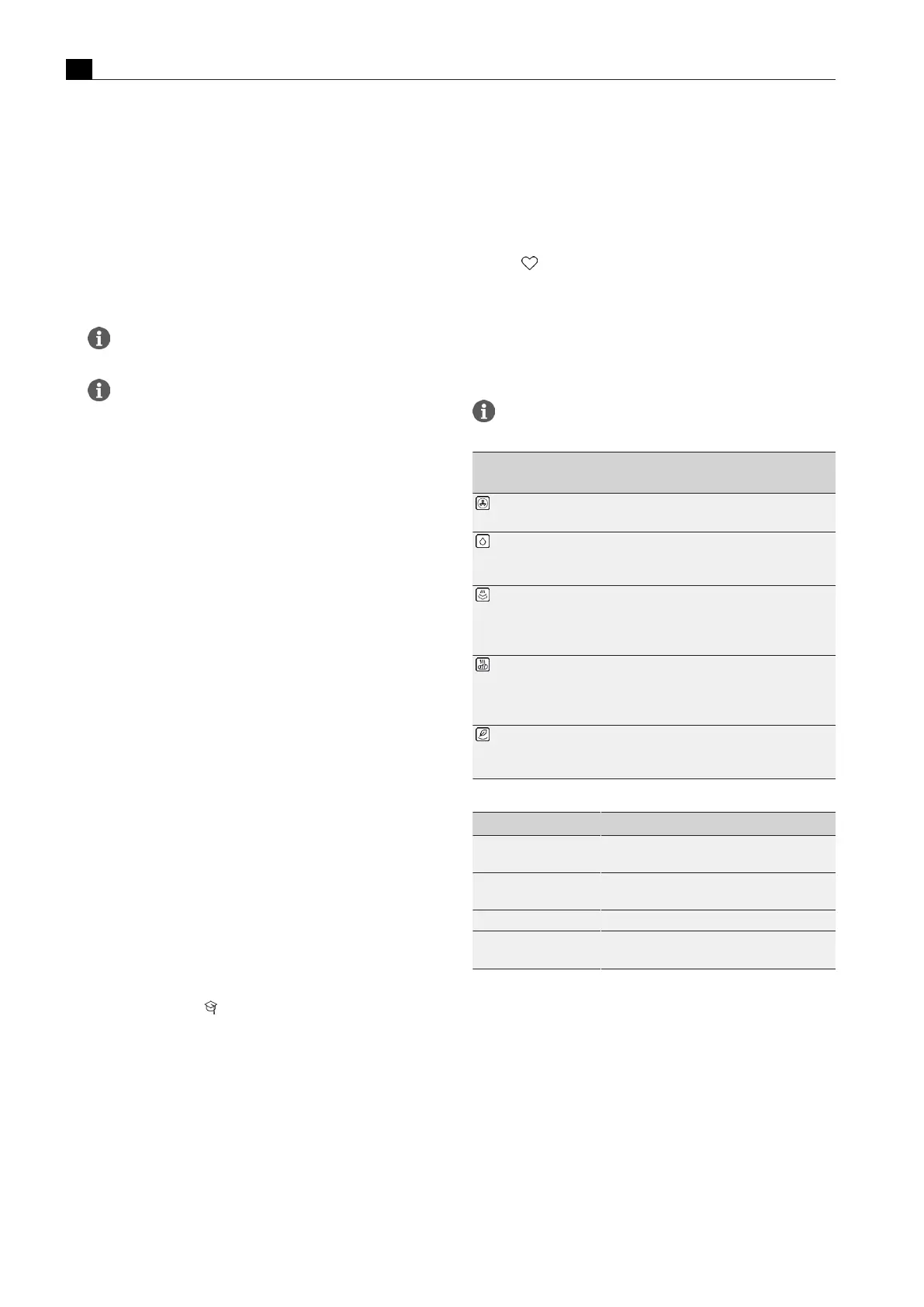
With the Classic function, all conventional cooking methods can be
used: roasting, baking, steaming and hot air grilling. These work by
simply combining hot air and steam.
Where temperatures and times are given on food packaging,
use the lowest values.
Symbol/
operating mode
Function
Hot air
The intense flow of hot air evenly browns dishes.
Bake with humidity
Water is added to the hot airflow to create a humid
environment in the oven chamber; dishes do not dry
out as much and remain moist
Steam
Temperature up to 100°C, maximum humidity, a
particularly gentle cooking method; cooking at a
lower temperature retains the natural flavourings,
nutrients and vitamins
Hot air grill
Targeted removal of moist air from the oven
chamber and the addition of fresh air intensively
browns the food and favours the formation of
cooking residues
Eco mode
Less power, therefore reduced energy
consumption, only hot air, no addition of steam,
longer heating-up times
Tab.5.7
Classic operating modes
Operating mode Particularly suitable for…
Hot air Baked goods (cakes, bread, biscuits), ready
meals
Bake with humidity Casseroles, meat and fish dishes,
cheesecakes, dry cakes
Steam Vegetables, fish, tender meat, dumplings
Hot air grill Grilled meat, grilled sausages, grilled
vegetables, cooking dishes au gratin
Tab.5.8
How to use the classic operating modes
5.8.8
Multi-drawer
If the appliance is installed along with a BORA multi-drawer, the latter
can be controlled and operated using the XBO touch display.
5.8.9
Maintenance
The appliance has programmes for cleaning and drying and for
changing the odour filter (see “Cleaning and maintenance”).



 To Next Page