PI - 32.15aProduct Documentation of the LSN Radio Fire Detection System
Seite 23 von 32
601-F.01U.002.708
A3.en / 28.12.2004
ST-FIR/ PRM1 / deh
7.1. Manually resetting a configured FK 100 LSN
. New radio cells can only be installed with unconfigured RF expansion mod-
ules, i.e. RF expansion modules that are already operational must be reset.
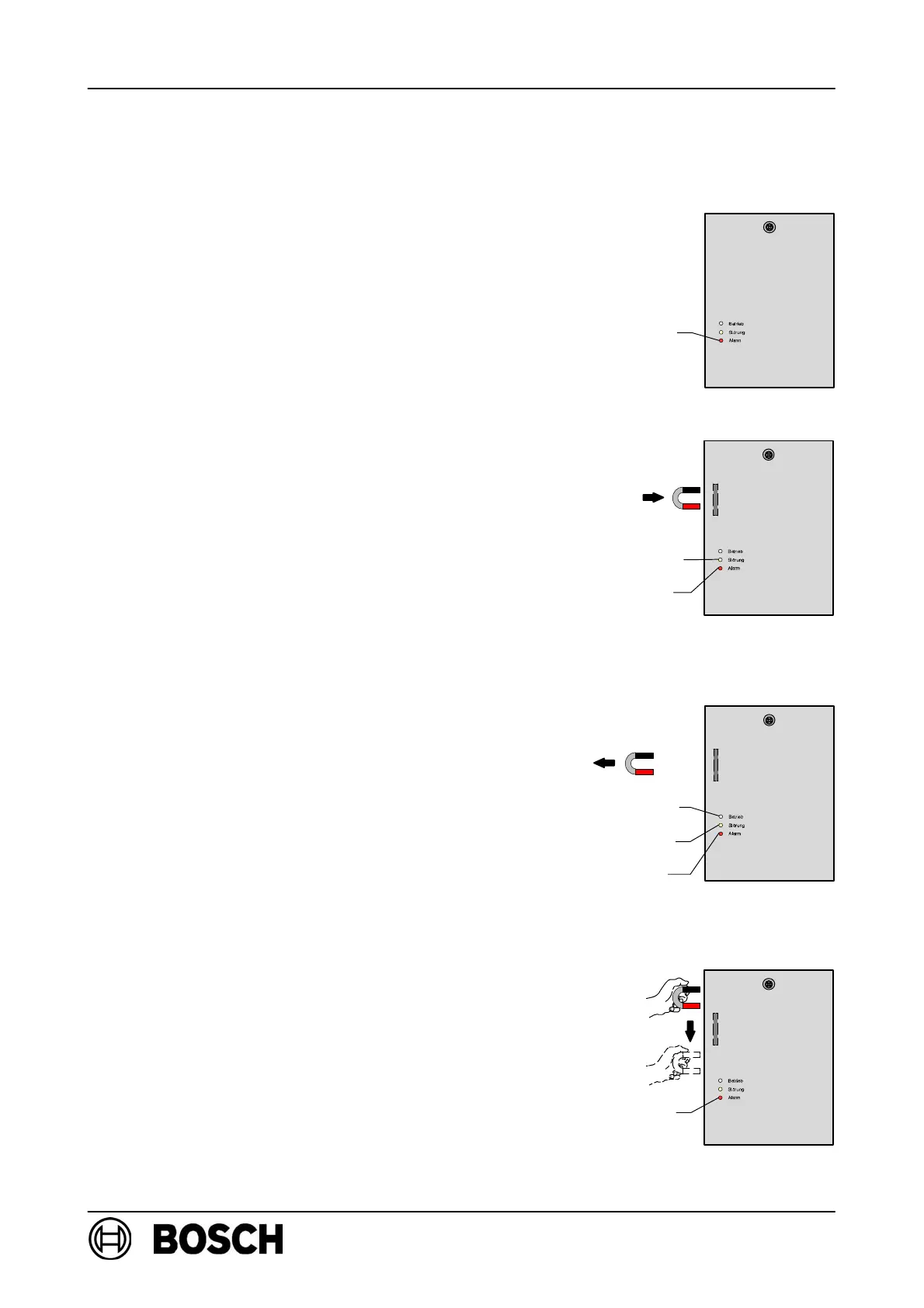
. If the red LED flashes rapidly upon switch-on,
RF expansion modules are in a conflicting mode
and must also be reset.
D Disconnect the power supply to FK 100 LSN, e.g.
by removing the connection terminal block!
D Activate the reed switch in FK 100 LSN and
secure the magnet to the expander.
. The reed switch must remain activated.
D Connect the power supply for FK 100 LSN!
⇒ The red LED lights up briefly and the yellow LED
then begins to flash rapidly.
D Deactivate the reed switch in FK 100 LSN by
removing the magnets.
D Within 10s, activate the reed switch on
FK 100 LSN (by moving the magnets along the
left-hand side of the housing) repeatedly until the
green and yellow LEDs flash rapidly.
⇒ After approx. 10s, the red LED lights up briefly and
the green and the yellow LEDs continue to flash
rapidly, indicating that the RF expansion module is
searching for a clear frequency.
D Disconnect the power supply to FK 100 LSN, e.g.
by removing the connection terminal block!
⇒ The RF expansion module is reset.
LED red
Reed switch
LED yellow
LED red
Reed switch
LED green
LED yellow
LED red
Reed switch
LED red



 To Next Page