EasyManua.ls Logo

Bosch PLENA PLN-6AIO240 - User Manual

Bosch PLENA PLN-6AIO240
52 pages
Print Icon
To Next Page IconTo Next Page
Loading...
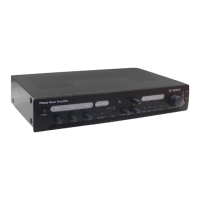
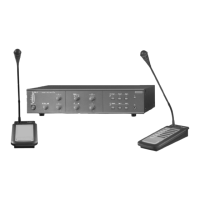
Plena All-in-One System
PLN-6AIO240
en Installation and Operating Manual

Questions and Answers

  • H
    hpriceAug 11, 2025
    Why can't my Bosch PLENA PLN-6AIO240 Amplifier play MP3 or AAC tracks?
    • M
      Melanie KingAug 11, 2025
      If your Bosch Amplifier is not playing MP3 or AAC tracks, it could be due to unsupported format. See section Internal music unit, page 32 on supported formats. Note that MP3 format is supported up to 320 kbps. Also, copy-protected files cannot be played on this unit.
  • K
    Karen LopezAug 18, 2025
    How to resume playback on a Bosch PLENA PLN-6AIO240 if it's paused or muted?
    • D
      Diana DiazAug 18, 2025
      To resolve the issue of music player control being in pause or mute mode on your Bosch Amplifier, press the play/mute button to begin playback.
  • M
    melissasmithAug 26, 2025
    What to do if the connection jumper is missing on my Bosch PLENA PLN-6AIO240?
    • H
      Haley RodriguezAug 26, 2025
      To address a missing connection jumper between Insert out and Insert in on your Bosch Amplifier, replace the jumper or use a short cable with two RCA plugs to connect the power amplifier input to the pre-amplifier output.
  • E
    Elizabeth ChristianNov 2, 2025
    Why is my Bosch PLENA PLN-6AIO240 Amplifier not detecting my USB/SD storage device?
    • B
      bryantjamesNov 2, 2025
      If your Bosch Amplifier's USB/SD storage device is not being detected, there are several potential causes: * The device may not comply with USB mass storage specifications. Use a device that does comply. Note that some audio players included in the class of image devices and some flash card readers may not be supported. * A USB hub may not be operating properly. Try using a different USB hub or connecting the storage device directly to the USB port. Note that if multiple USB storage devices are connected through a USB hub, only one might be recognized. * The format may not be supported. Use only FAT16 or FAT32 format. * The connection to the unit may be terminated due to USB port power supply current overload. Wait several minutes. The rating for this unit is 500 mA maximum. Only ...

Summary

Safety

Installation

Connection

Configuration

All-in-One Unit configuration

Explains how to configure the All-in-One Unit using rear panel switches and selectors.

Call Station hardware configuration

Details physical adjustments for the Call Station, such as output level.

Wall Panel configuration

Explains configuration of the Wall Panel's level control and phantom power.

Operation

All-in-One Unit operation

Overview of controls and indicators on the All-in-One Unit for daily operation.

Call Station operation

Describes how to use the PLN-6CS Call Station for zone announcements.

Wall Panel operation

How to remotely control the All-in-One Unit, select music sources, and zones via the Wall Panel.

Troubleshooting

Technical Data

All-in-One unit specifications

Detailed technical specifications for the Plena All-in-One Unit's electrical, performance, and I/O.

Call Station specifications

Technical data for the Plena Call Station including electrical, performance, and mechanical details.

Bosch PLENA PLN-6AIO240 Specifications

General IconGeneral
BrandBosch
ModelPLENA PLN-6AIO240
CategoryAmplifier
LanguageEnglish

Related product manuals