20
ENTER
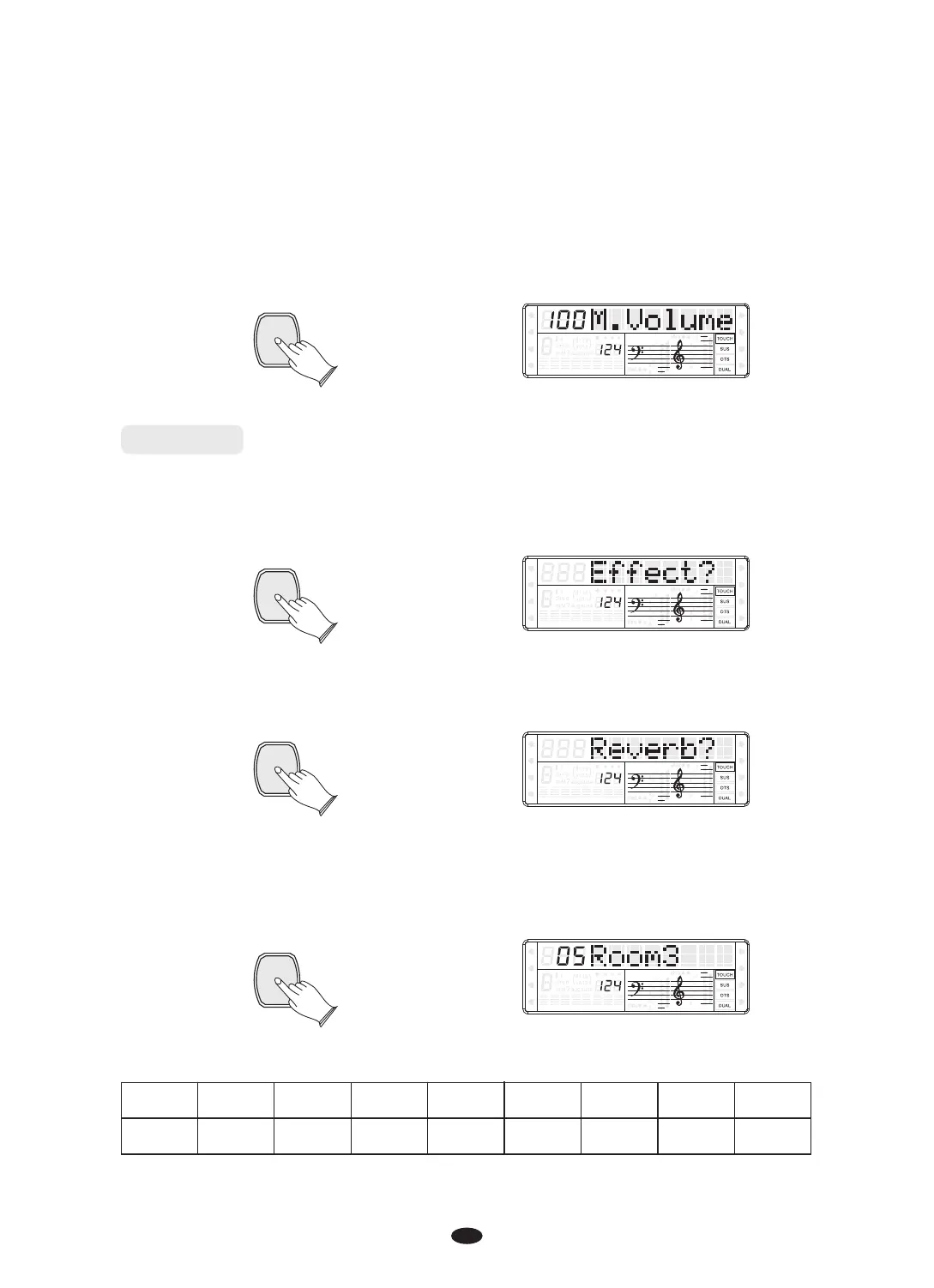
Press [ENTER] button to confirm, and use [+] and [-] buttons or [DATA CONTROL]
knob to set the volume value: 00 to 127.
SPLIT
HARMONY
FULL KEYB.
TWIN
RHY1
RHY2
BASS CRD1 CRD2
PAD
PHR1 PHR2
Reverb
Press [FUNCTION] button to select “Effect?”.
This function allows you to perform the overall sound in a realistic style.
ENTER
SPLIT
HARMONY
FULL KEYB.
TWIN
RHY1
RHY2
BASS
CRD1 CRD2
PAD
PHR1 PHR2
SPLIT
HARMONY
FULL KEYB.
TWIN
RHY1
RHY2
BASS
CRD1 CRD2
PAD
PHR1 PHR2
1 2 3 4 5 6 7 8
Hall1 Hall2 Room1 Room2 Room3 Stage1 Stage2 Plate
FUNCTION
SPLIT
HARMONY
FULL KEYB.
TWIN
RHY1
RHY2
BASS
CRD1 CRD2
PAD
PHR1 PHR2
Press [ENTER] button to confirm, and use [+] and [-] buttons or [DATA CONTROL]
knob to select “Reverb?”.
Press [ENTER] button to confirm, and use [+] and [-] buttons or [DATA CONTROL]
knob to select reverb type. No reverb is produced when you select 'OFF'.
Default type: 05 Room3
ENTER
The reverb types in the list below can be selected from the reverb display.
0
OFF


 To Next Page