EasyManua.ls Logo

Boston DSP-488 - User Manual

Boston DSP-488
44 pages
Print Icon
To Next Page IconTo Next Page
Loading...
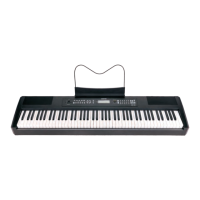
Digital Piano
Users Manual
Question and Answer IconNeed help?

Do you have a question about the Boston DSP-488 and is the answer not in the manual?

Summary

Precaution and Safety

Safety Precautions

Essential safety guidelines and warnings for operating the digital piano safely.

Connection Options

Audio and MIDI Connections

Connecting Line Out/In, MIDI Out, and Phones jacks.

Panel Controls

Top and Rear Panel Layout

Details of all physical buttons, knobs, and ports on the digital piano.

Pedal Usage

Sustain, Double, and 3-Foot Pedals

Connecting and utilizing optional and supplied foot pedals.

Basic Operation

Power, Volume, and Demo Play

Fundamental steps for turning on, adjusting volume, and playing demo songs.

Voice Selection

Choosing Instrument Voices

Explanation of voices and how to select them.

Keyboard Modes

Sustain and K.MODE Features

Using sustain, split, harmony, and other keyboard modes.

Advanced Keyboard Modes

Performance Controls

Touch Sensitivity and Tempo

Adjusting touch sensitivity and tempo for playing styles.

Function Menu

Dual, Pitch, and Effect Settings

Configuring dual voice, transpose, tune, reverb, and chorus effects.

Dual Functionality

Voice and Style Features

Dual Voice and OTS

Selecting the second voice and optimizing voices for styles.

Keyboard Split and Point

Pitch and Stereo Adjustments

Pan, Octave, and Volume Control

Adjusting stereo position, octave, and voice volume levels.

Sound Effects: Reverb

Sound Effects: Chorus

MIDI Communication

MIDI In and Track Configuration

Receiving MIDI data and configuring MIDI tracks.

Auto Accompaniment

Style Selection and Playback

Choosing from 100 styles and starting/stopping accompaniment.

Accompaniment Control Features

Accompaniment Volume and Metronome

Adjusting Volume and Using Metronome

Setting accompaniment volume and using the metronome for practice.

Registration Memory

Storing and Loading Settings

Saving and recalling voice and accompaniment settings.

Recording and Playback

Recording and Playback Operations

Recording accompaniment and melody tracks and playing them back.

Playback and Clearing Recordings

Factory Reset

Appendix: Fingering and Modes

Auto Accompaniment Fingering

Guide to fingering techniques for auto accompaniment chords.

Fingered Mode

Reference Lists

Percussion, Voice, and Style Lists

Lists of percussion sounds, instrument voices, and accompaniment styles.

MIDI Implementation Chart

Specifications Overview

Boston DSP-488 Specifications

General IconGeneral
BrandBoston
ModelDSP-488
CategoryMusical Instrument
LanguageEnglish