27
Fill In Button
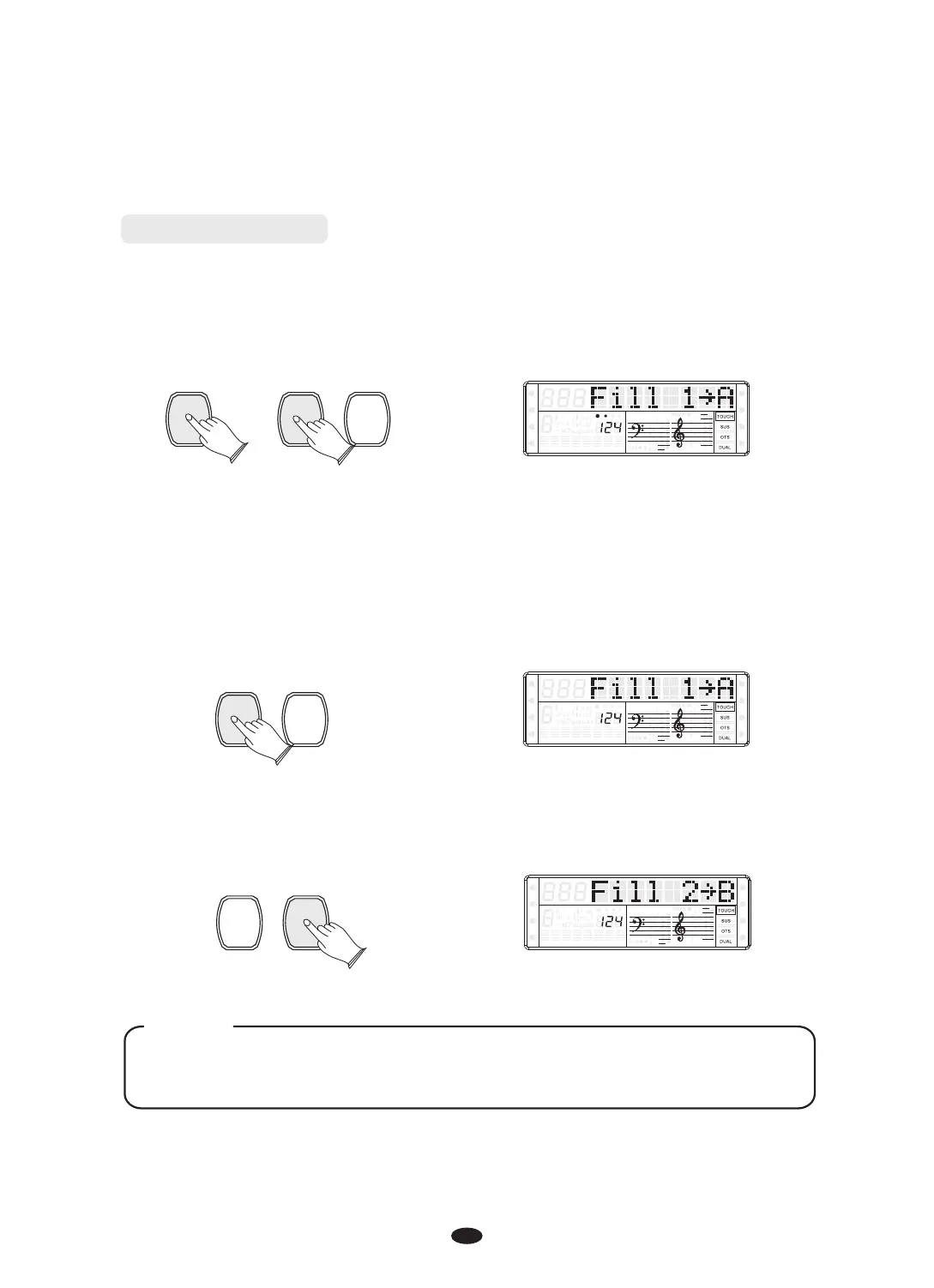
Press the [SYNCHRO] button and then press the [FILL IN1] or [FILL IN2] button,
the accompaniment will start from Fill IN1 or FILL IN2 as soon as a chord is
detected in the AUTO ACCOMPANIMENT section of the keyboard.
SYNCHRO
FILL IN 1 FILL IN 2
SPLIT
HARMONY
FULL KEYB.
TWIN
RHY1
RHY2
BASS
CRD1 CRD2
PAD
PHR1 PHR2
While the style is playing, you can add variation in the rhythm/accompaniment by
pressing the [FILL IN1] or [FILL IN2] button.
In MAIN mode, press [FILL IN1] button to insert 1 measure fill and LCD flashes
‘Fill 1→A’. After one measure is over, MAIN style will be returned
FILL IN 1 FILL IN 2
SPLIT
HARMONY
FULL KEYB.
TWIN
RHY1
RHY2
BASS
CRD1 CRD2
PAD
PHR1 PHR2
In MAIN mode, press [FILL IN2] button to insert 1 measure fill and LCD flashes
‘Fill 2→B’. After one measure is over, variation mode will be started.
FILL IN 1 FILL IN 2
SPLIT
HARMONY
FULL KEYB.
TWIN
RHY1
RHY2
BASS
CRD1 CRD2
PAD
PHR1 PHR2
Hold down the [Fill IN1] or [Fill IN2] button when the style is playing, the
selected FILL pattern repeats continuously until button is released.
NOTE


 To Next Page